Guntermann & Drunck GmbH Operating Instructions
CATVision (MC)
For establishing a Reset connection, proceed in the same way as described
above. Here you connect the connector Res-Sw with the Reset switch and then
the connector Res-MB of the module with the motherboard.
Even if there is no Reset button at the PC case a Reset is still possible. In this
case Res-MB is connected with a 2-core cable with suitable connections for the
Reset key switch on the motherboard.
Information:
For finding the correct contacts on the motherboard please see the manual of
the motherboard.
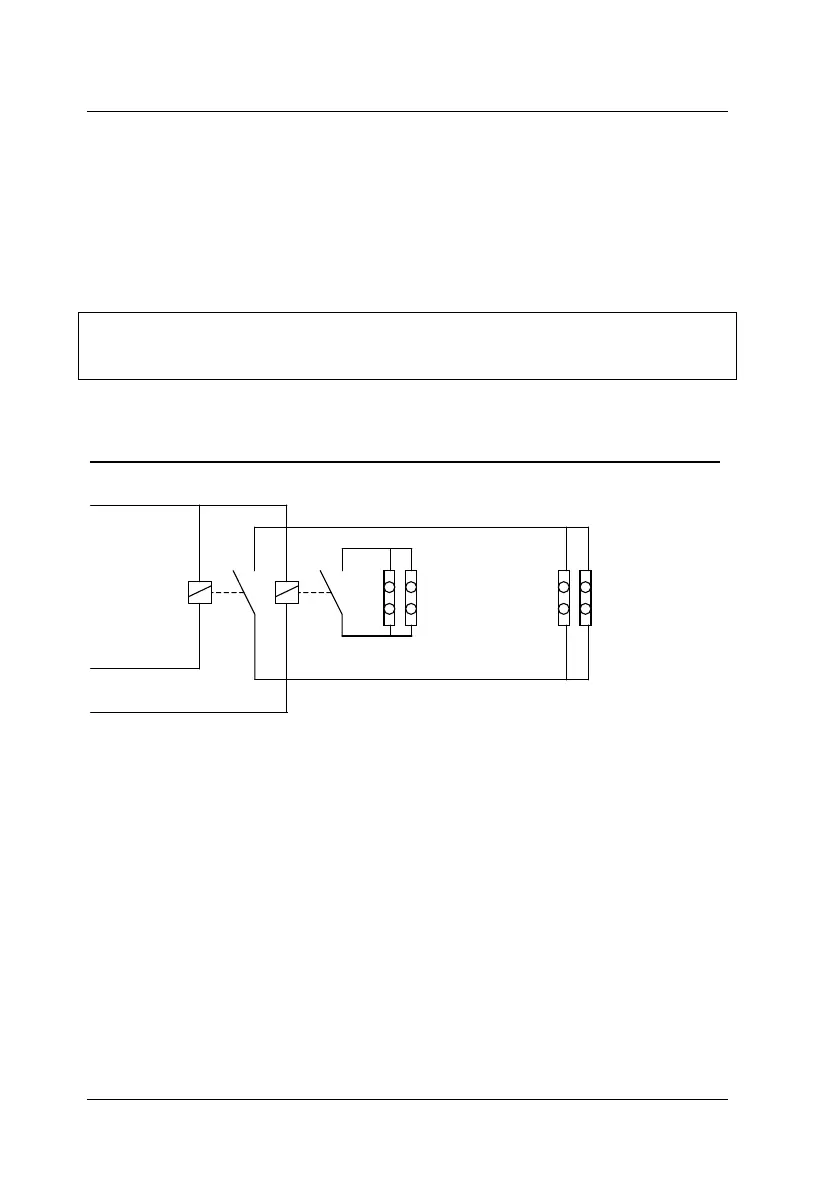
Typical application: principle circuit for controlling ATX power and Reset:
2-pole-connection to
the ATX switch at the
PC case (Pwr-SW)
2-pole connection to
TX switch at the PC
case (Res-Sw)
2-pole connection to
the PWR-SW
connection on the
PC motherboard
(Pwr-MB)
2-pole connection to
the Reset connection
on the PC motherboa
(Res-MB)
O2 ATXPWR# (Pin 1)
O2 RESET# (Pin 3)
V+ 5V (Pin 2)
The remote activation of Reset or On/Off of the computer only works at
switched on and (over CAT-x cable) connected CATVision-CPU and
CATVision-CON. At a correct wiring the key switches at the PC still work as
usual.
page 64



 To Next Page