Guntermann & Drunck GmbH Operating Instructions
CATVision (MC)
11.2 Installation
11.2.1 Installation in the PC
The connection of the CV-Power (ATX module) with the motherboard of the
computer allows
RESET and
switching of the ATX power supply.
For switching the ATX power supply please proceed as follows:
Open the side covers of the PC case
Insert the ATX module CV-Power in a free extension slot.
This doe not require a PCI, ISA or AGP slot but just the installation
position at the back of the computer.
Pull off the 2-core cable at the motherboard coming from the ATX switch
at the PC front side(Motherboard) and connect it to the connector Pwr-
Sw ATX-Modul CV-Power.
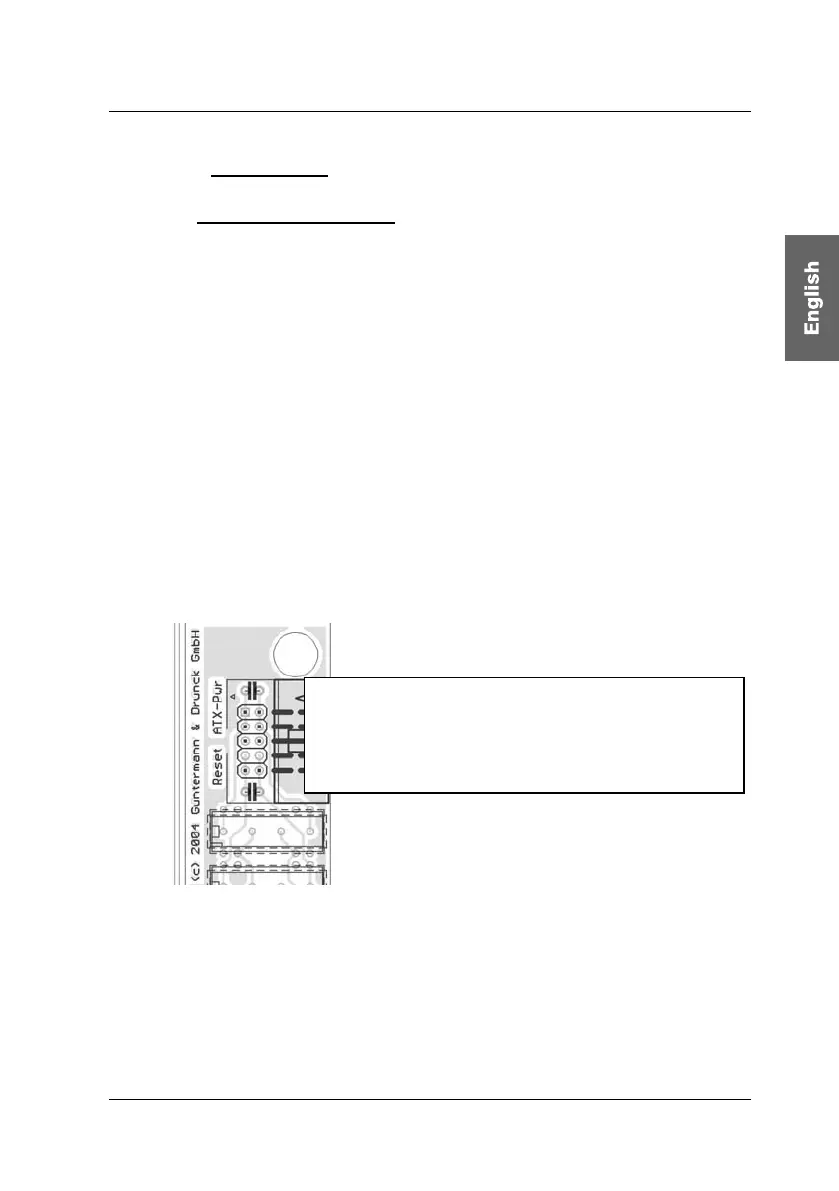
The 2-pole connector position seen from
bottom to top:
Pw
-Sw – Power connection to the ATX switch
Pwr-MB – Power connection to the motherboard
(Place holder)
Res-MB – Reset connection to the motherboard
R
-
w
R
nn
i
n
h
R
wi
h
Now connect the 2-pole conn
ection cable with Pwr-MB. Connect the
other end with the connecting position with the motherboard where the
cable of the ATX switch was connected before. If the length of the 2-pole
connection cable is not sufficient use the delivered extension cable.
page 63



 To Next Page