Guntermann & Drunck GmbH Operating Instructions
CATVision (MC)
3 Installation
The installation of CATVision and CATVision-MC differs in the number of
connectable video sources. As an installation example the manual focus is
therefore on the CATVision. The connection of additional video sources will be
explained separately.
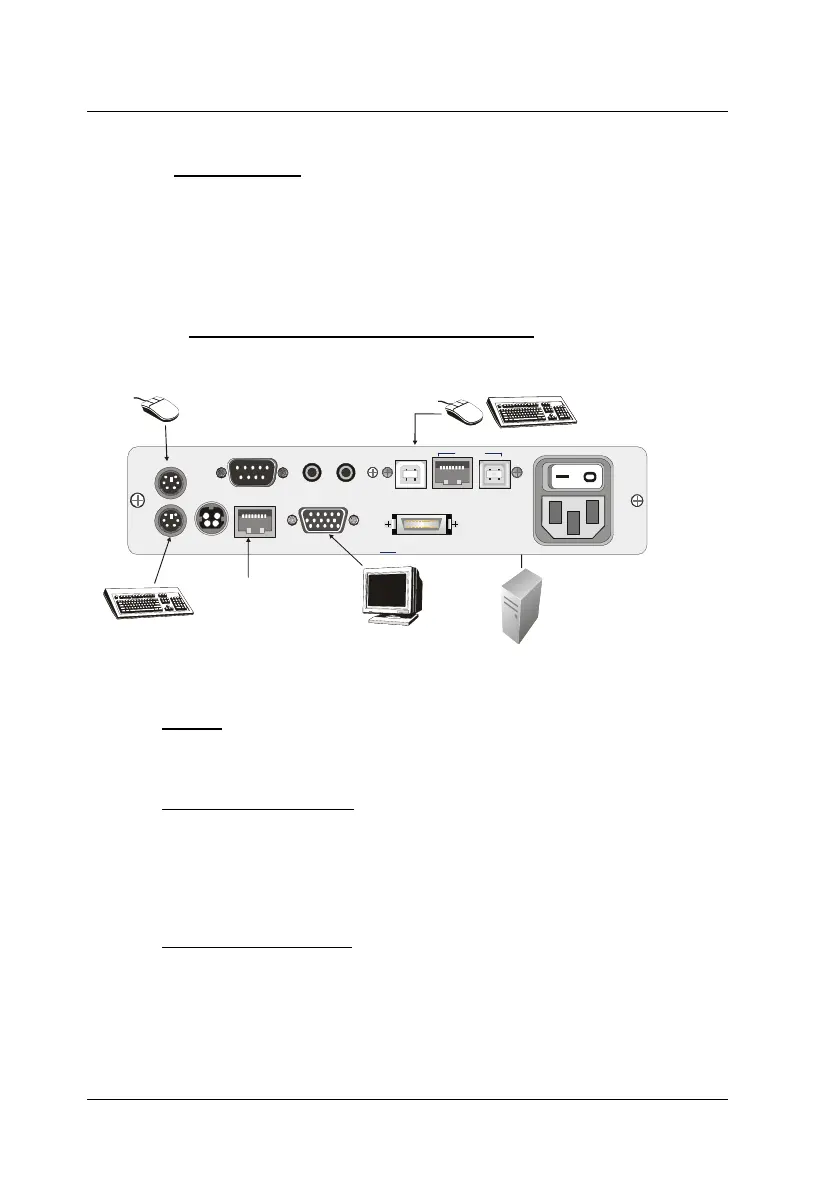
3.1 Installing of the transmitting unit
Alternative: connection for keyboard/mouse
via USB-AM/BM-2 to the PC
Connection for
the CAT-x cable
to the CATVision-CON
Keyb PS/2.
Mouse PS/2
Monitor
CPU
Line In Line OutRS 232
VGA Keyb. Mouse CPU
Tran s
USB K/M
CPU
USB 1.1
Transmission12V DC/0,6A
Red. Power
100-240V/60-50Hz
140-82mA
Connection for the CPU-x cable
to the local PC; VGA, PS/2,
keyboard and PS/2 mouse
Port of the keyboard
for the local console
Port for the monitor
of the local console
Mouse port
for local console
Disconnect monitor, keyboard and mouse from the computer.
Monitor:
Connect the 15 pole Sub HD connector of the
CPU-x cable (x = 2, 4,
6 or 9 m) to the VGA interface of the computer.
Keyboard/Mouse (PS/2):
Establish a connection to the keyboard and mouse interface of the
computer by means of the two PS/2 connectors of the CPU-x cable.
Both connectors have corresponding symbols.
Alternativ
Keyboard/Mouse (USB)
Establish a connection to the keyboard and mouse interface of the
computer by means of the two USB connectors of the
USB-
AM/BM-2-cable
page 8



 To Next Page