GPSMAP 396 Owner’s Manual 107
MAIn Menu > AlArMs tAb
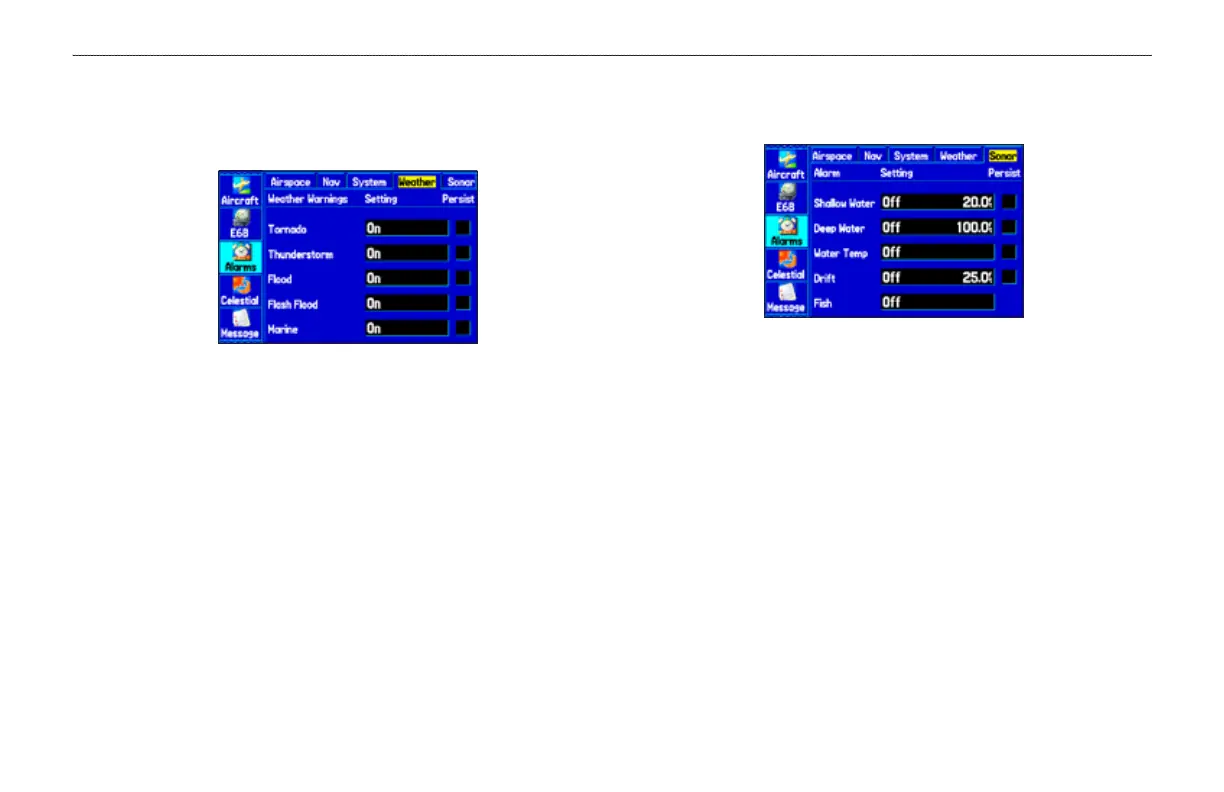
Weather Alarms Sub Tab
You must be receiving XM WX weather information for the weather
alarms to work.
Weather Alarms Sub Tab
Tornado Warnings—sets an alarm to sound when you enter an area
where a tornado warning is in effect.
Thunderstorm Warnings
—sets an alarm to sound when you enter
an area where a severe thunderstorm warning is in effect.
Flood Warnings—sets an alarm to sound when you enter an area
where a ood warning is in effect.
Flash Flood Warnings—sets an alarm to sound when you enter an
area where a ash ood warning is in effect.
Marine Warnings—sets an alarm to sound when you enter an area
where a marine warning is in effect.
Sonar Alarms Sub Tab (Marine Mode Only)
You must be receiving sonar NMEA data for Sonar alarms to work.
Sonar Alarms Sub Tab
Shallow Water and Deep Water—sets an alarm to sound when you
enter an area of water that is too shallow or deep.
Water Temp
—sets an alarm to indicate if the water temperature has
exceeded or dropped below a specic temperature, or fallen outside/
inside a specic temperature range. Select Above or Below and then
enter a specic temperature, or select Inside or Outside and enter a
range of temperatures.
Drift—sets an alarm to sound when you have exceeded a specied
drift distance. Select On, and then enter a specic distance.
Fish—sets alarm to sound when unit detects a sh of the specied
symbol size.













 To Next Page