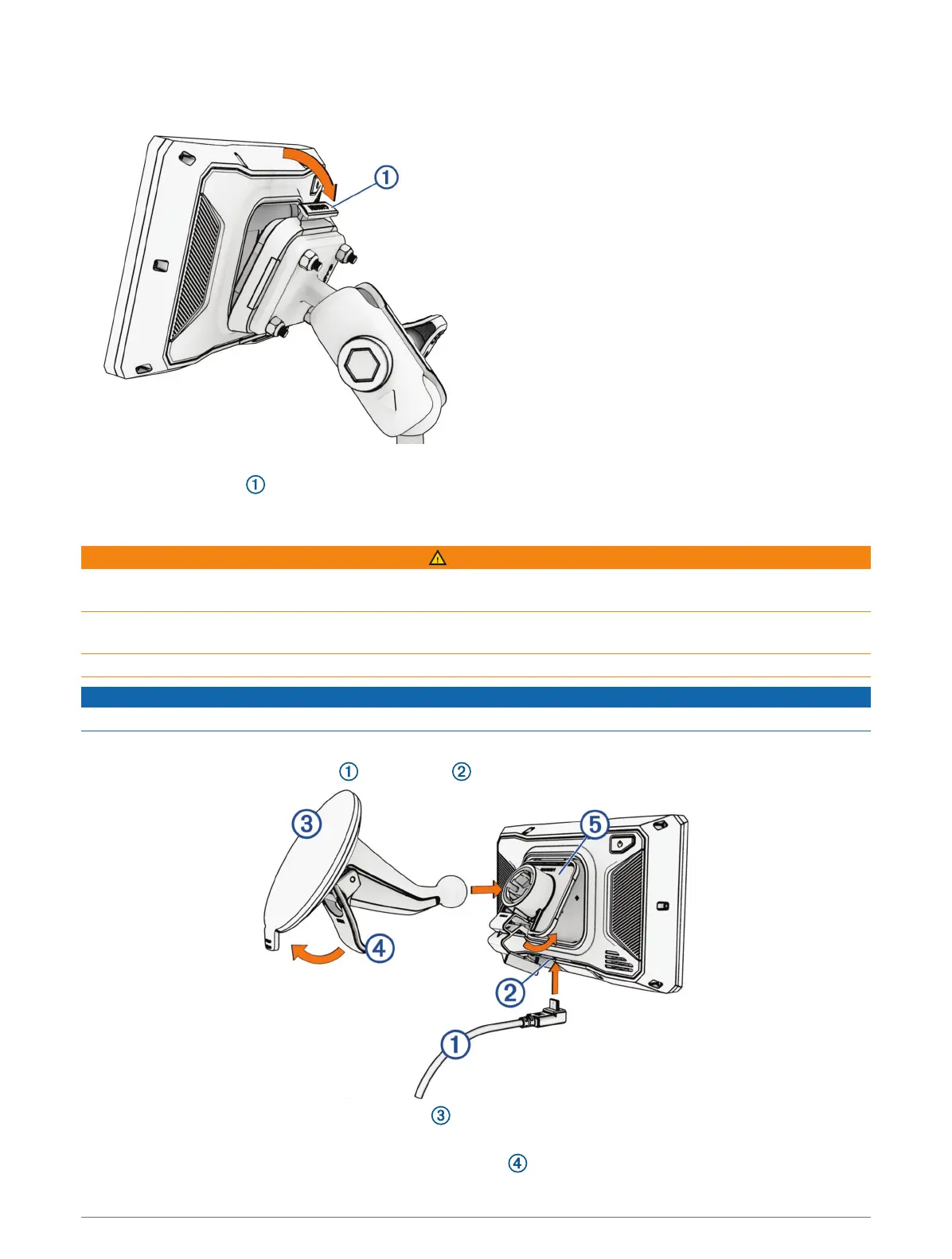
Installing Your Device in the Mount
1 Fit the bottom of your device into the cradle.
2 Push the top of the device forward until it snaps into place.
You can push the latch down to release the device from the mount.
Mounting Your Device in an Automobile
WARNING
See the Important Safety and Product Information guide in the product box for product warnings and other
important information.
This product contains a lithium-ion battery. To prevent the possibility of personal injury or product damage
caused by battery exposure to extreme heat, store the device out of direct sunlight.
Do not use the suction cup mount on a motorcycle.
NOTICE
Before mounting the device, check the local laws pertaining to windshield mounting.
NOTE: The automobile mount is an optional accessory. Go to garmin.com to purchase optional accessories.
1 Plug the automotive power cable into the port on the device.
2 Remove the clear plastic from the suction cup .
3 Clean and dry your windshield and the suction cup with a lint-free cloth.
4 Press the suction cup to the windshield, and flip the lever back toward the windshield.
4 Getting Started















 To Next Page