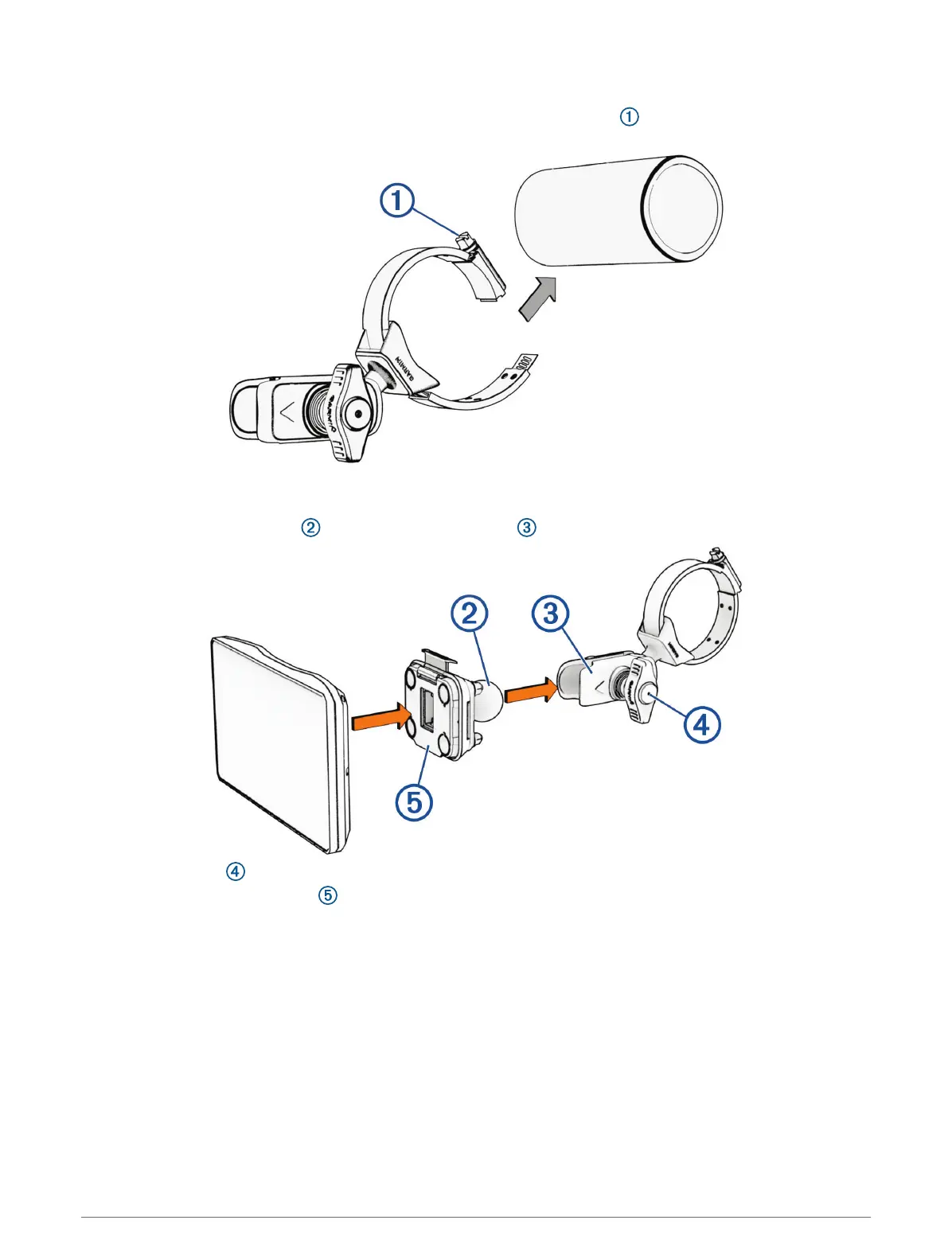
Mounting the Device on a Roll Bar
1 Using a flat head screwdriver or
9
/
32
in. (7 mm) nut driver, loosen the bolt on the roll bar mount until the
ring separates.
2 Place the mount around the roll bar.
3 Tighten the bolt on the mount until the ring is secure.
4 Insert the ball on the mount into the double-socket arm .
5 Tighten the knob slightly.
6 If necessary, rotate the mount so the Garmin logo faces up, and adjust the mount for better viewing and
operation.
7 Tighten the knob to secure the mount.
8 Press the device into the mount until it snaps into place.
9 Route the power cable along a suitable path in your vehicle, and secure it using the included zip ties.
Getting Started 3















 To Next Page