Getting Started
WARNING
See the Important Safety and Product Information guide in the product box for product warnings and other
important information.
1 Connect to a Wi‑Fi
®
network (Connecting to a Wi‑Fi Network, page59)(optional).
2 Pair your Bluetooth
®
phone and headset (Pairing with Your Smartphone, page48) (optional).
3 Update the maps and software on your device (Map and Software Updates, page58).
4 Acquire GPS signals (Acquiring GPS Signals, page5).
5 Mount the device and connect it to power (Installation, page2).
6 Adjust the screen brightness (Adjusting the Screen Brightness, page6).
7 Navigate to your destination (Starting a Route, page16).
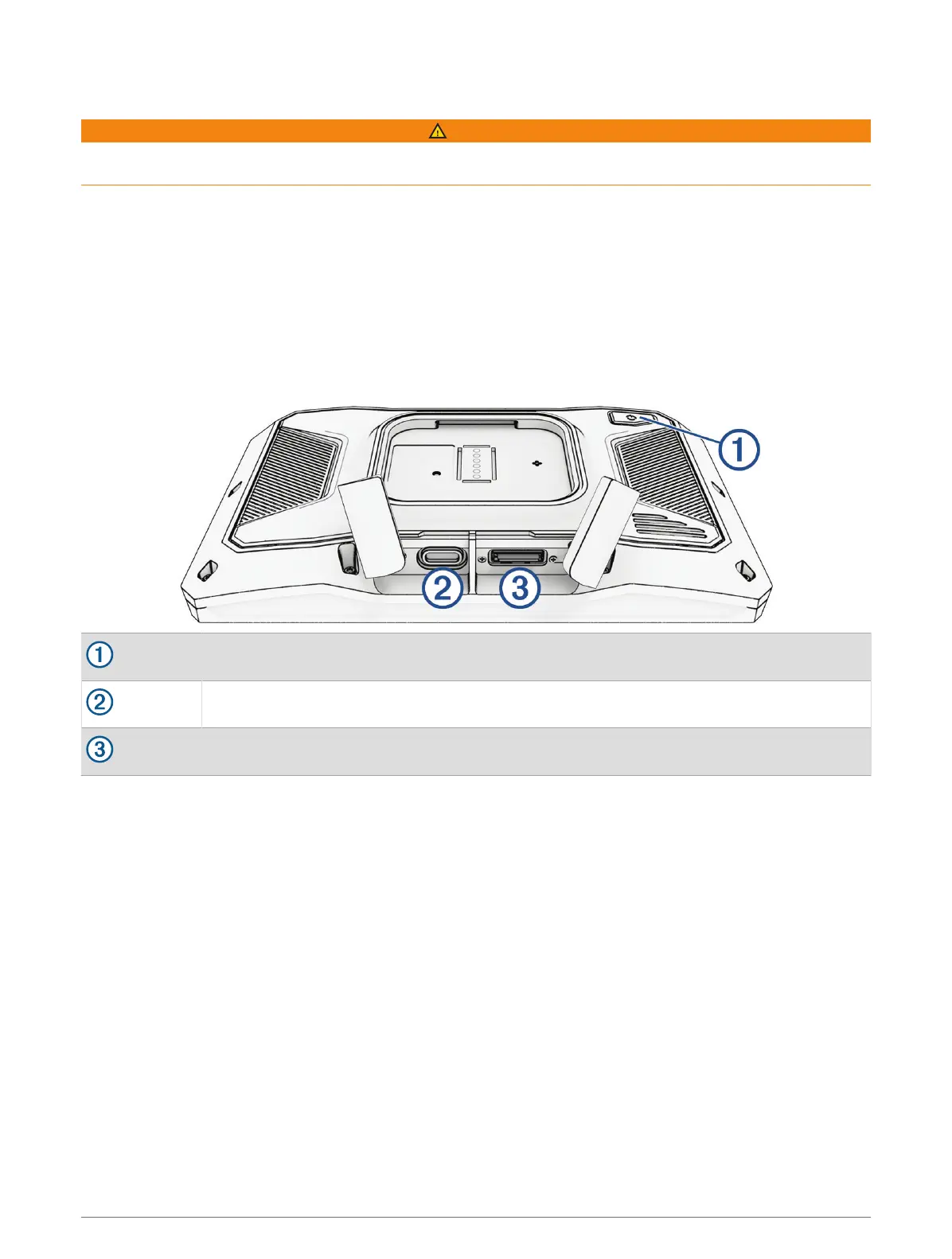
Device Overview
Power button
USB-C
®
power and data port
microSD
®
memory card slot
Getting Started 1















 To Next Page