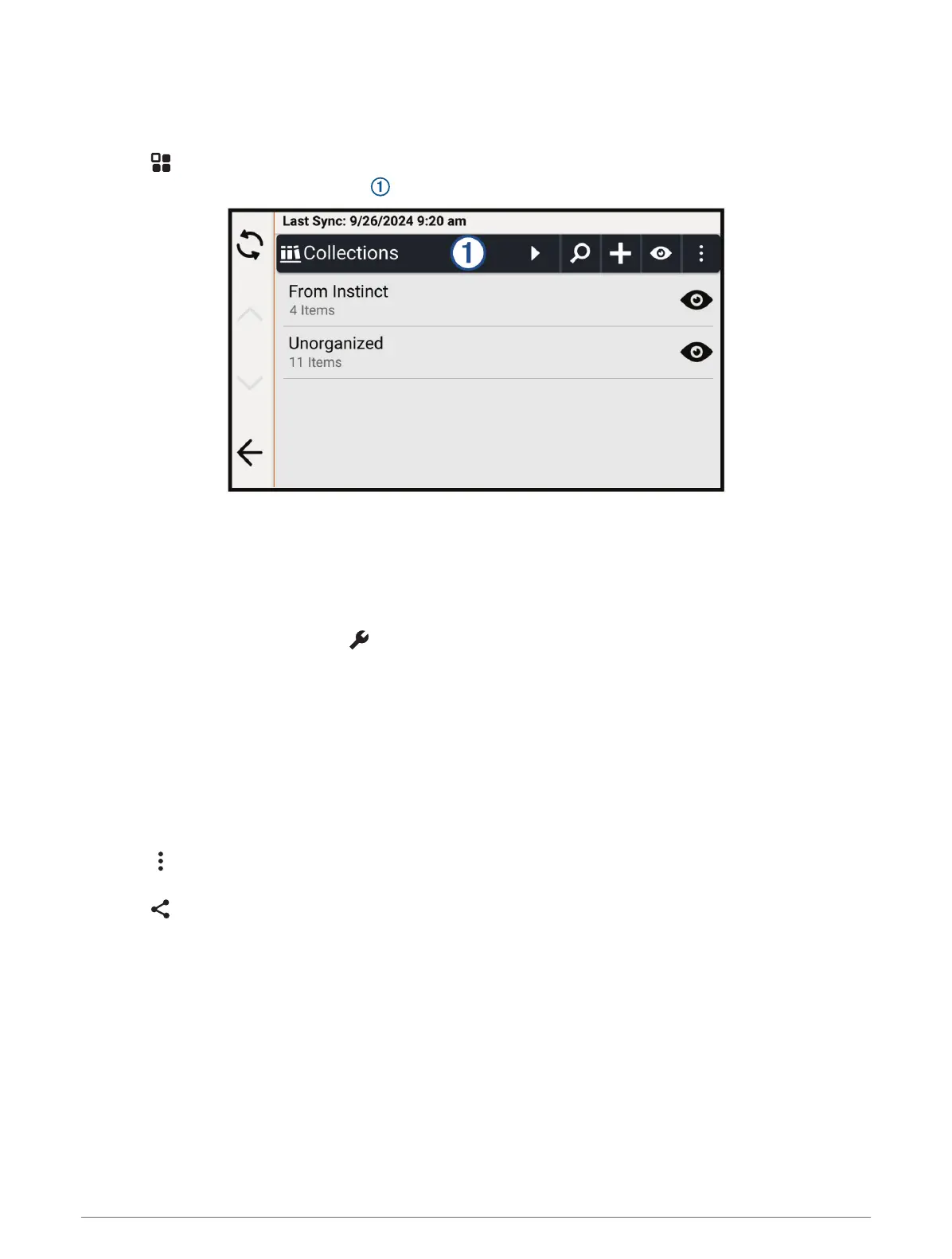
Viewing Your Saved Items
You can use the Saved app to view your saved items, such as waypoints, routes, and tracks. When paired with
the Tread app, your saved items periodically sync with your Garmin account.
1 Select > Saved.
2 If necessary, select the category filter to browse different collections and filter by item type.
Sharing a Saved Item
You can share items using a connected smartphone with the Tread app, or you can save them to a memory
card.
1 From the Saved app, select the item you want to share.
2 Select an option:
• To share a route or track, select > Share.
• To share a waypoint, select Share.
3 Select an option:
• To send the item to the Tread app on your phone, select Garmin Tread.
• To save the item to a memory card, select Memory Card.
4 If necessary, edit the name for the .gpx file.
Sharing Multiple Saved Items
You can share multiple items in a single .gpx file.
1 From the Saved app, select a category or collection filter including all the items you want to share.
2 Select > Share.
3 Select the items to share.
4 Select .
5 Select an option:
• To send the items to the Tread app on your phone, select Garmin Tread.
• To save the items to a memory card, select Memory Card.
6 If necessary, edit the name for the .gpx file.
Finding and Saving Locations 37















 To Next Page