AFR-24S User Manual
5.2.2 AAS II on RX II series
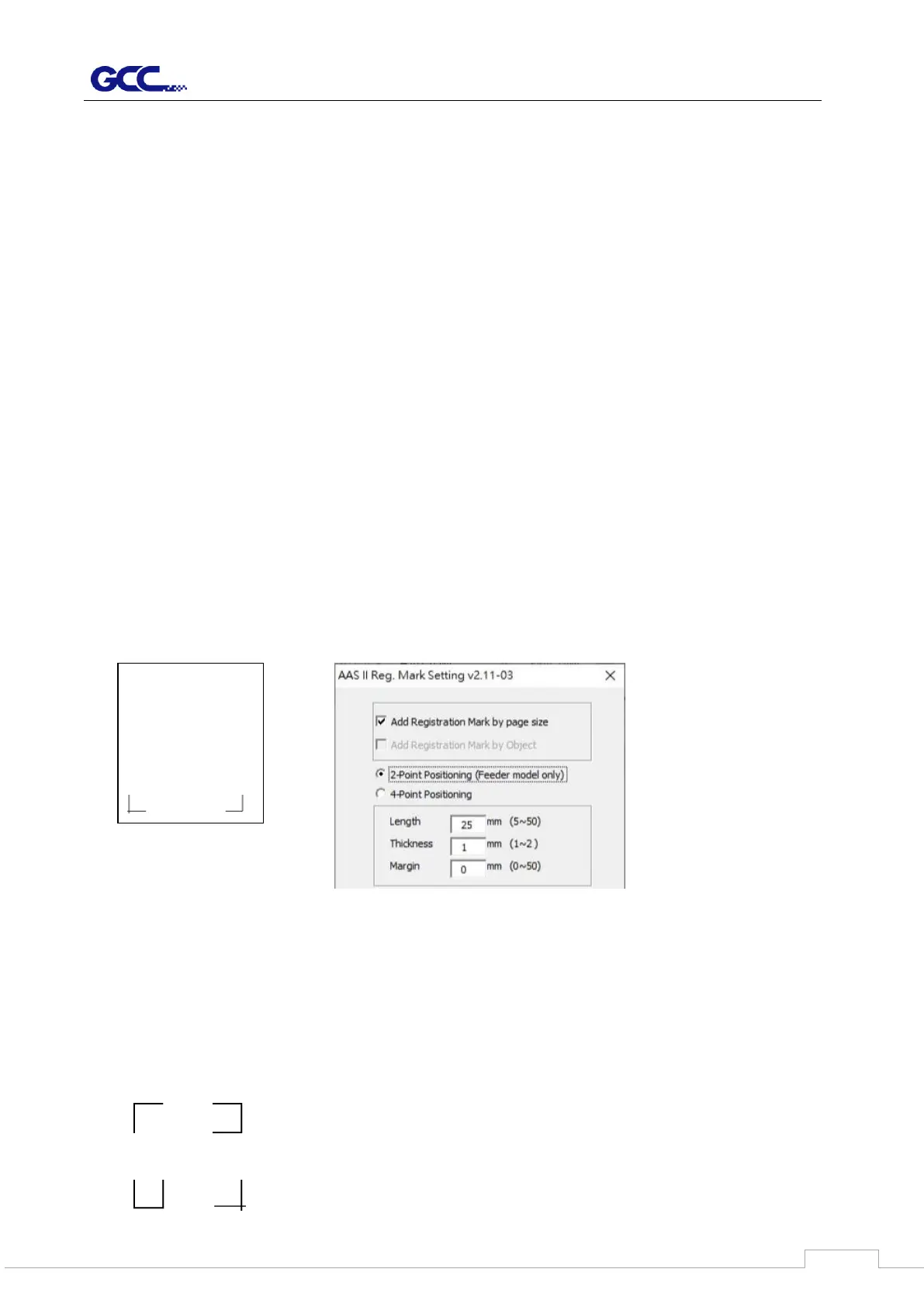
There are four types of AAS II mark patterns: 2-Point Positioning (Feeder Mode only),
4-Point Positioning, Segmental Positioning, and Multiple Copies.
Note that before print out your designs by inkjet printers, the registration marks have to be
created on your graphic designs by cutting software like GreatCut, SCAL, SignPal or GCC
CorelDraw plug-in. Hand-made marks or drawings won’t be reorganized by GCC cutting
plotters.
For more details about registration mark setting in cutting software, please refer to the
software setting in Appendix”
1. 2-Point Positioning (Feeder mode only)
This provides simply mode that enable to shorten the time of detecting the registration
mark.
2. 4-Point Positioning
This is the basic mark pattern that AAS II will auto detect four registration marks and
contour cut images inside those marks.
Command: Esc.D1;(XDist);(YDist):
Layout: 4 registration marks at the 4 corners around the design


 To Next Page