AFR-24S User Manual
4.4 How to Cut 3mm Letters
To obtain good quality output, narrow media is recommended. However, if wide media is
used, you should:
1. Position two pinch rollers as close as possible to both edges of the cutting
area.
2. Make sure the loaded media is held flat with equal tension across the
platen.
3. Suggested operation settings:
Tool force: 55 gf. (or depending on the material)
Cutting speed: 45-50 cm/sec
Tool up speed: 45-60 cm/sec
Smooth cut: Disable
Quality: Small Letter
4.5 When Completing the Cutting Job
After completing the cutting job, raise the sheet-loading lever, and then remove the material
or you can use the cutoff function.
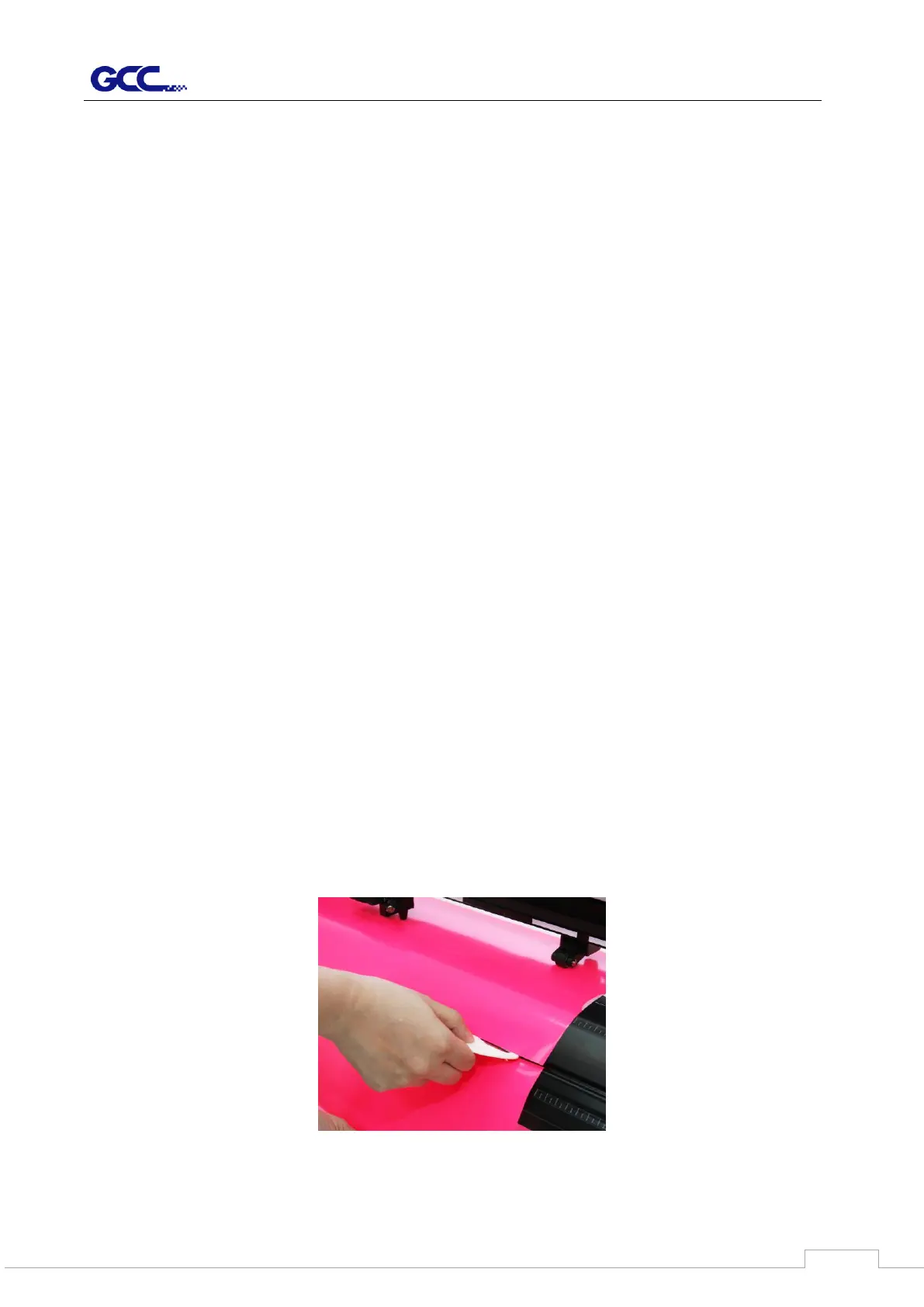
Cutoff Manually:
You can cut off the finished job by the Safe Blade (a standard accessory) along the knife
guide. (Figure 4-17).
Cutoff Automatically:
By using the installed cutoff blade in the carriage, you can move the carriage to the position
you want and set the distance between the cutting image and the cut off line on GCC driver
then press the “CUT OFF” button on the control panel. The material will be cut off
automatically.



 To Next Page