AFR-24S User Manual
2.1.2 RS-232 Connection
Connecting to the RS-232 (Serial) Port
1. For IBM PC, PS/2 users or compatibles, connect the RS-232C cable to the serial
connector of the assigned serial port (COM1 or COM2) of your host computer.
2. Set up the communication parameters (Baud Rate and Data Bits/Parity) to match the
setting of software package, refer to chapter 3 – “Misc” key description.
2.1.3 Ethernet Connection
A.) Networking Connectivity Setup
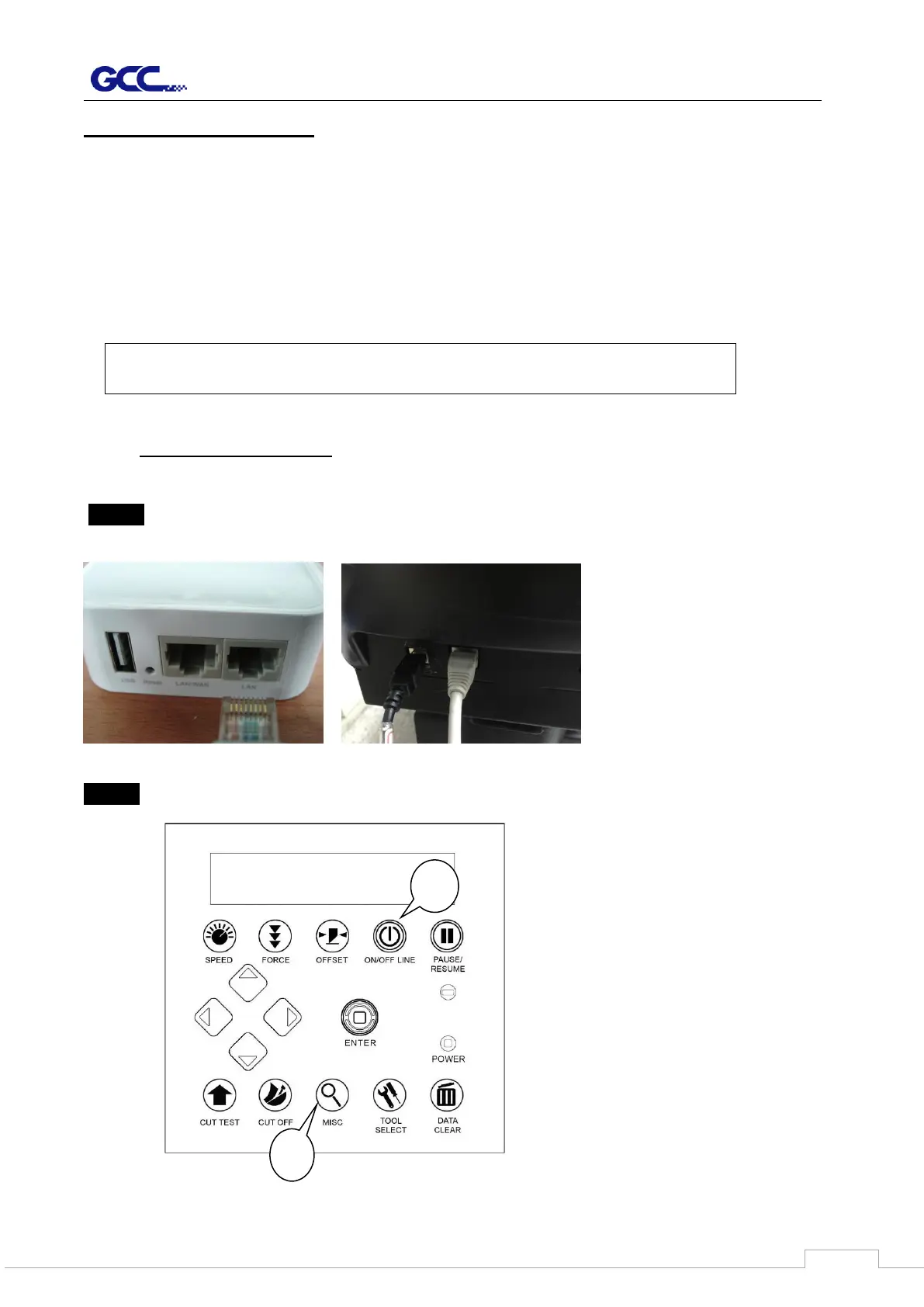
Step 1 Connect the LAN port and Ethernet port on GCC cutting plotter with RJ45 Ethernet
cable, and turn on the machine.
Step 2 Press On/Off line and then MISC button on your control panel.
Caution!! Please turn off the plotter before plugging the RS-232C cable.



 To Next Page