AFR-24S User Manual
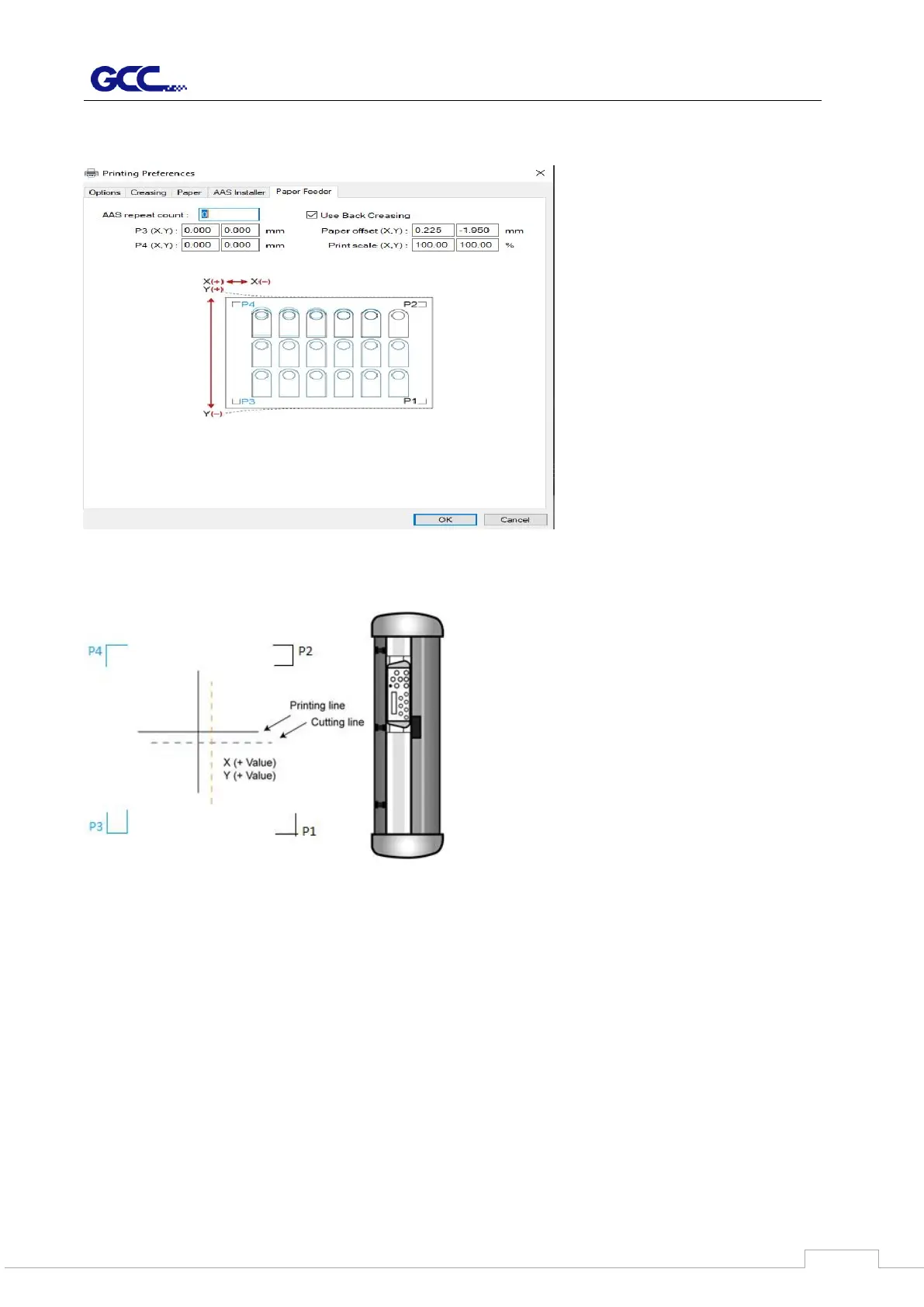
4.6.4 RX II-Creasing Print Driver setting > Paper Feeder Page
The setting in Paper Feeder Page works when 2-point positioning registration mark setting is
applied in a cutting file. Please refer to A-4 Add Two Point Registration Marks section or A-5
Add Two Point Registration Marks section.
• Repeat count: to define the number of copies desired in one cutting job
• P3 (X,Y) / P4 (X,Y): to set offset X and Y value (Horizontal line is defined as Y and vertical
is defined as X when facing the cutting plotter).
When the actual cutting line and the printed line need to be changed towards the direction of
P1 mark, then simply add the negative value of the offset. If the direction is from the opposite
of the P1 mark, then enter positive values for the offset. This method applies to both X and Y
axes



 To Next Page