AFR-24S User Manual
version of GCC AAS Plug-in.
2.1.1.2 Driver Un-installation
You have to remove previous version driver installed on your PC system completely before
you can install the latest version successfully. Please refer to below steps.
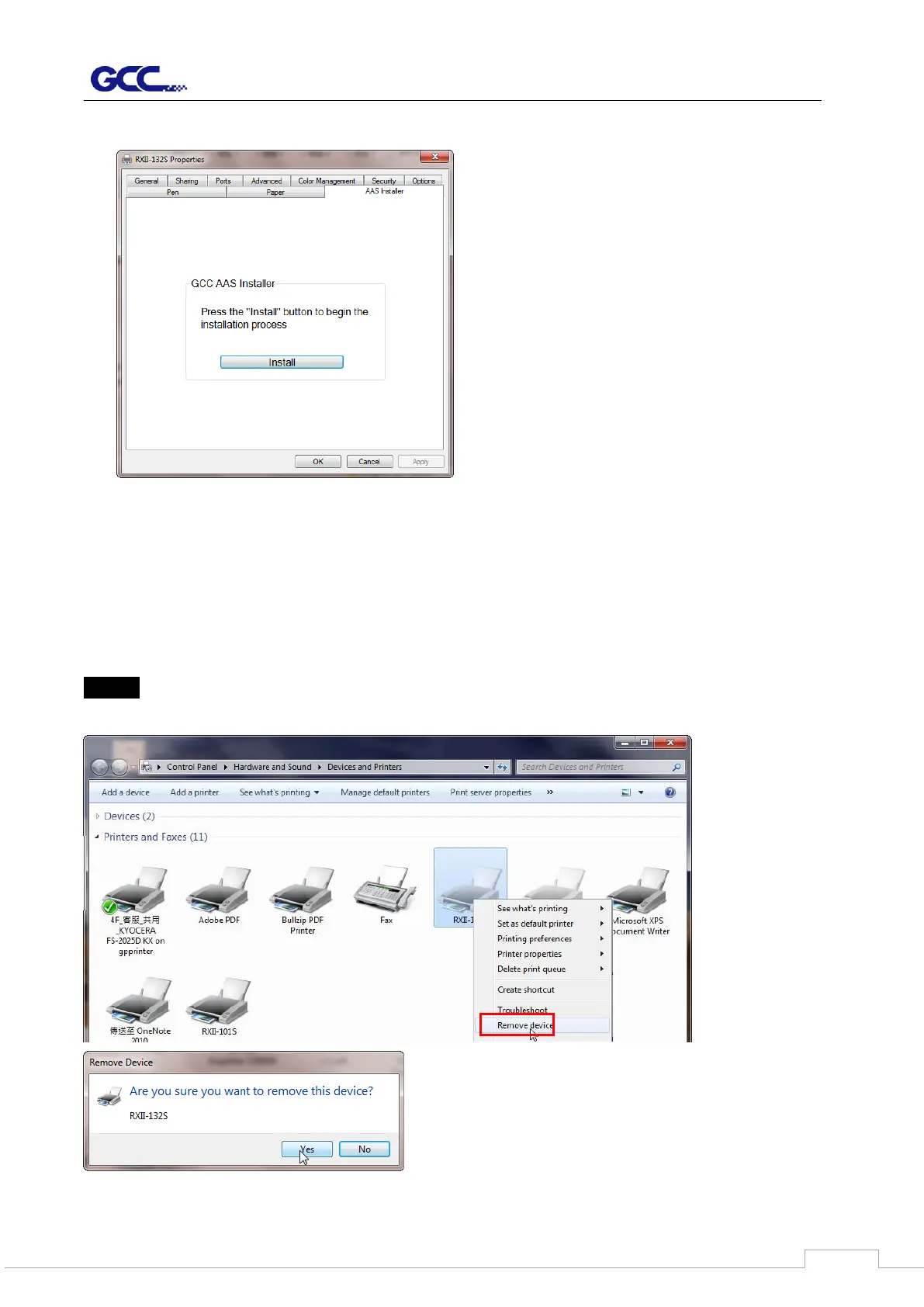
Step 1 Go to Control Panel\Hardware and Sound\Devices and Printers window. Right click
the printer and select “Remove device.”


 To Next Page