AFR-24S User Manual
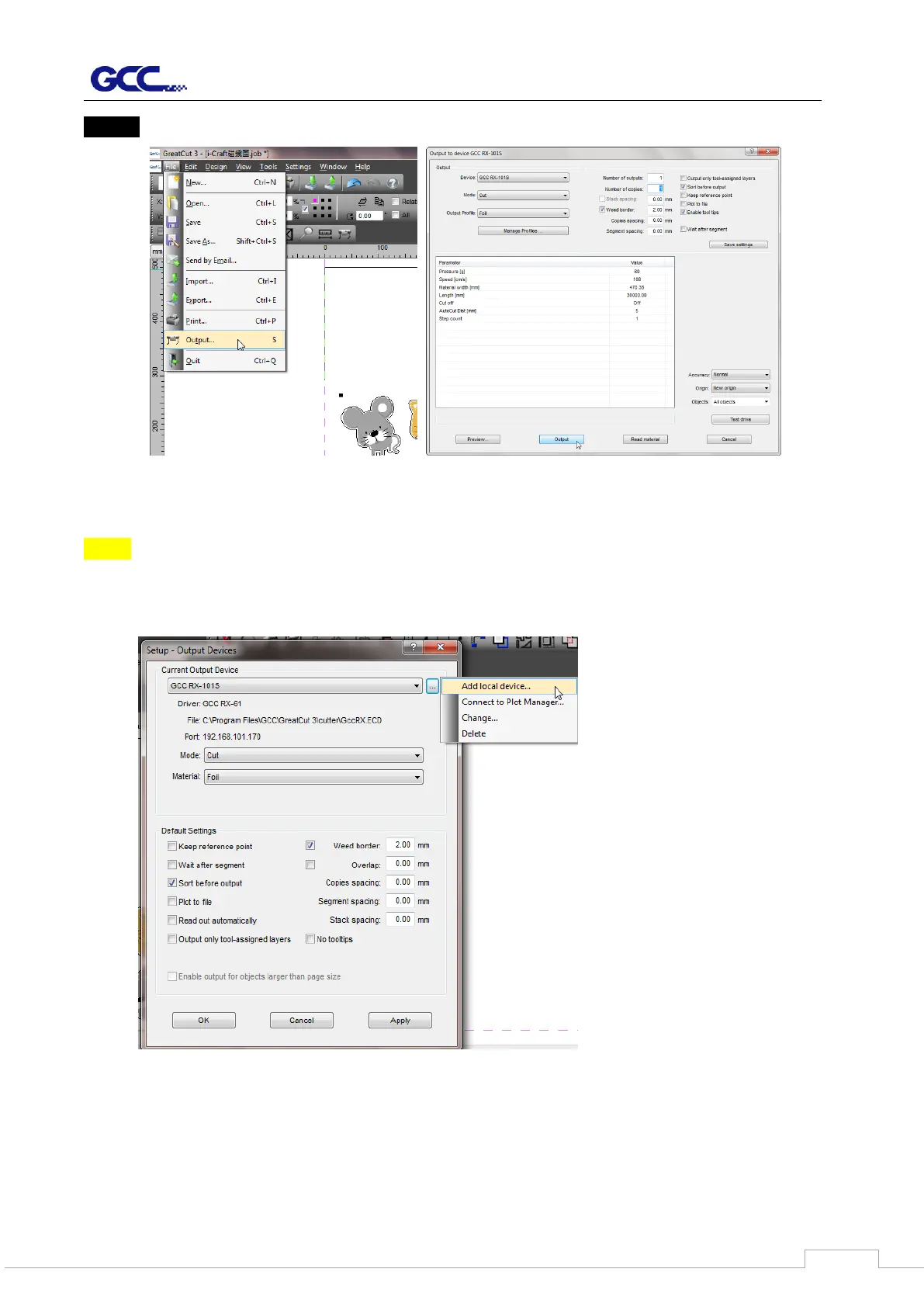
Step 5 Go to Output under File to check the settings.
Complete the driver installation process and your GCC Cutting Plotter is now allowed to
network.
Note: If you want to add new local device, please go to Output Devices under Settings, and
press the button on the right of Current Output Device and select Add local device (if
the device has been installed but you wanted to output through another device,
please select Change to set the IP address of another device).



 To Next Page