AFR-24S User Manual
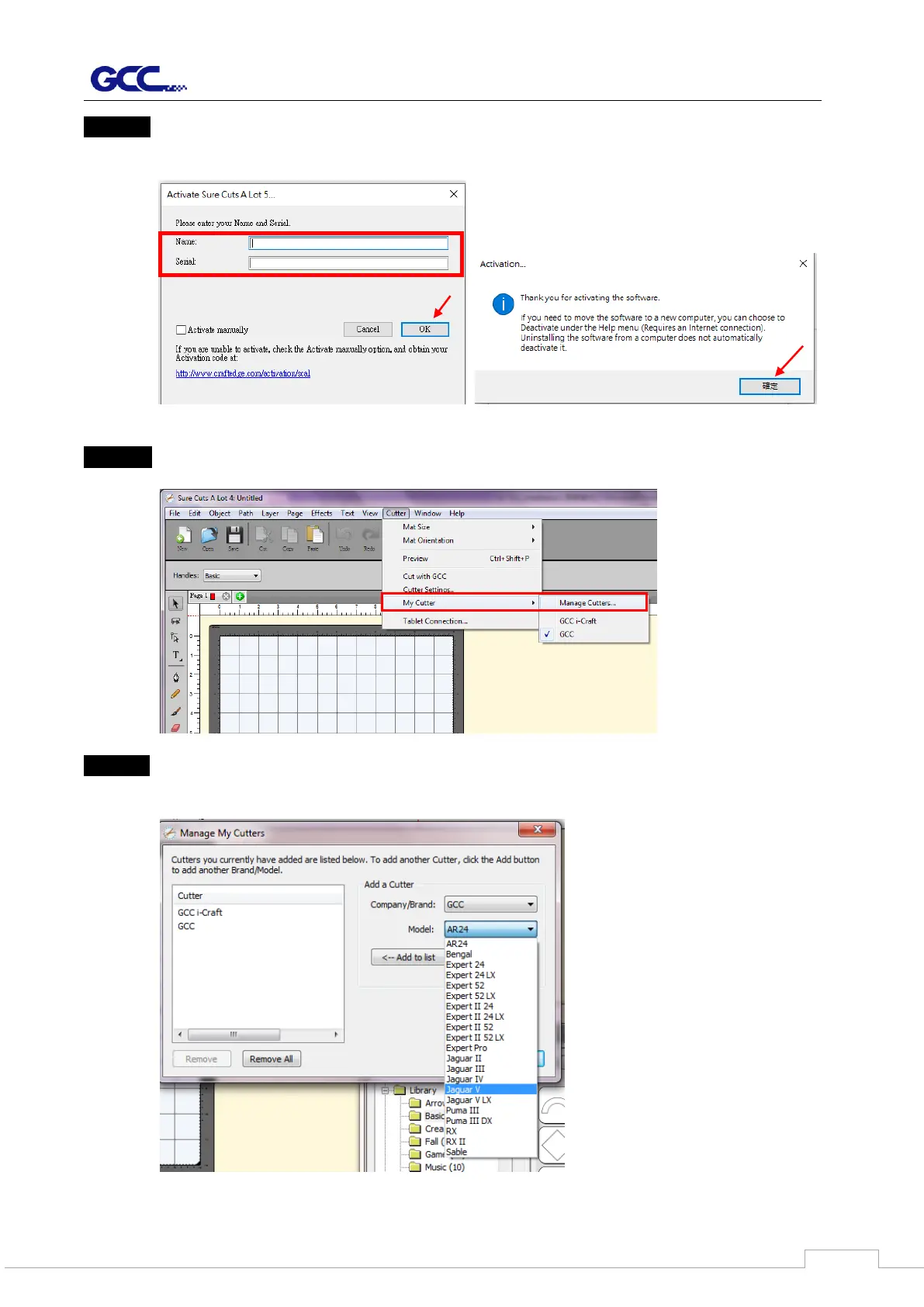
Step 10 Put your name in the Name column and enter the 25-letter software key shown on
the DVD front cover to the Serial column and press “OK” to complete the activation.
Step 11 Launch Sure Cuts A Lot, select “My Cutter” under “Cutter” and select “Manage
Cutters.”
Step 12 Select Company/ Brand as “GCC” and the model you want to output, and then click
the “Add to list” button and “Done.”



 To Next Page