AFR-24S User Manual
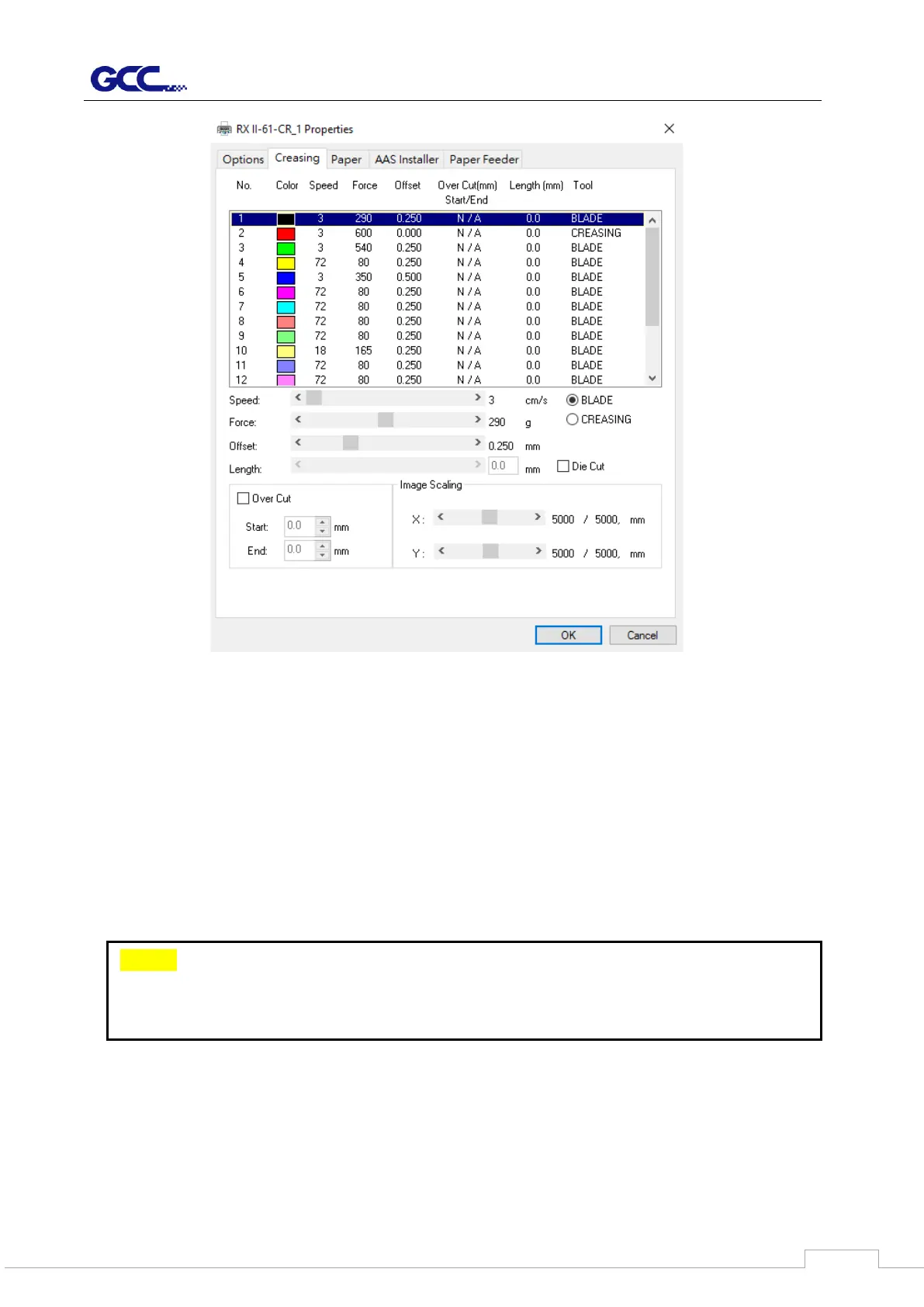
Figure 4-21
If you would like to specify your own colors to designate to a particular cutter setting, then all
you have to do is to double-click on that particular color from the creasing menu and a color
manager window will open where you can select “define custom colors” to define your own
color (shown in the picture below). This is useful when your image is composed of colors that
are not part of the creasing menu’s default color selection, and instead of modifying your
image, you simply would like to assign the cutter settings based on the existing colors from
your current image.
You should set the RGB color code in the graphic design software such as CorelDRAW
and Adobe Illustrator as same as Creasing page of print driver. That makes cutting plotter
cut in right parameters. Please follow the step-by-step instruction blow.
Note:
The GCC RX II series driver cannot store more than 16 colors or different
cutter parameter settings per file.



 To Next Page