AFR-24S User Manual
Speed
(Creasing Page) [DEF
AUL
T SETTING:
72cm/sec]
The speed slider controls the cutter’s cutting speed during operation with a range setting
from 3 – 153cm/sec. The GCC RX II series maximum cutting speed is 153 cm (60 inches)
per second.
Force
(Creasing Page) [DEF
AUL
T SETTING:
80g]
The force slider controls the cutting force during operation with a range setting from 0 –
600g.
Offset
(Creasing Page) [DEF
AUL
T SETTING:
0.25mm]
The offset slider controls the blade offset depending on the blade you used.
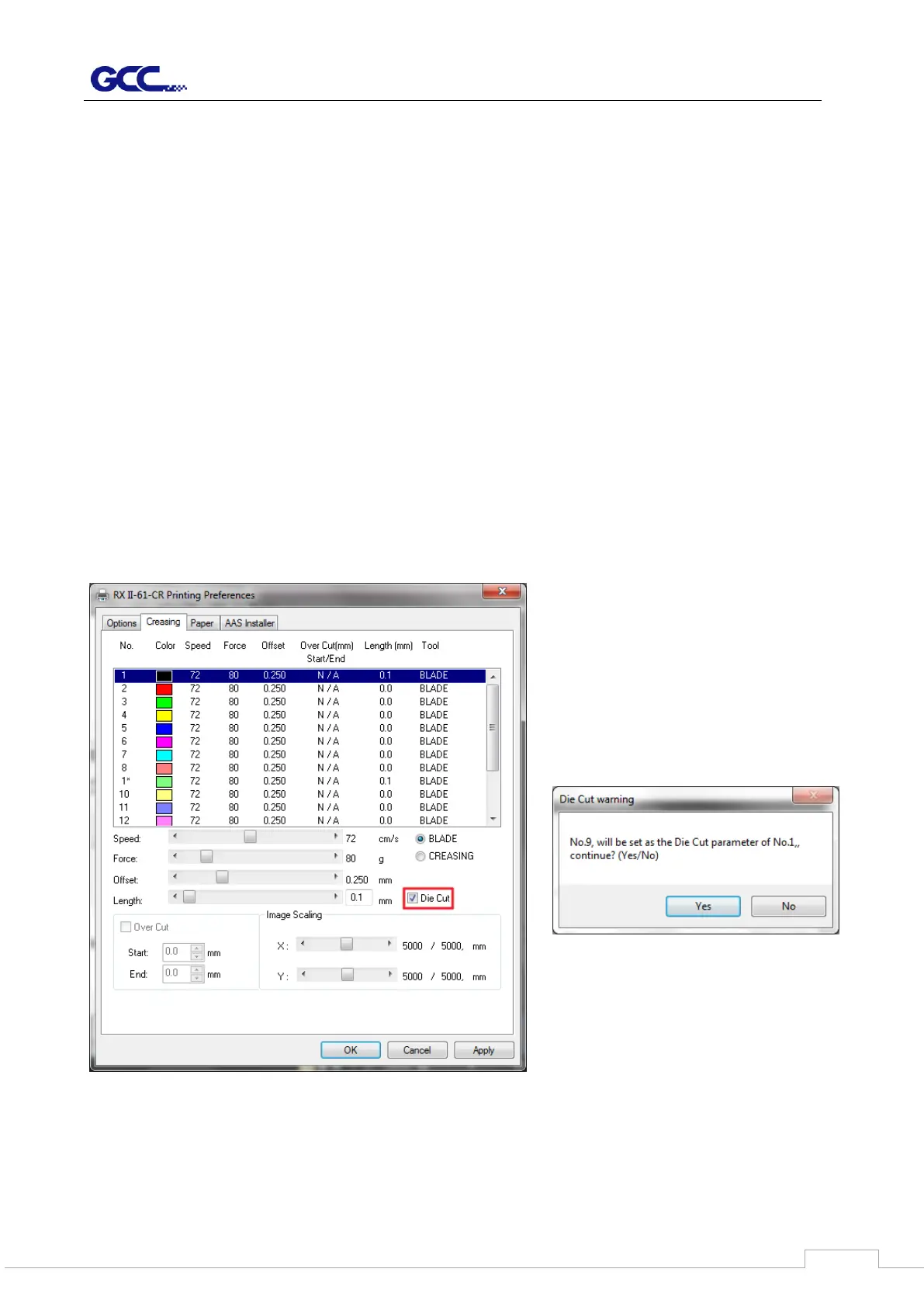
Die Cut
(Creasing Page)
The Die Cut function can allow you to cut through the backing of the material. You can only
use the first 8 color for this function. If you choose Color No.1 and click the Die Cut function,
the Color No.9 will become Color No.1* for setting different parameter for the same cutting
line. (Figure 4-24)



 To Next Page