EasyManua.ls Logo

GDC SX-3000 - Page 39

GDC SX-3000
160 pages
Print Icon
To Next Page IconTo Next Page
To Previous Page IconTo Previous Page
Loading...
2. SMS
April 20, 2015
SX-3000 Standalone Integrated Media Block™ with
Portable Storage/ Enterprise Storage User Manual
- 39 -
DEVICES
Automation Device Setup
It should be noted that automation will only be executed within a playlist as long as that playlist is
playing. If playback stops or the Stop button is pushed automation will not run. For Series 2 projectors
please refer to
Section 2.8.
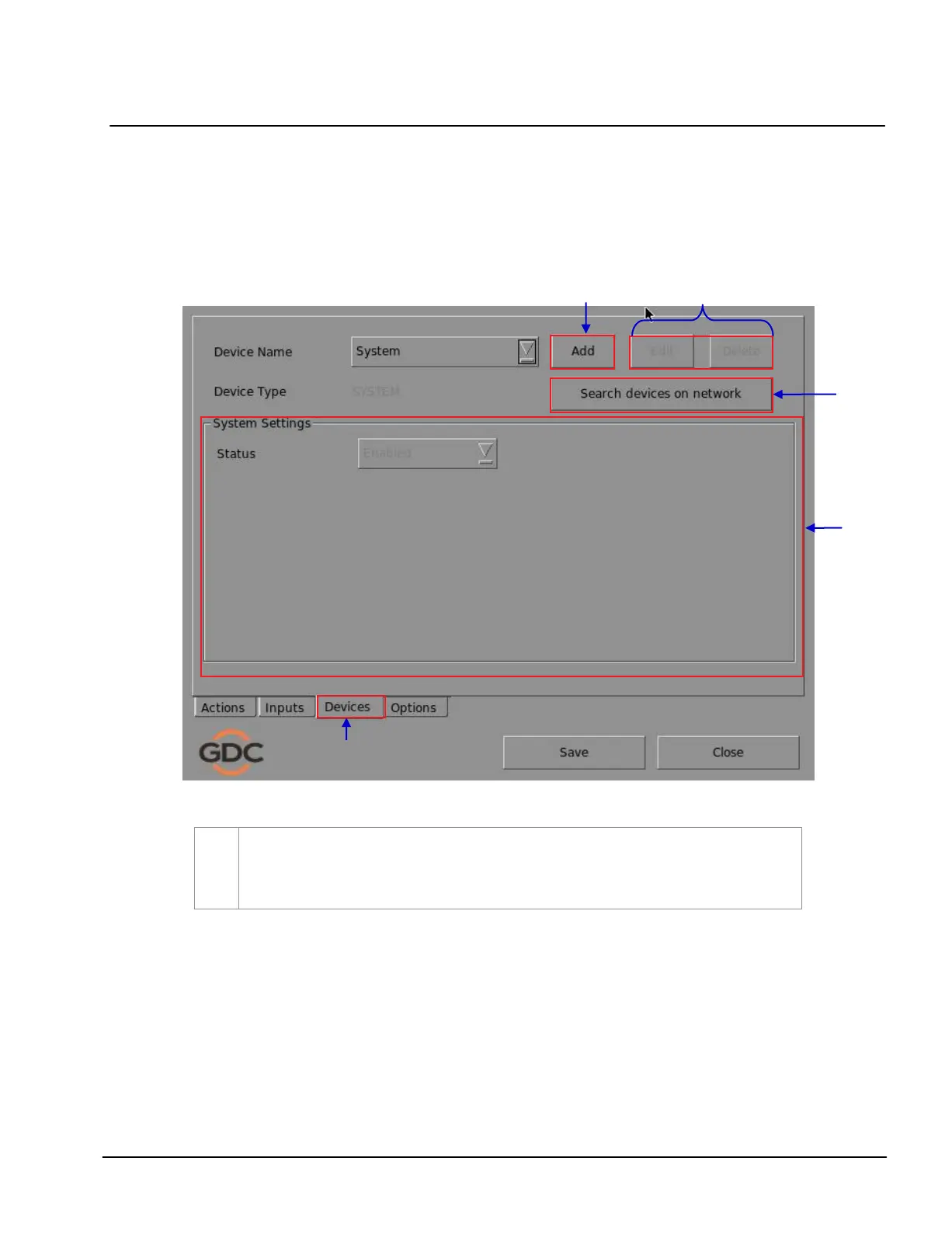
Figure 24 Devices menu.
1
On the
Automation menu, press Devices. A new window opens as seen in Figure 24. In the
Devices menu, the System is the default device name. The System device is the IMB from
which all received commands will be forwarded to the sub-systems in the IMB. (continued
on next page)
2
4
6
5
4
1
4

Table of Contents

Other manuals for GDC SX-3000