EasyManua.ls Logo

GDC SX-3000 - Page 42

GDC SX-3000
160 pages
Print Icon
To Next Page IconTo Next Page
To Previous Page IconTo Previous Page
Loading...
2. SMS
- 42 -
April 20, 2015
SX-3000 Standalone Integrated Media Block™ with
Portable Storage/ Enterprise Storage User Manual
INPUTS
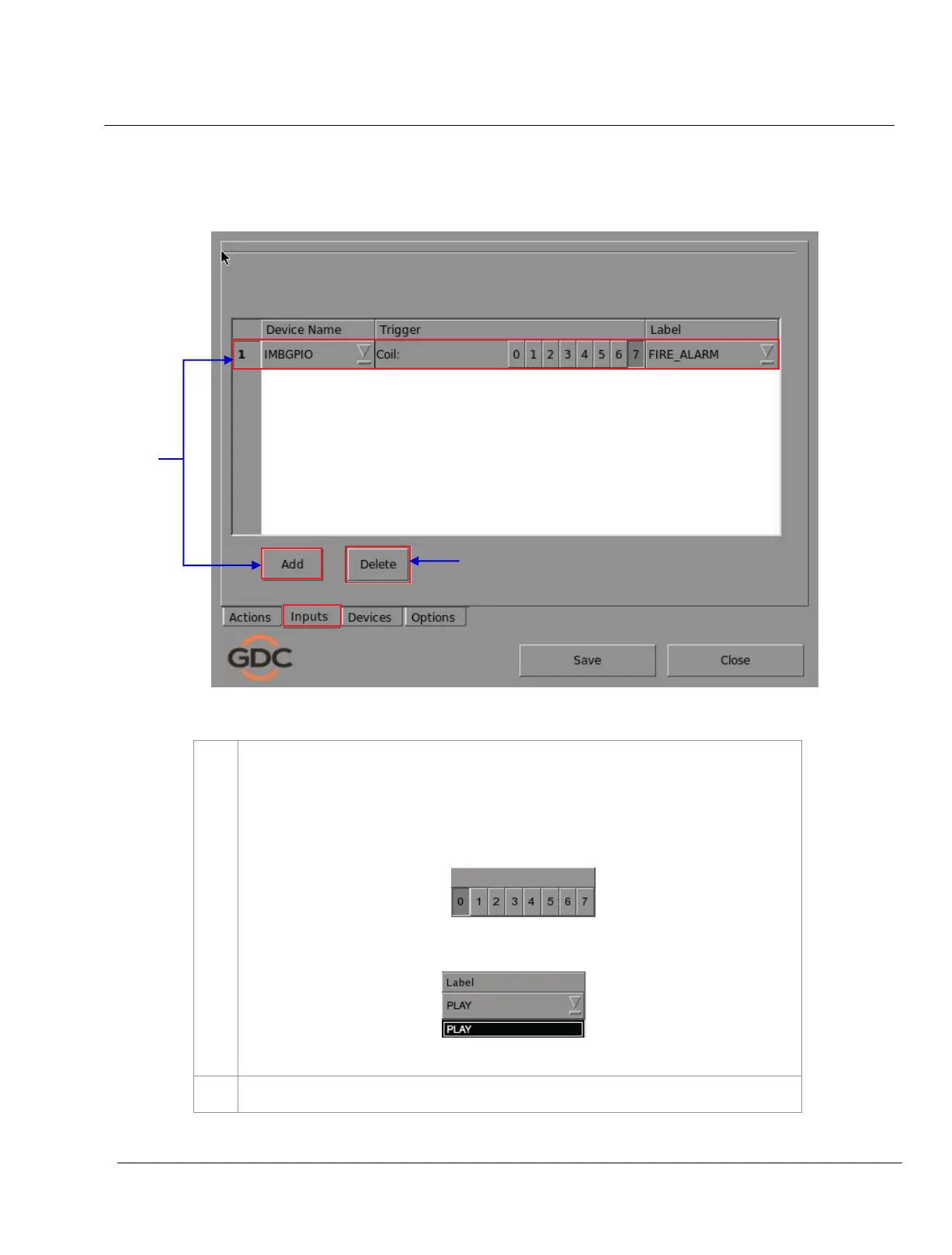
Figure 26 Inputs menu.
7
Press the
Inputs button. A new window opens as seen in Figure 26. On the Inputs menu, press
Add to enter the selected device.
NOTE: Only devices capable of sending a signal to the IMB can be added under Inputs.
(a) Select a
Trigger number from 0-7. Only one trigger can be selected at a time.
(b) Select an event label from the dropdown list. See the Actions menu.

8
Press
Delete if you want to delete the selected input.
8
2
7
2

Table of Contents

Other manuals for GDC SX-3000