SX-3000 Standalone Integrated Media Block™ with
Portable Storage/ Enterprise Storage User Manual
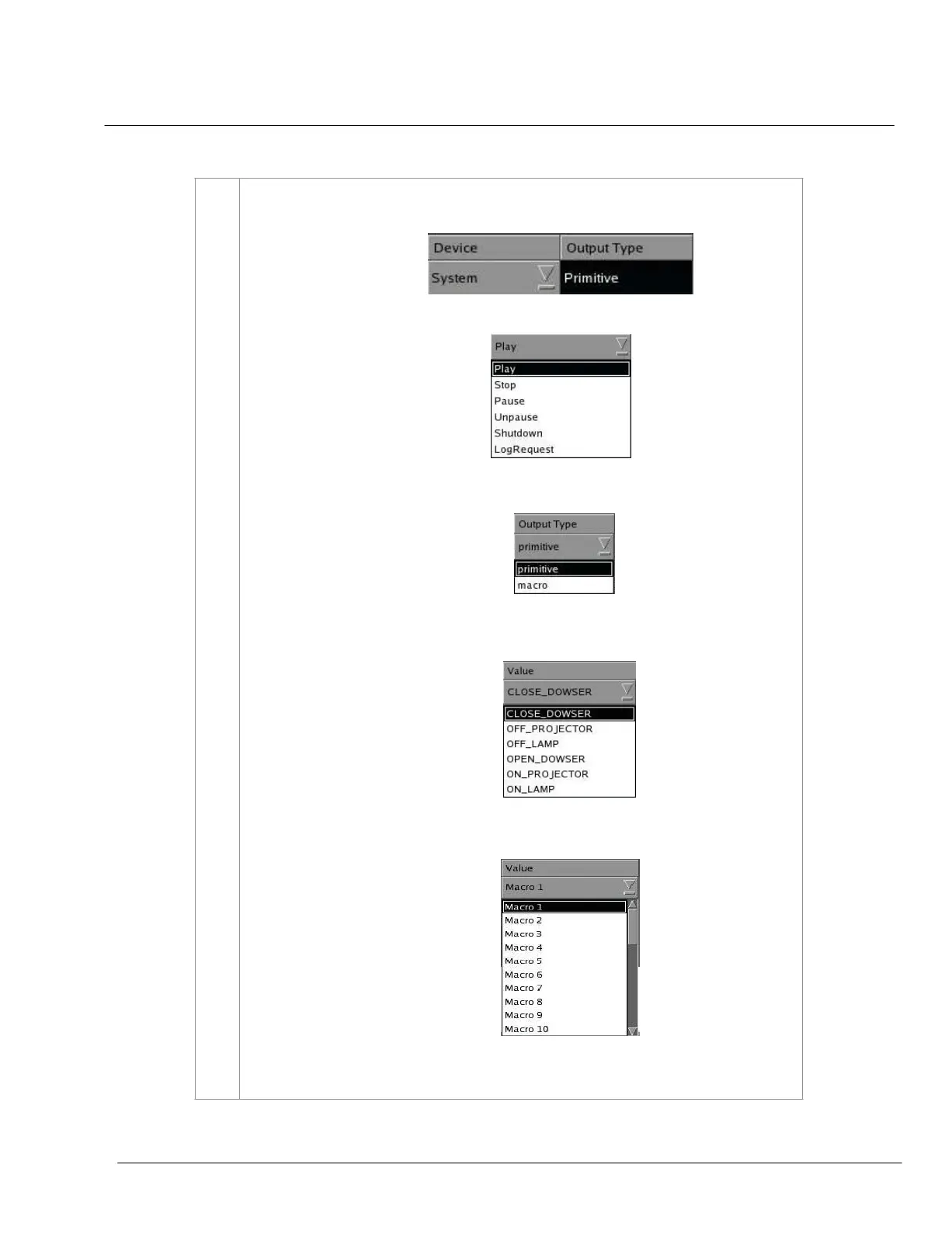
(a) If the selected device is
System, the Output Type prompt is Primitive. The Pins To
Use option is disabled.
Then select the desired operation under the
Value option.
(b) If the selected device type is a
Projector, select primitive or macro from a
dropdown list under the Output Type column.
[1] If
primitive is selected, the Value option will show a dropdown list of different
projector options. Select the desired projector option.
[2] If
macro is selected, the Value option will show a dropdown list of Macro 1-32
.
Select the desired number of Macro from 1-32.
(c) If the device type is
juior or IMBGPIO, select Coil, Register or Level from a
dropdown list under the Output Type column.



 To Next Page