SX-3000 Standalone Integrated Media Block™ with
Portable Storage/ Enterprise Storage User Manual
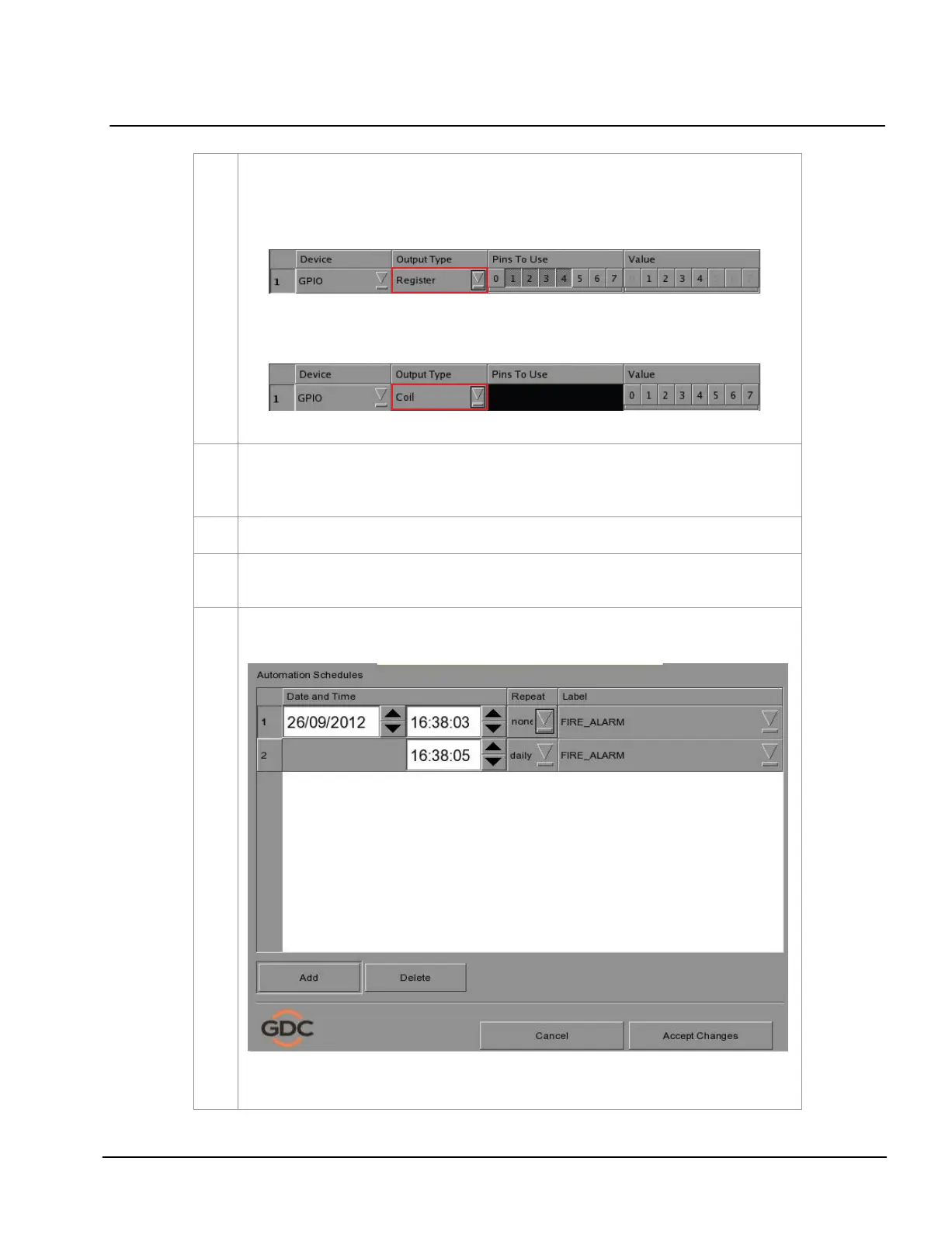
If
Register is selected, multiple pins can be selected under the Pins To Use option.
The number of pins selected will be the number of pins that can be used for output
under the Value option. You can select more than one pin in the Value column
based on the selected pins in the Pins To Use option.
If Coil is selected, only one pin can be selected at a time. The
Pins To Use option
is disabled. The pins can be selected directly under the Value option.
To edit an existing label’s name, select the label from the dropdown list and then press
Edit. An
on-screen keyboard opens. Edit the existing label name and press Enter. To delete an existing
label, select the label name from the dropdown list and then press Delete
.
Press
Save after completing the settings to return to the Playlist menu.
By pressing the
Execute button you can test if an automation command is working correctly
.
This button will trigger the event selected.
Automation for events can be scheduled. To access the automation schedule select the
[Schedule] button. This will bring you to a setup screen.
To add an Automation Schedule select the
[Add] button. Select the repeat interval, options are
either daily or a single occurrence.



 To Next Page