GE MEDICAL SYSTEMS
D
IRECTION 2300000, REVISION 2 LOGIQ™5 SERVICE MANUAL
Chapter 4 Functional Checks 4-41
Section 4-9Board Function Checks
4-9-1 RLY Assy function check procedure
1.) Turn on the system
2.) After completion of echoloader loading, connect probe on port1. See “Connecting a probe” on
page 4-12.
3.) Log into "Service Login". Refer to Section 5-10-2 - Global Service User Interface (GSUI) on page
5-33.
4.) Click "Diagnostics" on top menu.
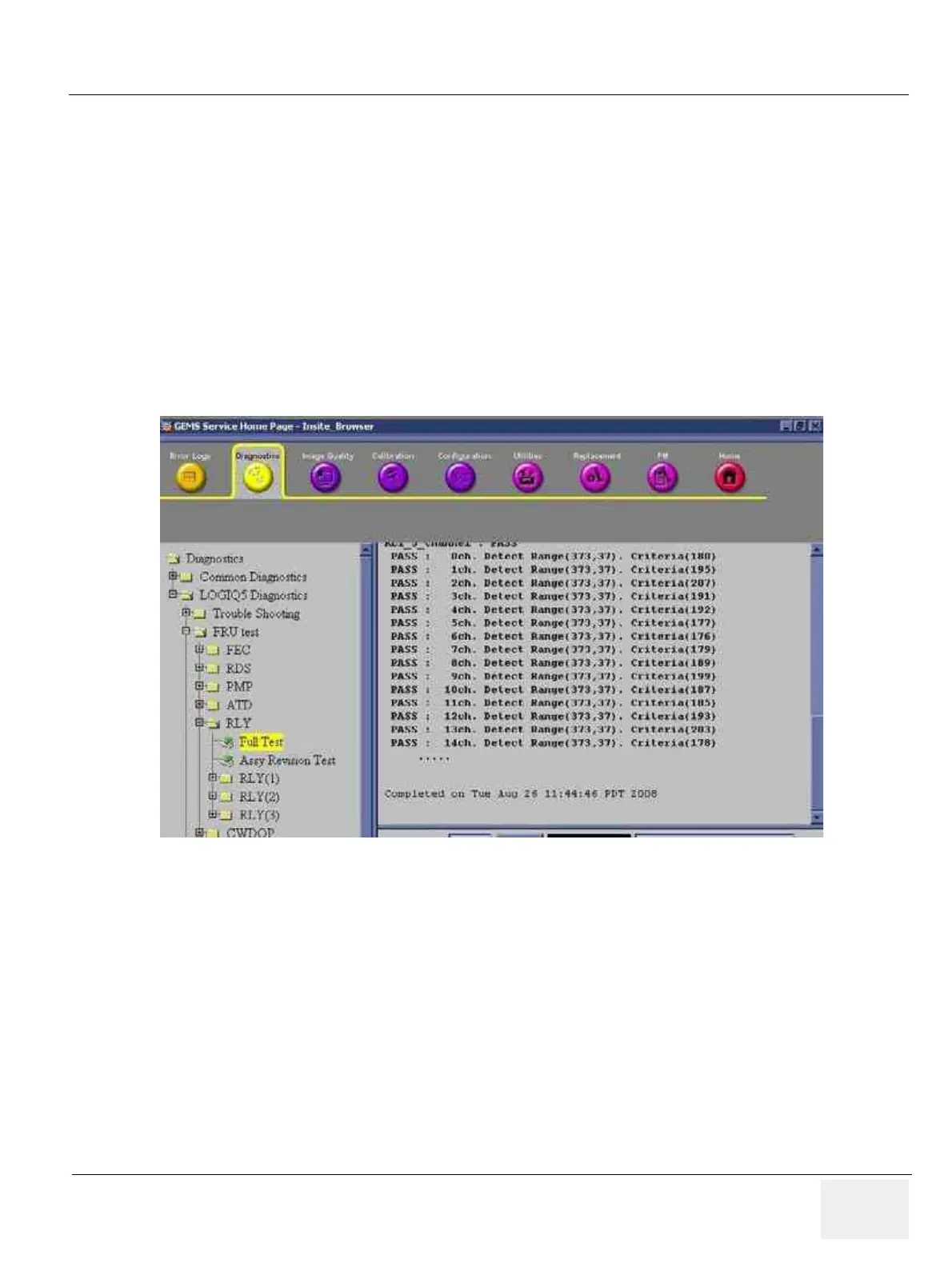
5.) On left folder window, select 'LOGIQ 5 Diagnostics'=>'FRU test'=>'RLY'.
6.) Select 'RLY Full Test' and execute test.
7.) All diagnostic test items should be passed. Refer to the figure below.
8.) Activate probe. Refer to Section 4-3-7-2 - Activating the probe on page 4-12.
9.) Check the system basic functions. Refer to Section 4-3-4 - System B/M-Mode Checks on page 4-
7. Refer to Section 4-3-5 - System CFM and PWD Checks on page 4-9.
10.)Disconnect probe. Refer to Section 4-3-7-4 - Disconnecting the probe on page 4-12.
11.)Connect probe on port2 and repeat step 8) ~ 10).
12.)Connect probe on port3 and repeat step 8) ~ 10).
13.)All basic functions must show correct operation as described.
Figure 4-42 RLY diagnostic test



 To Next Page