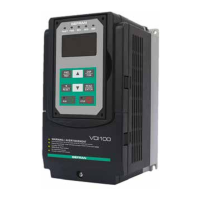
Figure4.4.25Multi-functiondigitaloutputandrelatedparameters
Default function Related parameter
Zero
speed
Fault signal
03-11
03-12
R1B
R1C
R2A
R2C
R1A
*
*use DO2/DOG on Frame 1.
Table4.4.8Functiontableofmulti-functiondigitaloutput
Setting
Function
Contents
Control mode
Name LCD display V/f
V/f
+
PG
SLV SV
PM
SV
PM
SLV
SLV2
0 During Running Running ON: During running (Run Command is ON) O O O O O O O
1 Fault contact output Fault ON: Fault contact output (except CF00 and CF01 ) O O O O O O O
2 Frequency agree Freq. Agree
ON: frequency agree (frequency agree width detec-
tion is set by 03-14 )
O O O O O O O
3
Setting frequency
agree
Setting Freq Agree
ON: Output frequency = allowed frequency detec-
tion level (03-13) ± frequency bandwidth (03-14)
O O O O O O O
4
Frequency detection 1
(> 03-13)
Freq. Detect 1
ON: Output frequency > 03-13 , Hysteresis range
is 03-14
O O O O O O O
5
Frequency detection 2
(< 03-13)
Freq. Detect 2
OFF: Output frequency > 03-13, Hysteresis range
is 03-14
O O O O O O O
6 Automatic restart Auto Restart ON: the period of automatic restart O O O O O O O
7 Reserved Invalid Do Func. Reserved - - - - - - -
8 Reserved Invalid Do Func. Reserved - - - - - - -
9 Baseblock Baseblock ON: During baseblock O O O O O O O
10 Reserved Invalid Do Func. Reserved - - - - - - -
11 Reserved Invalid Do Func. Reserved - - - - - - -
12 Over-Torque Detection Over Torque ON: Over torque detection is ON O O O O O O O
13 Current Agree Current Agree ON: when output current > 03-15 is ON O O O O O O O
14
Mechanical Braking
Control (03-17~18)
Invalid Do Func.
ON: Mechanical braking release frequency
OFF: Mechanical braking run frequency
O O O O O O O
15 Reserved Invalid Do Func. Reserved - - - - - - -
16 Reserved Invalid Do Func. Reserved - - - - - - -
17 Reserved Invalid Do Func. Reserved - - - - - - -
18 PLC status PLC statement
ON: when 00-02 is set to 3 (PLC operation command
source)
O O O O O O O
19 PLC control contact Control From PLC ON: Control from PLC O O O O O O O
20 Zero speed Zero Speed
ON: Output frequency < Minimum output frequency
(Fmin)
O O O O O O O
21 Inverter Ready Ready ON: Inverter ready (after power on, no faults) O O O O O O O
22
Undervoltage Detec-
tion
Low Volt Detected
ON: DC bus voltage = < Low-voltage warning
detection level (07-13)
O O O O O O O
23
Source of operation
command
Run Cmd Status
ON: operation command from LED digital operator
(local mode)
O O O O O O O
24
Source of reference
command
Freq Ref Status
ON: reference frequency from LED digital operator
(local mode)
O O O O O O O
25 Low torque detected Under Torque ON: Low-torque detection is ON O O O O O O O
26
Frequency reference
missing
Ref. Loss. ON: Reference frequency loss O O O O O O O
27 Timing function output Time Output
Set time function parameter to 03-33 and 03-34 and
the time function input is set by parameter from
03-00 and 03-07
O O O O O O O
28
Traverse operation UP
Status
Traverse UP
ON: in acceleration period (when the wobbling is in
operating )
O O X X X X O
29
During Traverse opera-
tion status
During Traverse
ON: In the period of frequency wobbling operation
(when the wobbling is in operating )
O O X X X X O
30 Select motor 2 Motor 2 Selection ON: Switch to motor 2 O O O O O O O
31
Zero Speed Servo Sta-
tus (Position Mode)
Zero Servo ON: Zero servo function is active X X X O O X X
32
Communication
control contacts
Control From Commu-
nication
ON: Communication control contacts (loca-
tion:2507H).
O O O O O O O
33 Reserved Invalid Do Func. Reserved - - - - - - -
34 Reserved Invalid Do Func. Reserved - - - - - - -
156 VDI100 • Instruction manual


 To Next Page
 Loading...