- 148 -
3. Open the key for diagnosis.
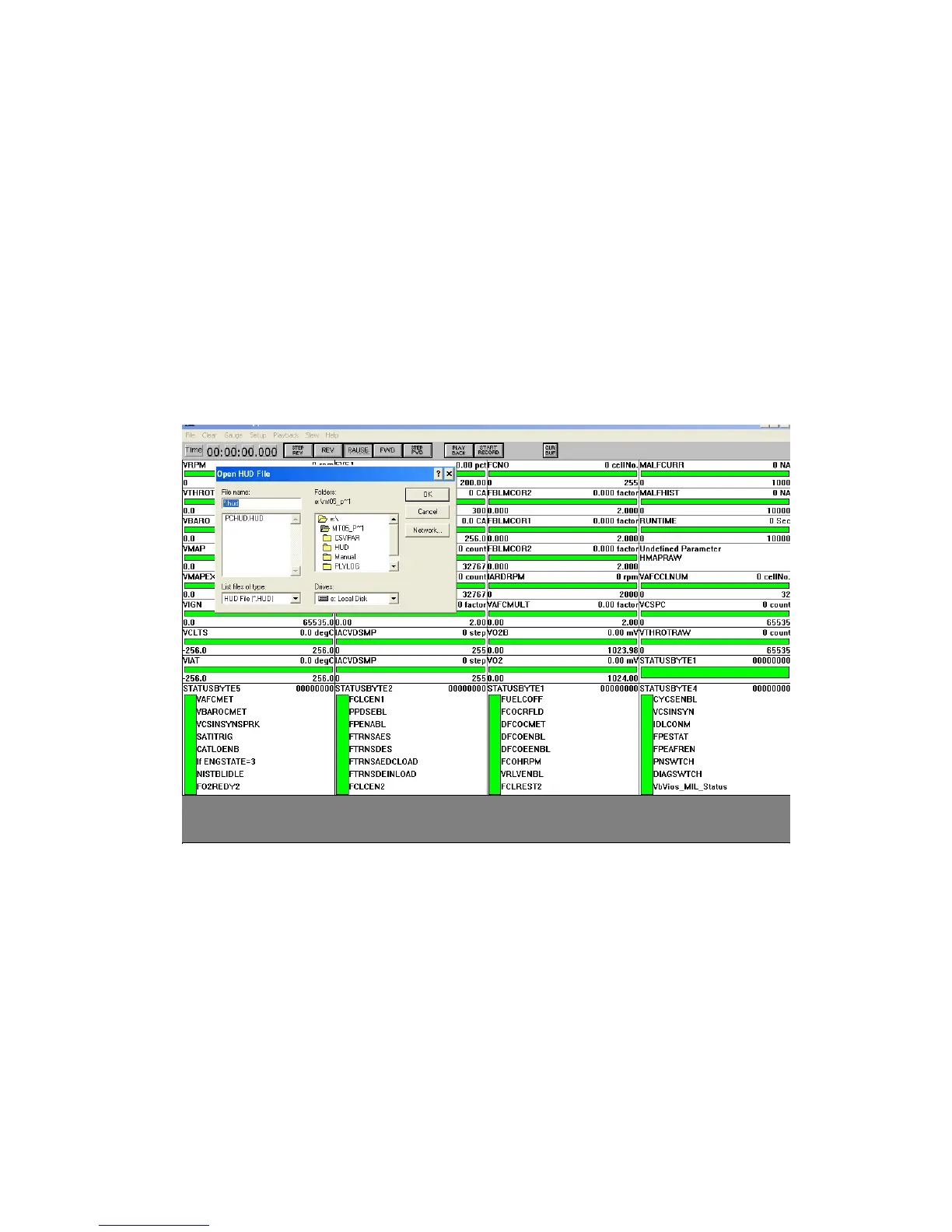
16.3.3 Use diagnostic software PCHUD on the laptop to check fault.
PCHUD software is used to detect and record engine operating data, and it needs to connect the laptop with the
six-hole diagnostic port of the engineccyle through K-line prior to the use. It needs to install the driver
software for the K-line in the laptop before use.
Instructions to PCHUD software use:
(1) Use the K line to connect the 6 -hole diagnostic port of the enginecycle and the notebook computer,
and open the key
(2) Click "HUD.EXE" icon to start PCHUD software
(3) On the software interface, select "File"; click the "Open" to select "PCHUD.HAD, and select OK to
confirm.
(4) Select "Parameter File" under the "Setup"; click MT05common.par file; select "Comm protocol"
under the "Setup"; select "Keyword2000," and then click OK, at the same time Device Code selects 17.



 To Next Page