Configuring Omnia PCB Omnia Configurator - Creating a New Configuration
Page 5-26 MDE-5369G FlexPay™ IV (with Omnia V04.07) Programming and Service Manual · March 2021
Requirements
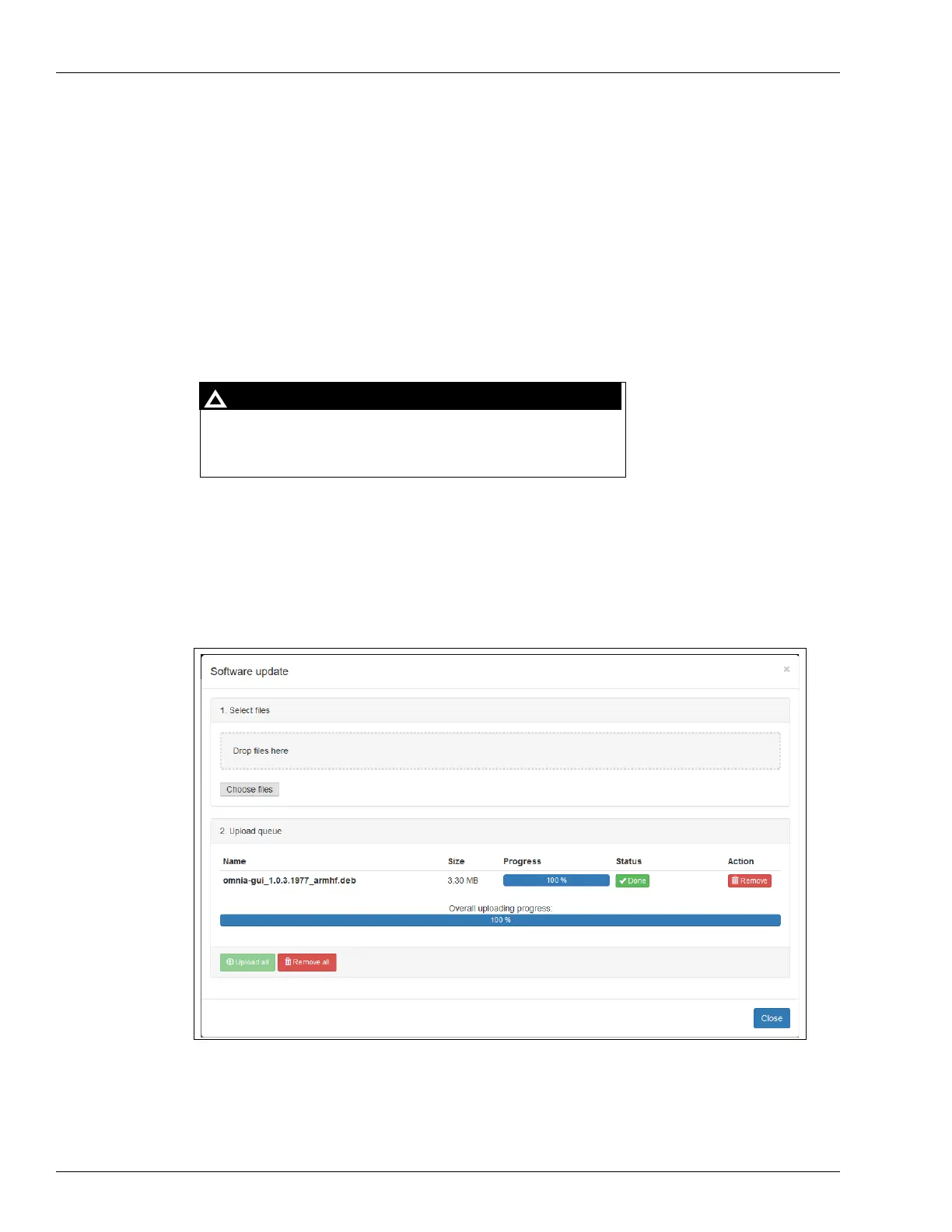
The software update page allows you to upload a zip file (zipped) that contains multiple
debian signed packages.
The software must be uploaded in a zipped format. Only use the zip
file provided by Gilbarco to update the software (extranet). The zip file must not be extracted
and should be uploaded as it is.
1 The software upgrade process takes approximately 20-25 minutes.
2 After 12 minutes has passed, the dispenser goes offline from the forecourt. The pump flashes
an error code 50. After 8-10 more minutes, the dispenser comes back online.
3 Figure 5-34 on page 5-28 shows the message that indicates when the software update is
completed. Reboot to conti
nue.
1. Do not drag and drop entire folders.
2. Do not drag and drop files from archive explorer applications,
which can cause installation failures.
!
WARNING
!
To update the software, procee
d as follows,
1 Select zip file.
Figure 5-32: Software Update - Upload Queue



 To Next Page