39
M_M20 series V3_EN_C
Using the machine
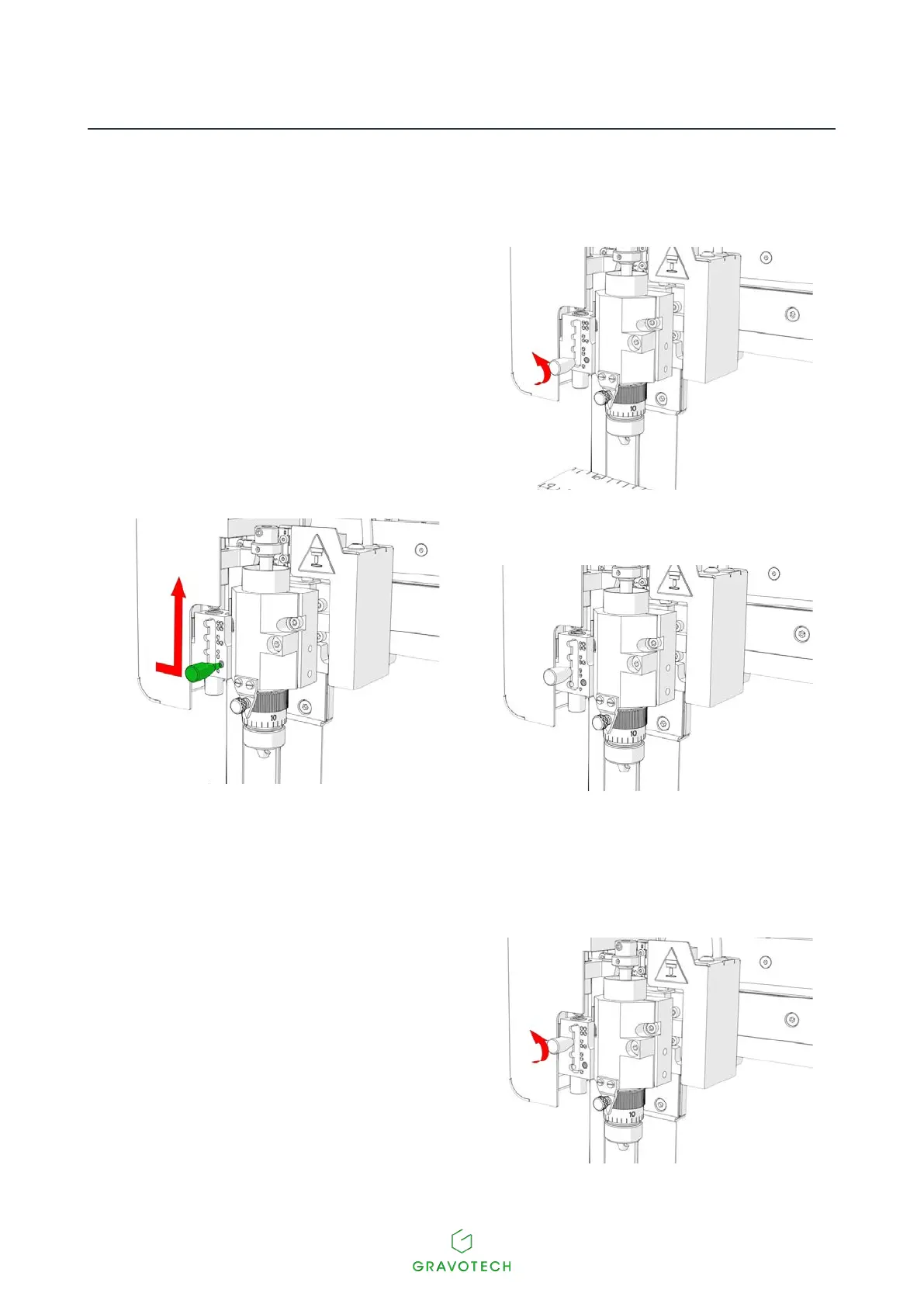
• To engrave a photograph, set the spindle pressure adjustment button to the 2 position.
1. Turn the adjustment button
(1/4revolution-Counter-clockwise).
x 1/4
2. Move the button on to the next position
(Position 2)
3. Turn the adjustment button (1/4 revolution -
Clockwise).
• For engraving without a nose, set the spindle pressure adjustment button to the 4 position, to ensure a
rigid spindle.
1. Turn the adjustment button (2 revolutions -
Counter-clockwise).
2. Turn the adjustment button (1/4 revolution -
Clockwise).
x 2



 To Next Page