41
M_M20 series V3_EN_C
Using the machine
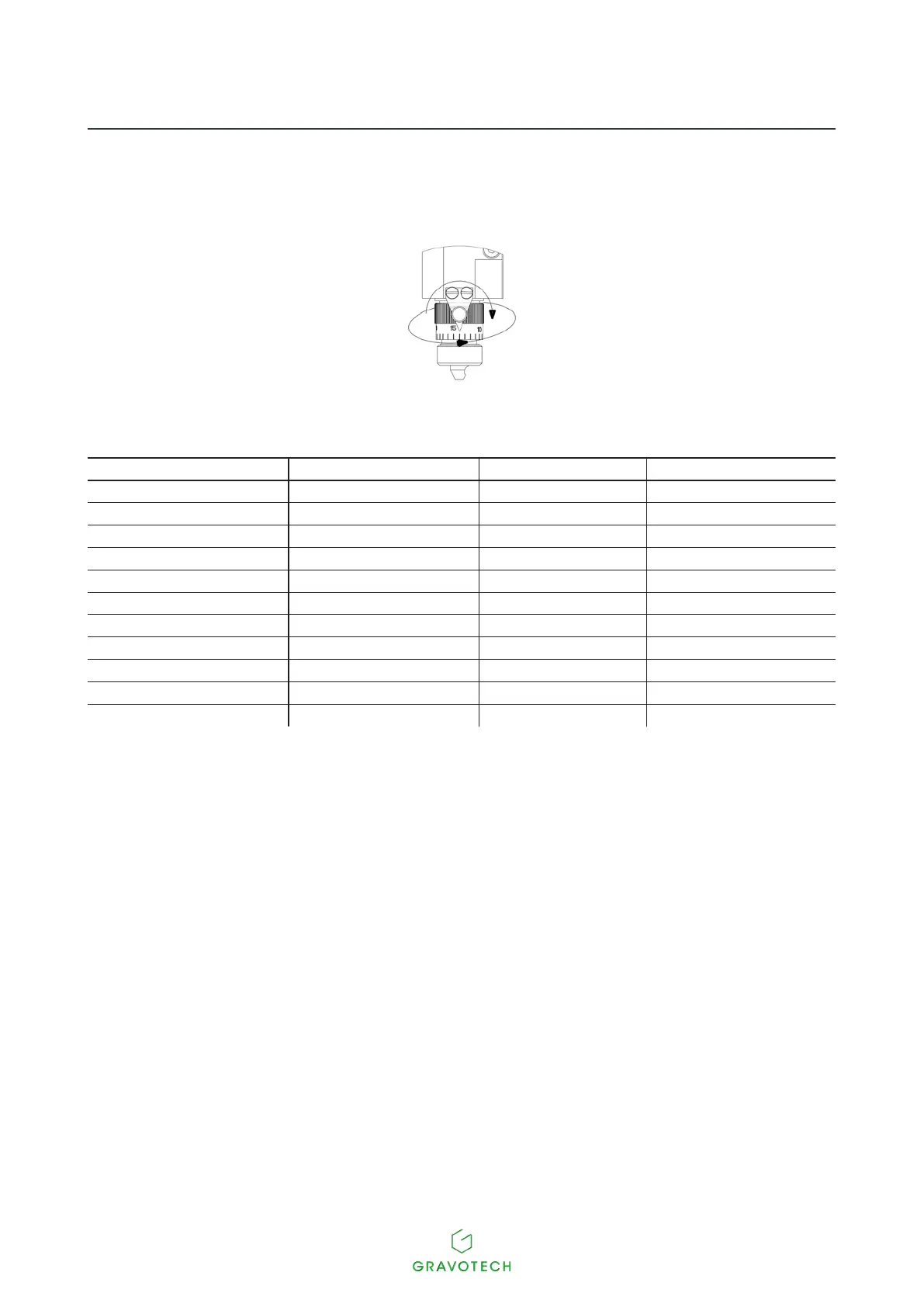
7. Adjusting the engraving depth (Function not available for the M20 PIX machine)
- Turnthescaledknobafewnotchestotherighttoobtainthedesiredengravingdepth.
1 division = 0.025 mm (0.001 in)
The number of notches depends on the engraving depth and the material:
Material to be engraved Type of cutter Depth Number of notches
Anodized aluminum carbide point 0.1 mm (0.004 in) 4
Silver carbide point 0.2 mm (0.008 in) 8
Chrome diamond point 0.025 mm (0.001 in) 1
Gravometal carbide point 0.1 mm (0.004 in) 4
Gravoply II carbide point 0.06 mm (0.002 in) 2
Gravoxal carbide point 0.1 mm (0.004 in) 4
Stainless steel diamond point 0.2 mm (0.008 in) 8
Brass carbide point 0.2 mm (0.008 in) 8
Metallex carbide point 0.06 mm (0.002 in) 2
Gold carbide point 0.2 mm (0.008 in) 8
Plastic carbide point 0.35 mm (0.014 in) 14
- Tightentheindexpininordertosecurethescaledknobinthisposition.
8. Start-upengraving:Pressthekey:Start.
Oncethissettingoperationhasbeencarriedout:Toengraveaplateofthesamethicknesswiththesame
settings, omit steps 4 to 9.



 To Next Page