HQ Innity User Manual | 4 5
Machine Quilting Tip: Getting started with Manual mode
Set the machine at a medium speed (such as 1000) and begin moving it unl you become
accustomed to the resistance. By moving the machine faster, the stches will begin to
elongate. The stch speed can either be increased or the machine can be moved slower
to get the stches at your desired length. By moving the machine slower, the stches get
shorter and can build up on top of each other, break the thread, or make it extremely
dicult to unpick. The stching speed can be decreased, while maintaining a constant
moon with the machine to bring the stches to the desired length.
Stch Regulaon
There are two stch regulaon modes: Cruise and Precision.
To use Cruise stch regulaon
ONLINE: For informaon about using Cruise stch regulaon, watch the video Using Cruise Stch
Regulaon at: hp://www.handiquilter.com/videos/hq-innity/235/.
• T o u c h t h e Regulated buon and then touch the Cruise buon.
Aer you press the Start/Pause buon on the handlebars, the machine immediately begins quilng
according to the stches-per-minute and stches-per-inch sengs. The Start stching indicator in the
upper-le corner of the screen turns green and the needle begins moving up and down. Similarly, as you
bring your quilng to a stop, the needle will connue stching at the cruise speed (stches per minute)
unl you press the stop buon on the handlebars. The minimum speed of the needle is dependent upon
the stches-per-minute seng you choose. Handi Quilter recommends beginning with a seng of 200.
Begin moving the machine to avoid stching in place for too long.
Machine Quilting Tip: When to use Cruise stitch regulation
The constant minimum stching speed featured in the Cruise stch regulaon is useful for
precise placement of stching, such as when backtracking along the tops of feathers or
when creang sharp points such as the point of a star or the boom of a heart.
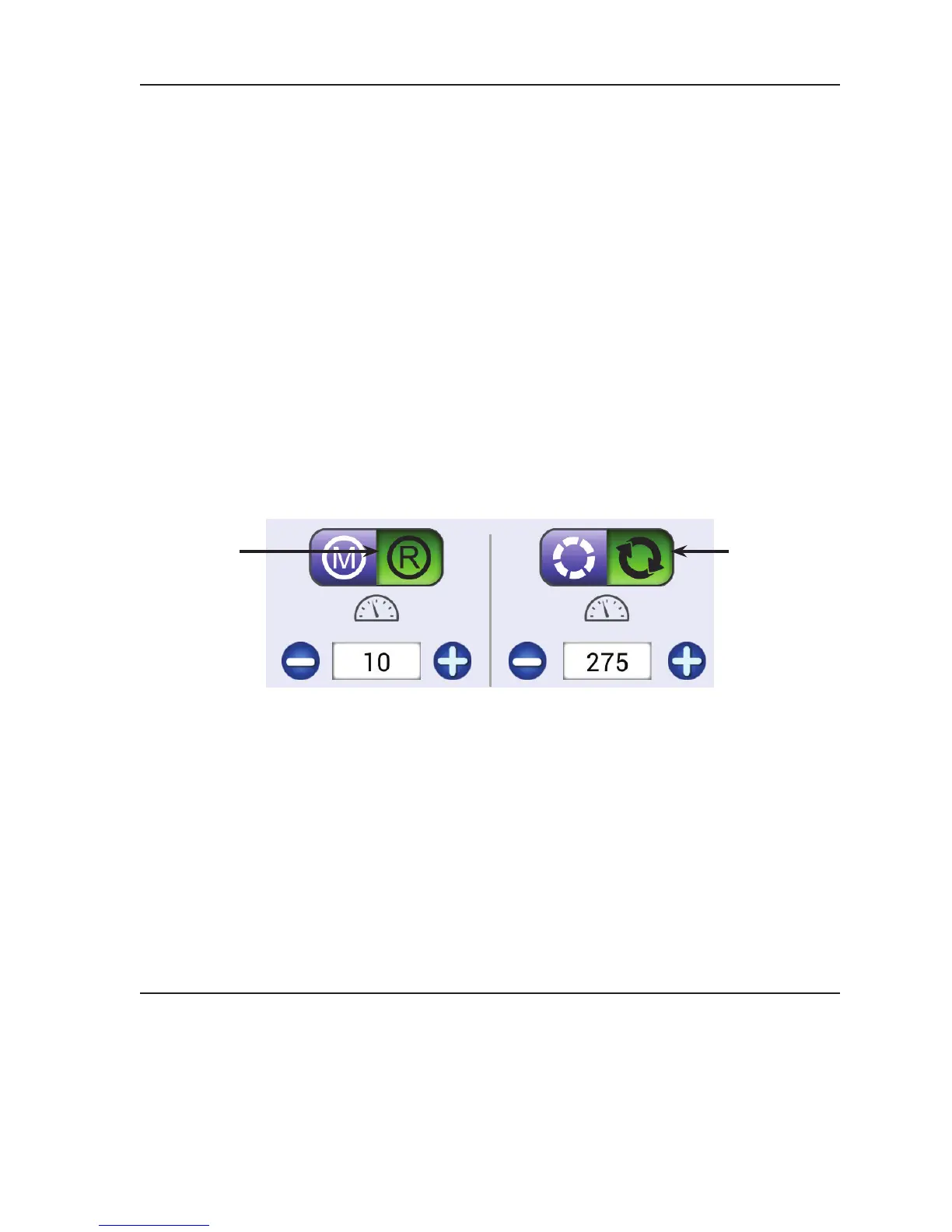
Shows the current stches-per-minute
seng. Press the plus (+) or minus (–)
buons onscreen to increase or decrease
the seng.
Shows the current stches-per-inch seng.
Press the plus (+) or minus (–) buons
onscreen or on the handlebars to increase or
decrease the seng.
The Cruise stch
regulaon buon
is selected.
The Regulated
Mode buon is
selected.











 To Next Page