46 | www.HandiQuilter.com
To use Precision stch regulaon
ONLINE: For informaon about using Precision stch regulaon, watch the video Using Precision
Stch Regulaon at: hp://www.handiquilter.com/videos/hq-innity/236/.
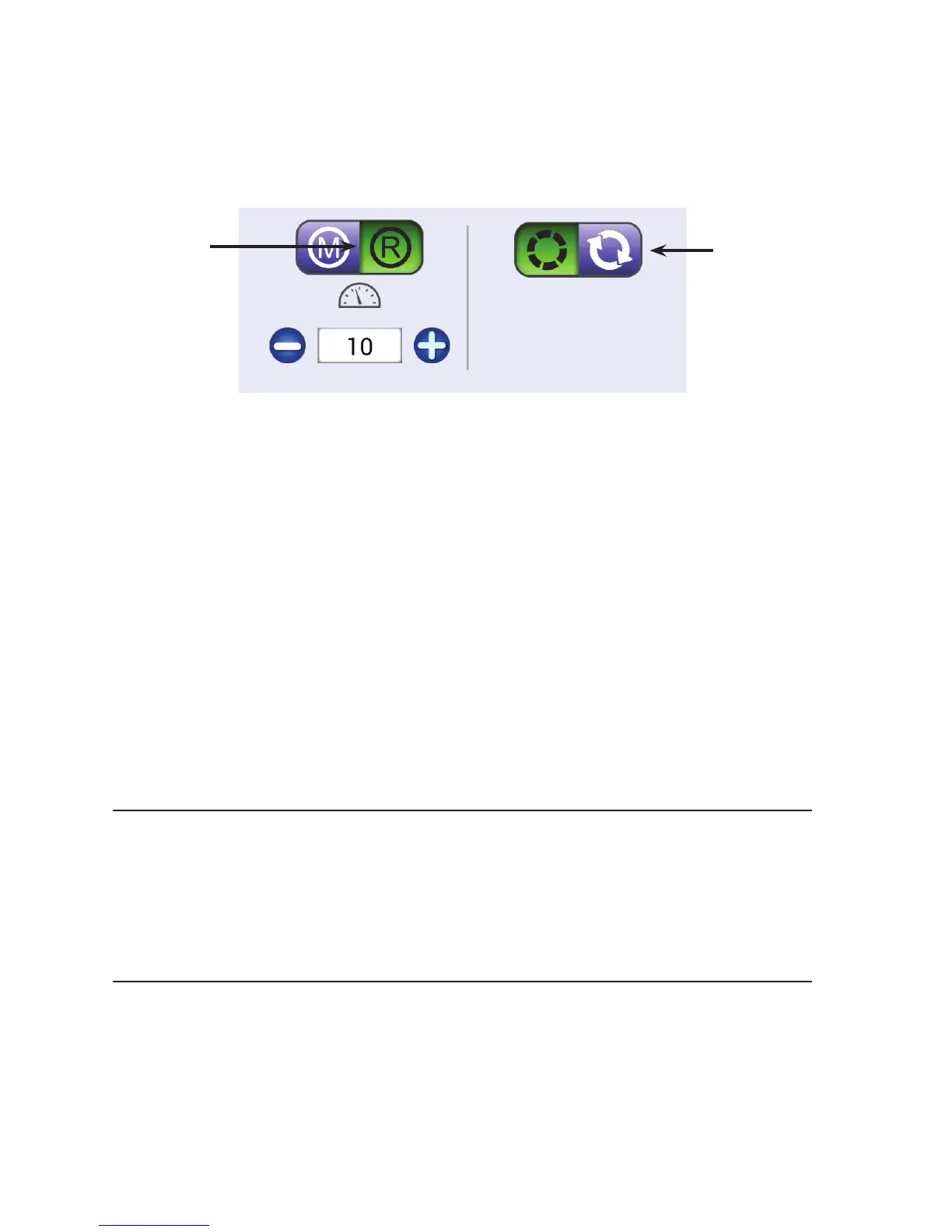
• T o u c h t h e Regulated buon and then press the Precision buon.
Aer you press the Start/Pause buon on the handle bars, you must begin moving the machine for it
to begin quilng according to the stches-per-unit of measure seng. The Start stching indicator in
the upper-le corner of the screen turns green but the needle doesn’t automacally begin moving up
and down. When you begin moving the machine, stching begins. When you stop moving the machine,
stching stops but just unl you move it again.
NOTE: When using Precision stch regulaon, if you stop moving the machine but do not press the
Stop/Pause buon, aer two minutes it will me out and a message box appears to let you know
you will need to press the Start/Pause buon to resume quilng.
U CAUTION: Always make sure the power is o when changing the needle, replacing the bobbin, or
placing your hands near the needle to avoid unwanted stching in your quilt or in your ngers.
Machine Quilting Tip: When to use Precision stitch regulation
Precision stch regulaon mode is useful for ruler work. Stch along the length of the ruler
for the span of your hand and stop moving the machine, but do not press the Stop buon.
When you stop moving the machine, the needle pauses. Move the ruler and then begin
moving the machine to connue quilng. Precision stch regulaon helps you to avoid
bobbles and uneven stches.
Machine Quilting Tip: Getting started with stitch regulation
Set the machine to your desired stch length. Begin moving the machine to become
accustomed to the resistance. The machine motor will slow down or speed up to maintain
a consistent stch length according to how quickly or slowly you move the machine.
Moving the machine too fast or in radical or jerky movements will defeat the stch
regulator funcon.
Shows the current stches-per-inch seng. Press
the plus (+) or minus (–) buons onscreen or on the
handlebars to increase or decrease the seng.
The Regulated
Mode buon is
selected.
The Precision
stch regulaon
buon is selected.











 To Next Page