H E Y E R P a s i t h e c
20 / 106 HEYER Pasithec, Operator’s manual Rev. 0.2 Draft - 12/09
3.4.1 Front Panel
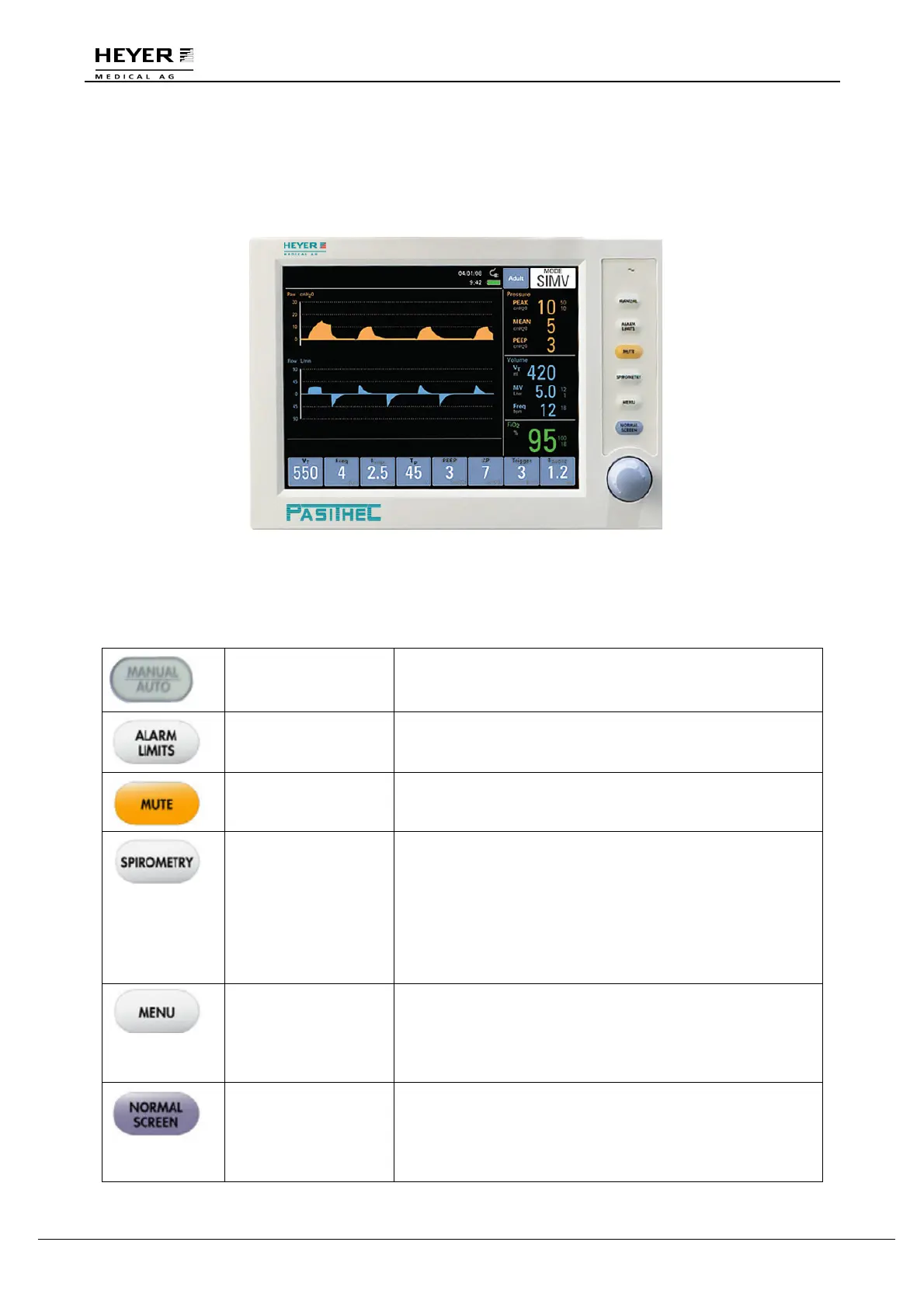
Front panel consists of display screen, keys, indicators, and a knob.
Figure 3-6 Front Panel
3.4.2 Keys
Manual Key Press the key to change original ventilation mode to manual
mode; Press again to change back to the original ventilation
mode.
Alarm Limits Key
Press the key to open alarm window on the screen; Press
again to close the alarm window.
MUTE Key
Press the key to mute the alarm for 110 seconds. New
alarms shall override the mute.
Spirometry Key This key shall toggle the display between the waveform
window and the two loop display configurations of the
Spirometry Loop Window described in section 4.5. The first
key press shall display the “Pressure-Volume” loop display
configuration. The second key press shall display the “Flow-
Volume” loop display configuration. After both
configurations have been cycled through the display, a third
key press shall return the display to the Normal Screen.
MENU Key Press the key and a “Menu” window appeared on the
display screen; for more details refer to section 3.5.
The first menu key press after the initial power up will
display the calibrate menu, with “Start Calibration”
highlighted.
Normal screen Key The key closes the “Spirometry” and other windows and
returns the screen to pressure and flow waveforms.
If the “Spirometry” and all other windows are already closed
when the NORMAL SCREEN key is pressed again, no
action shall occur.



 To Next Page