About the Anybus Communicator for PROFINET 12
Doc: HMSI-27-309, Rev. 3.11Anybus Communicator PROFINET User Manual
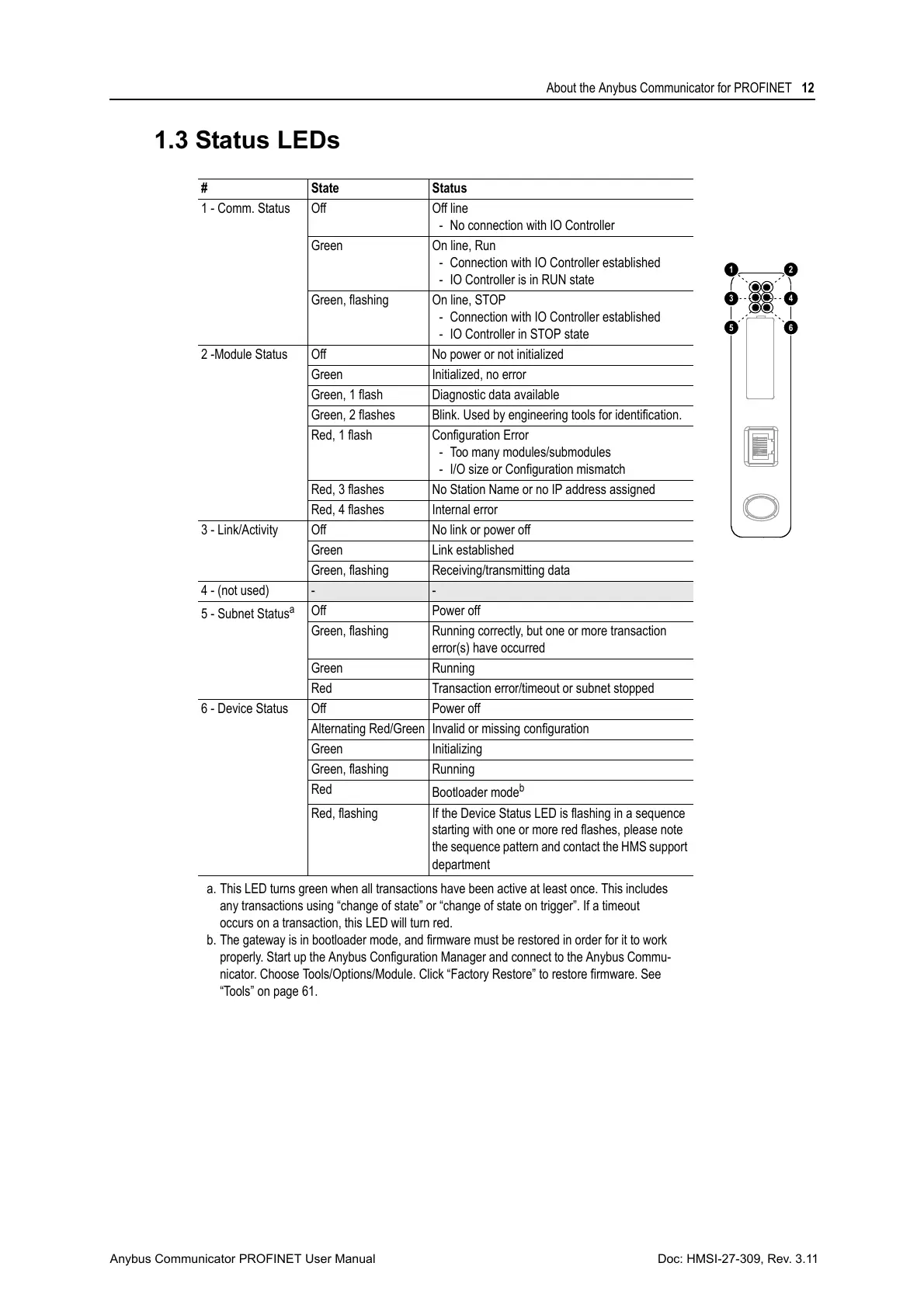
1.3 Status LEDs
# State Status
1 - Comm. Status Off Off line
- No connection with IO Controller
Green On line, Run
- Connection with IO Controller established
- IO Controller is in RUN state
Green, flashing On line, STOP
- Connection with IO Controller established
- IO Controller in STOP state
2 -Module Status Off No power or not initialized
Green Initialized, no error
Green, 1 flash Diagnostic data available
Green, 2 flashes Blink. Used by engineering tools for identification.
Red, 1 flash Configuration Error
- Too many modules/submodules
- I/O size or Configuration mismatch
Red, 3 flashes No Station Name or no IP address assigned
Red, 4 flashes Internal error
3 - Link/Activity Off No link or power off
Green Link established
Green, flashing Receiving/transmitting data
4 - (not used)
- -
5 - Subnet Status
a
a. This LED turns green when all transactions have been active at least once. This includes
any transactions using “change of state” or “change of state on trigger”. If a timeout
occurs on a transaction, this LED will turn red.
Off Power off
Green, flashing Running correctly, but one or more transaction
error(s) have occurred
Green Running
Red Transaction error/timeout or subnet stopped
6 - Device Status Off Power off
Alternating Red/Green Invalid or missing configuration
Green Initializing
Green, flashing Running
Red
Bootloader mode
b
b. The gateway is in bootloader mode, and firmware must be restored in order for it to work
properly. Start up the Anybus Configuration Manager and connect to the Anybus Commu-
nicator. Choose Tools/Options/Module. Click “Factory Restore” to restore firmware. See
“Tools” on page 61.
Red, flashing If the Device Status LED is flashing in a sequence
starting with one or more red flashes, please note
the sequence pattern and contact the HMS support
department



 To Next Page