Doc: HMSI-27-309, Rev. 3.11Anybus Communicator PROFINET User Manual
Chapter 3
3. Navigating ACM
3.1 Main Window
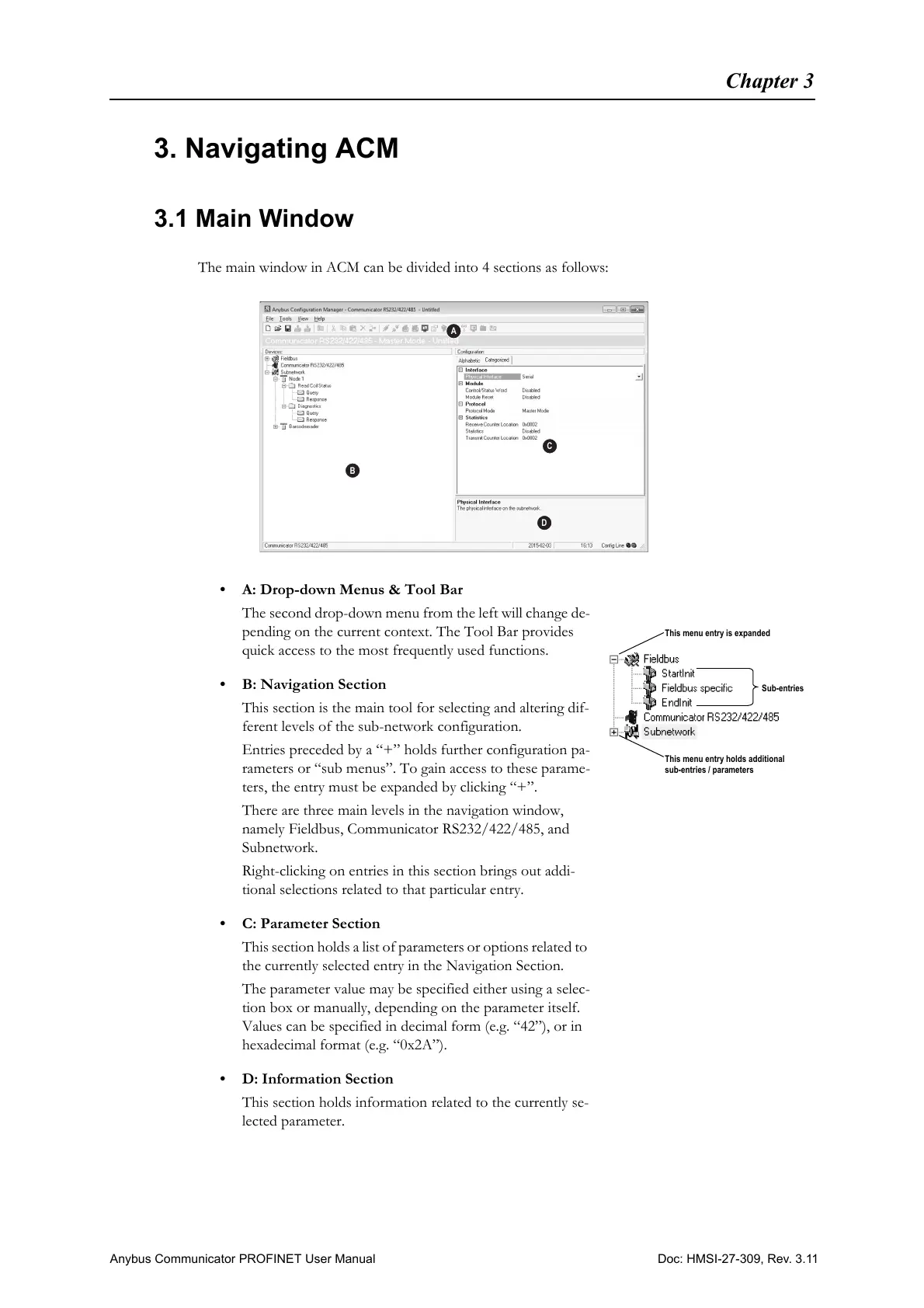
The main window in ACM can be divided into 4 sections as follows:
• A: Drop-down Menus & Tool Bar
The second drop-down menu from the left will change de-
pending on the current context. The Tool Bar provides
quick access to the most frequently used functions.
• B: Navigation Section
This section is the main tool for selecting and altering dif-
ferent levels of the sub-network configuration.
Entries preceded by a “+” holds further configuration pa-
rameters or “sub menus”. To gain access to these parame-
ters, the entry must be expanded by clicking “+”.
There are three main levels in the navigation window,
namely Fieldbus, Communicator RS232/422/485, and
Subnetwork.
Right-clicking on entries in this section brings out addi-
tional selections related to that particular entry.
• C: Parameter Section
This section holds a list of parameters or options related to
the currently selected entry in the Navigation Section.
The parameter value may be specified either using a selec-
tion box or manually, depending on the parameter itself.
Values can be specified in decimal form (e.g. “42”), or in
hexadecimal format (e.g. “0x2A”).
• D: Information Section
This section holds information related to the currently se-
lected parameter.
This menu entry holds additional
sub-entries / parameters
This menu entry is expanded
Sub-entries



 To Next Page