Navigating ACM 23
Doc: HMSI-27-309, Rev. 3.11Anybus Communicator PROFINET User Manual
3.1.2 Toolbar Icons
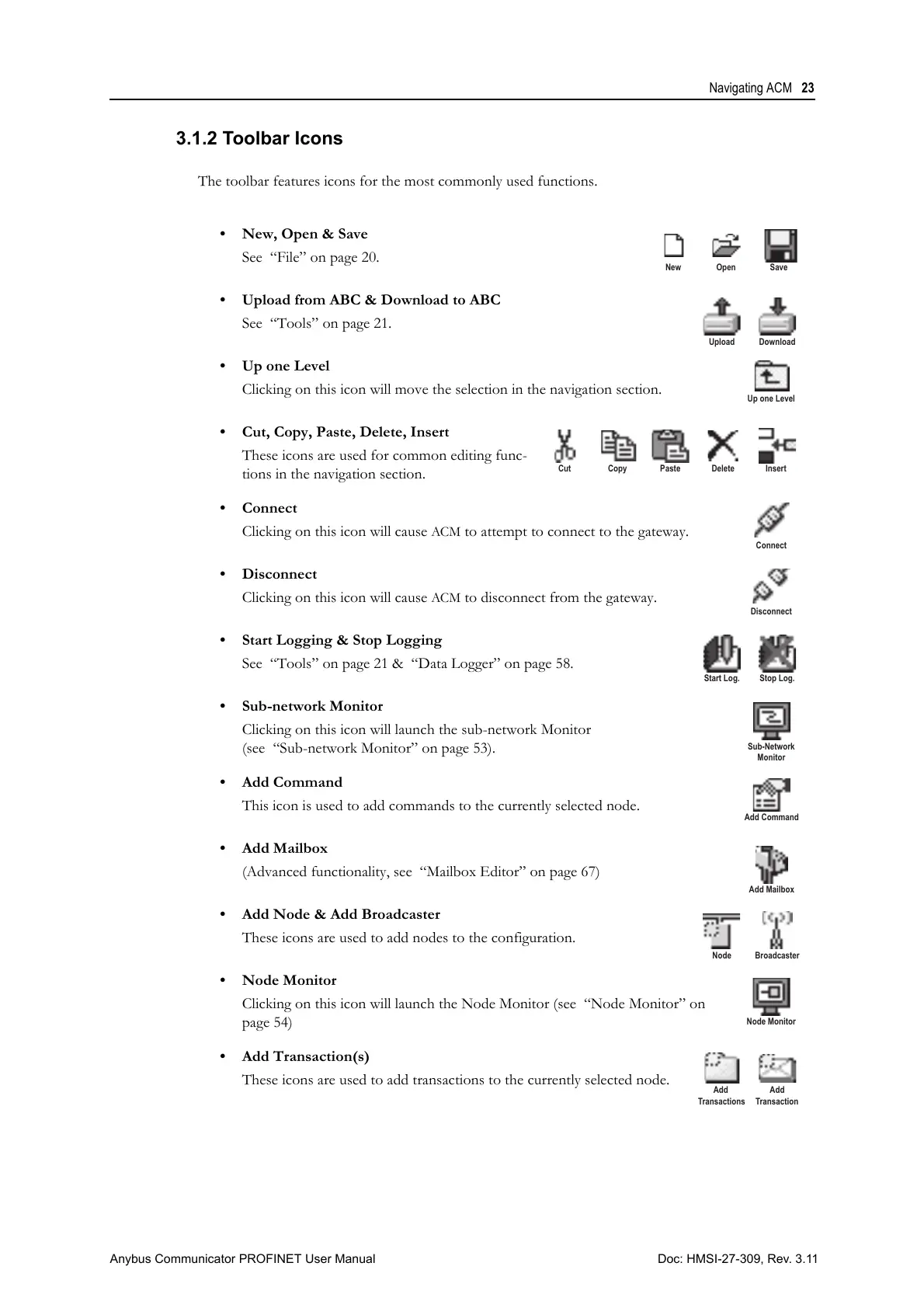
The toolbar features icons for the most commonly used functions.
• New, Open & Save
See “File” on page 20.
• Upload from ABC & Download to ABC
See “Tools” on page 21.
•Up one Level
Clicking on this icon will move the selection in the navigation section.
• Cut, Copy, Paste, Delete, Insert
These icons are used for common editing func-
tions in the navigation section.
• Connect
Clicking on this icon will cause
ACM to attempt to connect to the gateway.
• Disconnect
Clicking on this icon will cause
ACM to disconnect from the gateway.
• Start Logging & Stop Logging
See “Tools” on page 21 & “Data Logger” on page 58.
• Sub-network Monitor
Clicking on this icon will launch the sub-network Monitor
(see “Sub-network Monitor” on page 53).
•Add Command
This icon is used to add commands to the currently selected node.
• Add Mailbox
(Advanced functionality, see “Mailbox Editor” on page 67)
• Add Node & Add Broadcaster
These icons are used to add nodes to the configuration.
•Node Monitor
Clicking on this icon will launch the Node Monitor (see “Node Monitor” on
page 54)
• Add Transaction(s)
These icons are used to add transactions to the currently selected node.
CopyCut Paste Delete Insert
Add
Transactions
Add
Transaction



 To Next Page