File System 25
Doc: HMSI-27-309, Rev. 3.11Anybus Communicator PROFINET User Manual
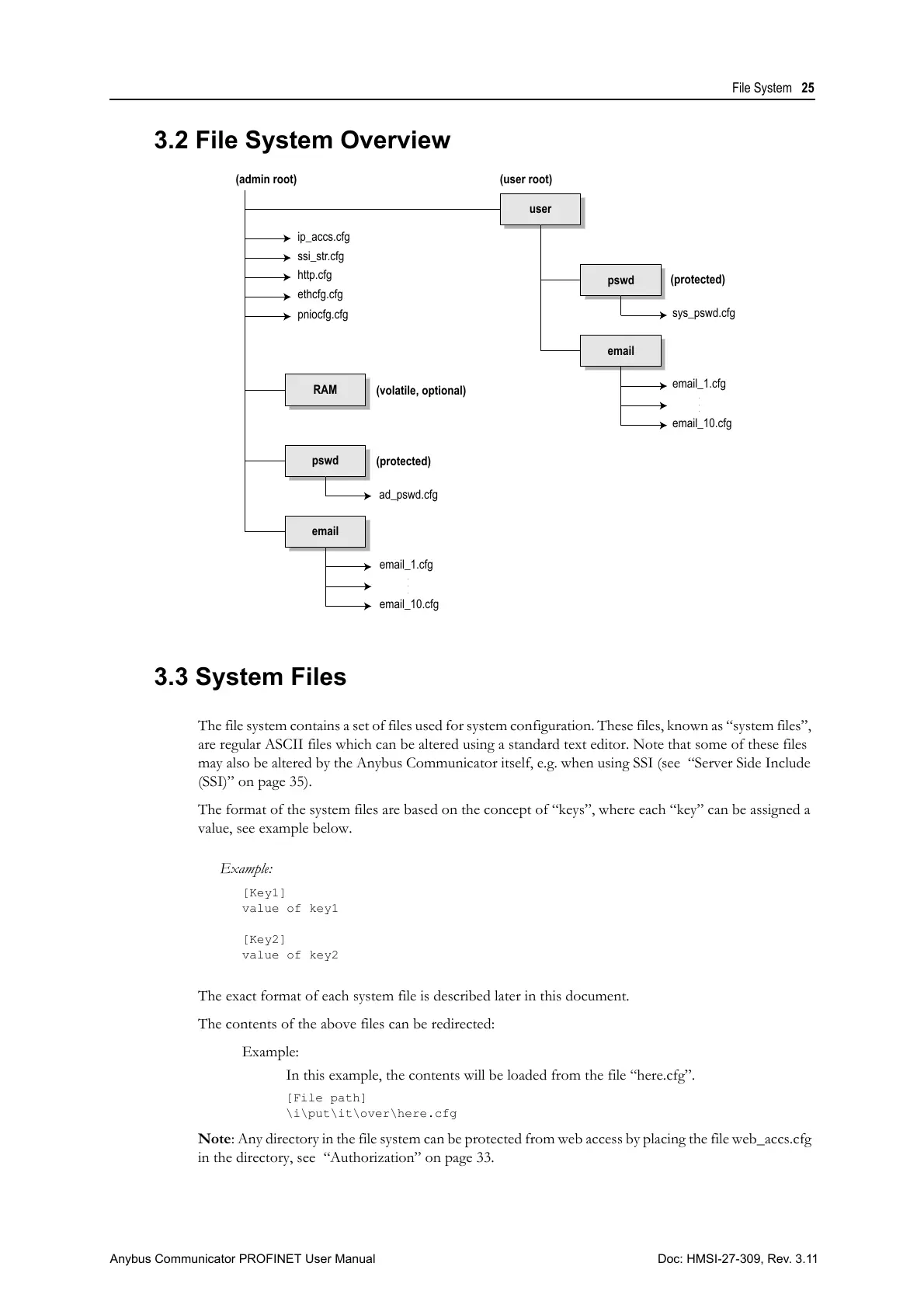
3.2 File System Overview
3.3 System Files
The file system contains a set of files used for system configuration. These files, known as “system files”,
are regular ASCII files which can be altered using a standard text editor. Note that some of these files
may also be altered by the Anybus Communicator itself, e.g. when using SSI (see “Server Side Include
(SSI)” on page 35).
The format of the system files are based on the concept of “keys”, where each “key” can be assigned a
value, see example below.
Example:
[Key1]
value of key1
[Key2]
value of key2
The exact format of each system file is described later in this document.
The contents of the above files can be redirected:
Example:
In this example, the contents will be loaded from the file “here.cfg”.
[File path]
\i\put\it\over\here.cfg
Note: Any directory in the file system can be protected from web access by placing the file web_accs.cfg
in the directory, see “Authorization” on page 33.
user
pswd
email
pswd
email
sys_pswd.cfg
ad_pswd.cfg
ethcfg.cfg
pniocfg.cfg
email_1.cfg
email_10.cfg
.
.
.
.
.
.
email_1.cfg
email_10.cfg
RAM
http.cfg
ssi_str.cfg
(admin root)
(user root)
(volatile, optional)
(protected)
(protected)
ip_accs.cfg



 To Next Page