About the Anybus Communicator for PROFINET 13
Doc: HMSI-27-309, Rev. 3.11Anybus Communicator PROFINET User Manual
1.4 Hardware Installation
Perform the following steps when physically installing the Anybus Communicator module:
1. Snap the module on to the DIN-rail.
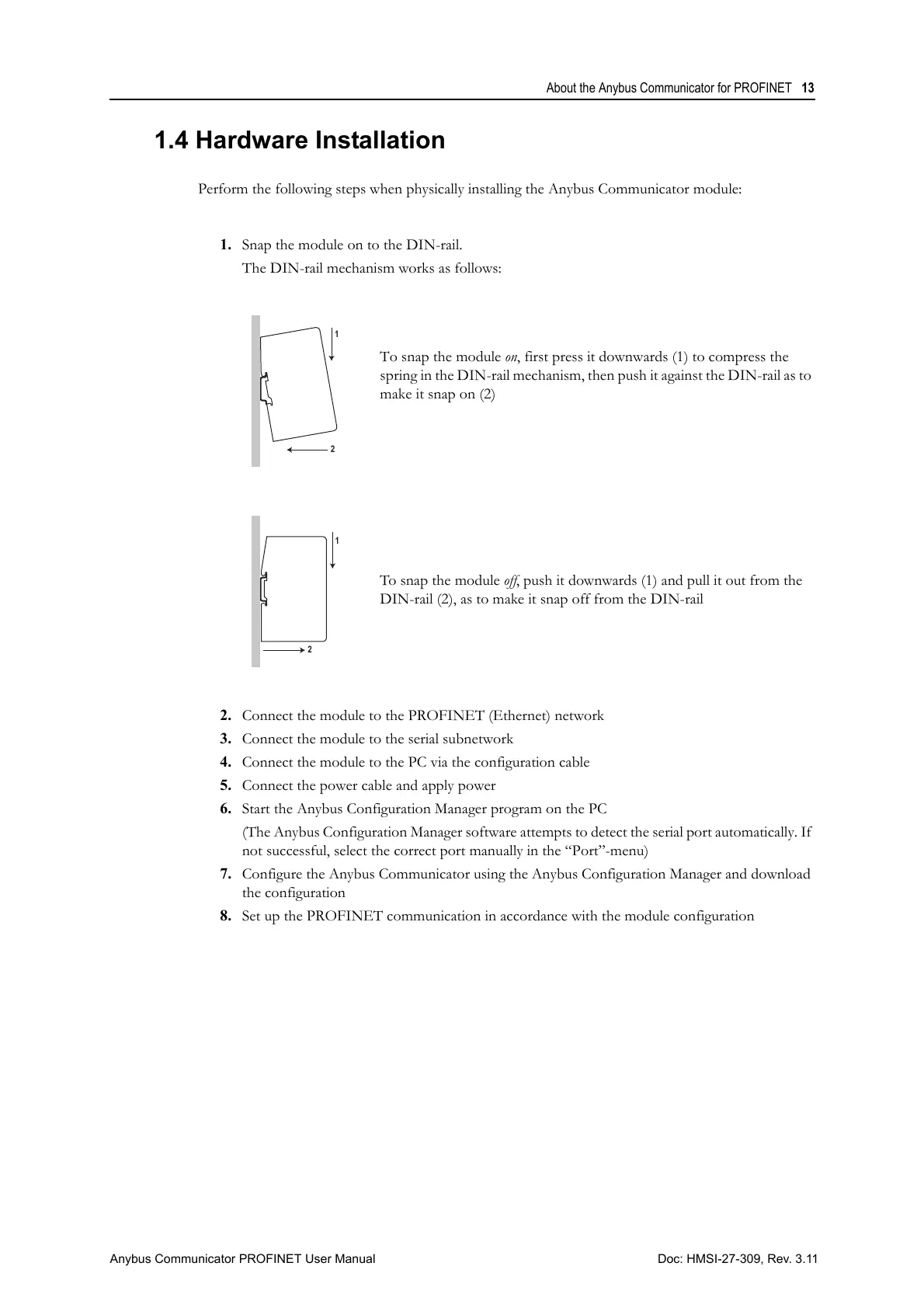
The DIN-rail mechanism works as follows:
To snap the module on, first press it downwards (1) to compress the
spring in the DIN-rail mechanism, then push it against the DIN-rail as to
make it snap on (2)
To snap the module off, push it downwards (1) and pull it out from the
DIN-rail (2), as to make it snap off from the DIN-rail
2. Connect the module to the PROFINET (Ethernet) network
3. Connect the module to the serial subnetwork
4. Connect the module to the PC via the configuration cable
5. Connect the power cable and apply power
6. Start the Anybus Configuration Manager program on the PC
(The Anybus Configuration Manager software attempts to detect the serial port automatically. If
not successful, select the correct port manually in the “Port”-menu)
7. Configure the Anybus Communicator using the Anybus Configuration Manager and download
the configuration
8. Set up the PROFINET communication in accordance with the module configuration



 To Next Page