Node Monitor 55
Doc: HMSI-27-309, Rev. 3.11Anybus Communicator PROFINET User Manual
11.2 Navigating the Node Monitor
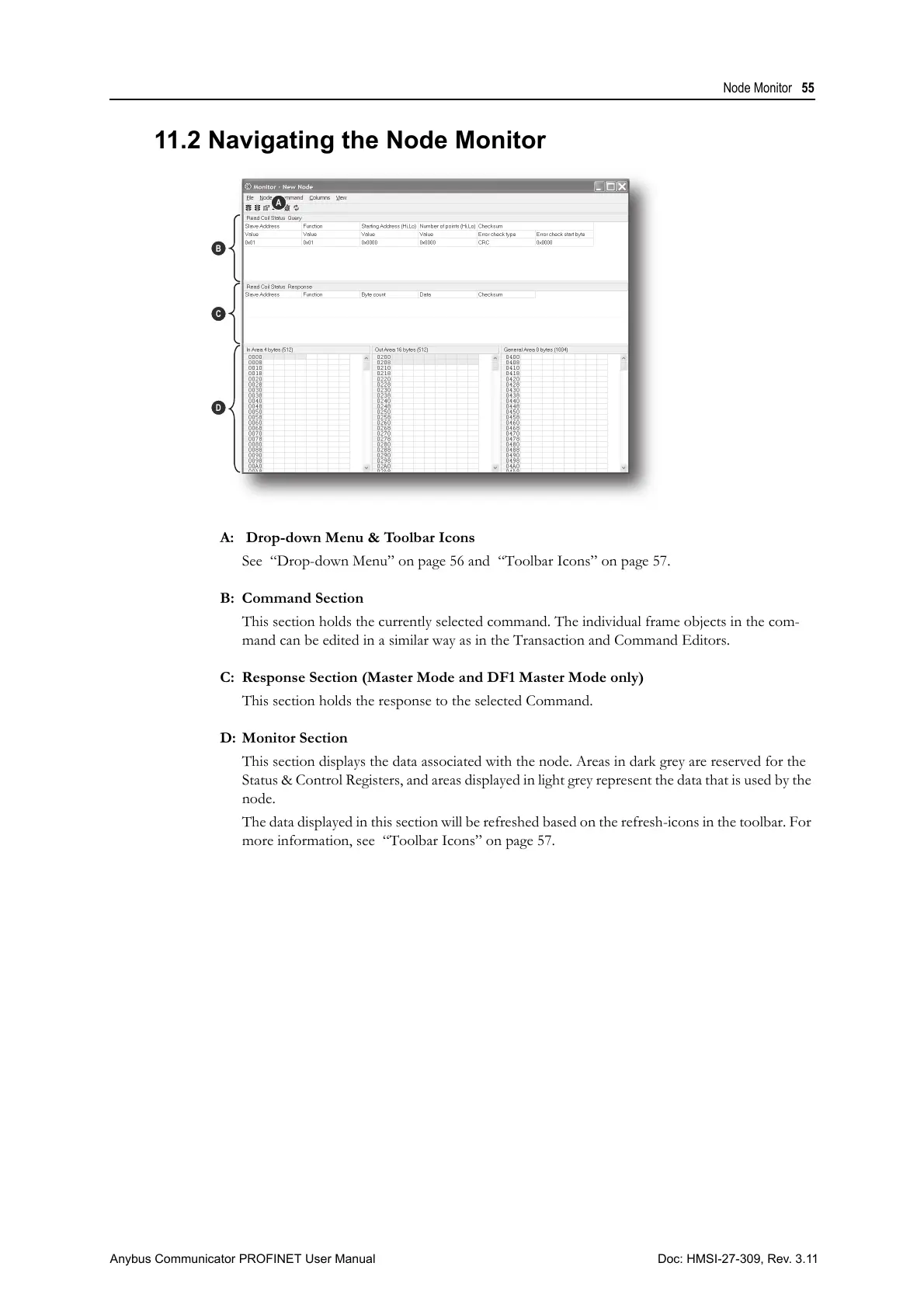
A: Drop-down Menu & Toolbar Icons
See “Drop-down Menu” on page 56 and “Toolbar Icons” on page 57.
B: Command Section
This section holds the currently selected command. The individual frame objects in the com-
mand can be edited in a similar way as in the Transaction and Command Editors.
C: Response Section (Master Mode and DF1 Master Mode only)
This section holds the response to the selected Command.
D: Monitor Section
This section displays the data associated with the node. Areas in dark grey are reserved for the
Status & Control Registers, and areas displayed in light grey represent the data that is used by the
node.
The data displayed in this section will be refreshed based on the refresh-icons in the toolbar. For
more information, see “Toolbar Icons” on page 57.



 To Next Page