Doc: HMSI-27-309, Rev. 3.11Anybus Communicator PROFINET User Manual
Chapter 7
7. Frame Objects
7.1 General
Each transaction consists of Frame Objects which makes up the serial telegram frame. Each Frame Ob-
ject specifies how the gateway shall interpret or generate a particular part of the telegram.
There are 5 types of frame objects, which are described in detail later in this chapter:
• Constant Objects
• Limit Objects
•Data Objects
• Variable Data Objects
• Checksum Objects
Example:
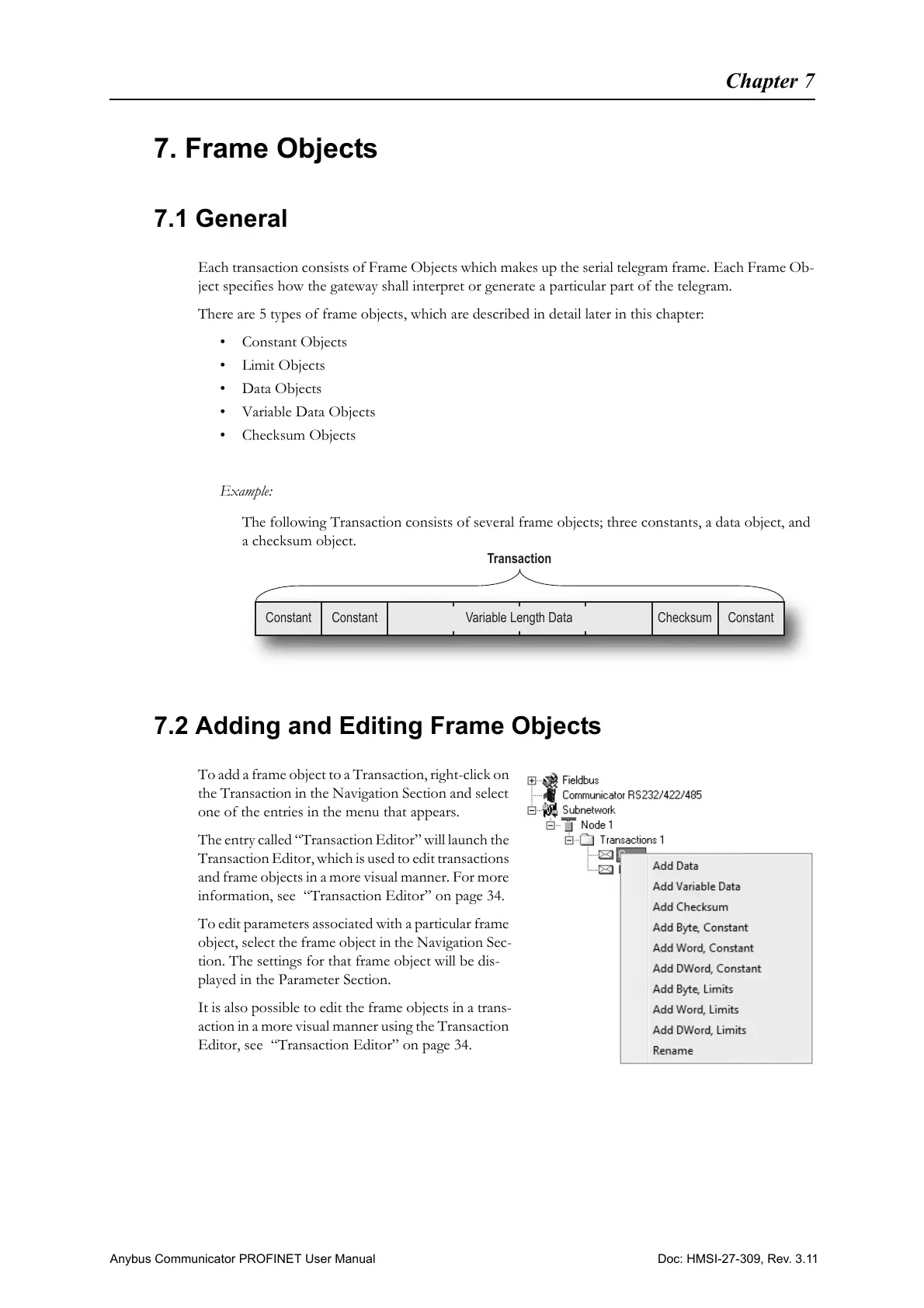
The following Transaction consists of several frame objects; three constants, a data object, and
a checksum object.
7.2 Adding and Editing Frame Objects
To add a frame object to a Transaction, right-click on
the Transaction in the Navigation Section and select
one of the entries in the menu that appears.
The entry called “Transaction Editor” will launch the
Transaction Editor, which is used to edit transactions
and frame objects in a more visual manner. For more
information, see “Transaction Editor” on page 34.
To edit parameters associated with a particular frame
object, select the frame object in the Navigation Sec-
tion. The settings for that frame object will be dis-
played in the Parameter Section.
It is also possible to edit the frame objects in a trans-
action in a more visual manner using the Transaction
Editor, see “Transaction Editor” on page 34.
Transaction
Constant Constant
Variable Length Data Checksum Constant



 To Next Page