Doc: HMSI-27-309, Rev. 3.11Anybus Communicator PROFINET User Manual
Chapter 10
10. Sub-network Monitor
10.1 General
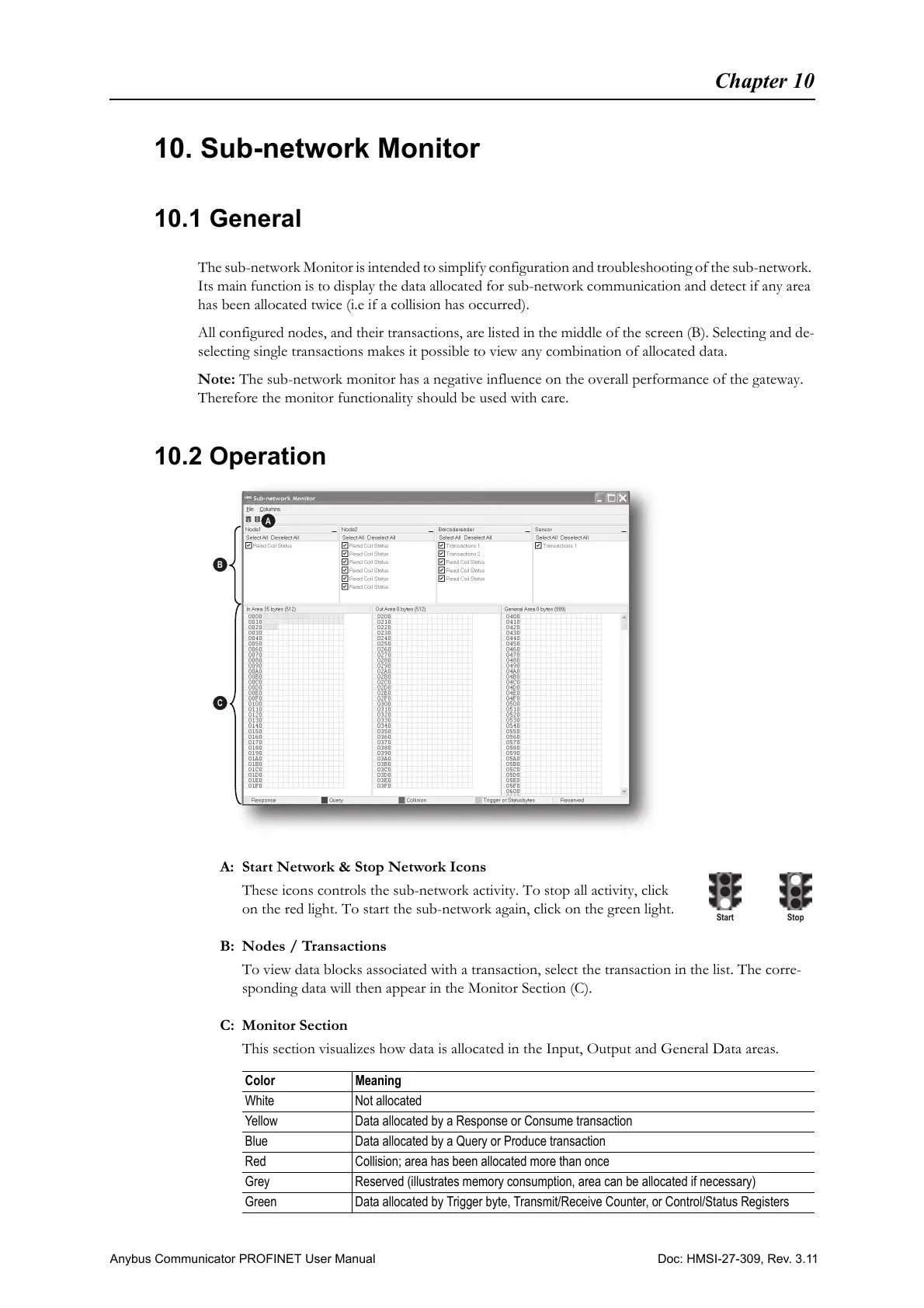
The sub-network Monitor is intended to simplify configuration and troubleshooting of the sub-network.
Its main function is to display the data allocated for sub-network communication and detect if any area
has been allocated twice (i.e if a collision has occurred).
All configured nodes, and their transactions, are listed in the middle of the screen (B). Selecting and de-
selecting single transactions makes it possible to view any combination of allocated data.
Note: The sub-network monitor has a negative influence on the overall performance of the gateway.
Therefore the monitor functionality should be used with care.
10.2 Operation
A: Start Network & Stop Network Icons
These icons controls the sub-network activity. To stop all activity, click
on the red light. To start the sub-network again, click on the green light.
B: Nodes / Transactions
To view data blocks associated with a transaction, select the transaction in the list. The corre-
sponding data will then appear in the Monitor Section (C).
C: Monitor Section
This section visualizes how data is allocated in the Input, Output and General Data areas.
Color Meaning
White Not allocated
Yellow Data allocated by a Response or Consume transaction
Blue Data allocated by a Query or Produce transaction
Red Collision; area has been allocated more than once
Grey Reserved (illustrates memory consumption, area can be allocated if necessary)
Green Data allocated by Trigger byte, Transmit/Receive Counter, or Control/Status Registers



 To Next Page