Server Side Include (SSI) 42
Doc: HMSI-27-309, Rev. 3.11Anybus Communicator PROFINET User Manual
scanf
Note: This function cannot be used in e-mail messages.
This function reads a string passed from an object in a HTML form, interprets the string according to
the specification in format, and stores the result in the Output Data area according to the passed argu-
ments. The formatting of the string is equal to the standard C function call scanf()
Syntax:
<?--#exec cmd_argument="scanf( ’ObjName’, ’format’, Arg1, ..., ArgN), ErrVal1,
..., ErrvalN"-->
ObjName - The name of the object with the passed data string
format - Specifies how the passed string shall be formatted
Arg1 - ArgN - Specifies where to write the data
ErrVal1 -ErrValN - Optional; specifies the value/string to write in case of an error.
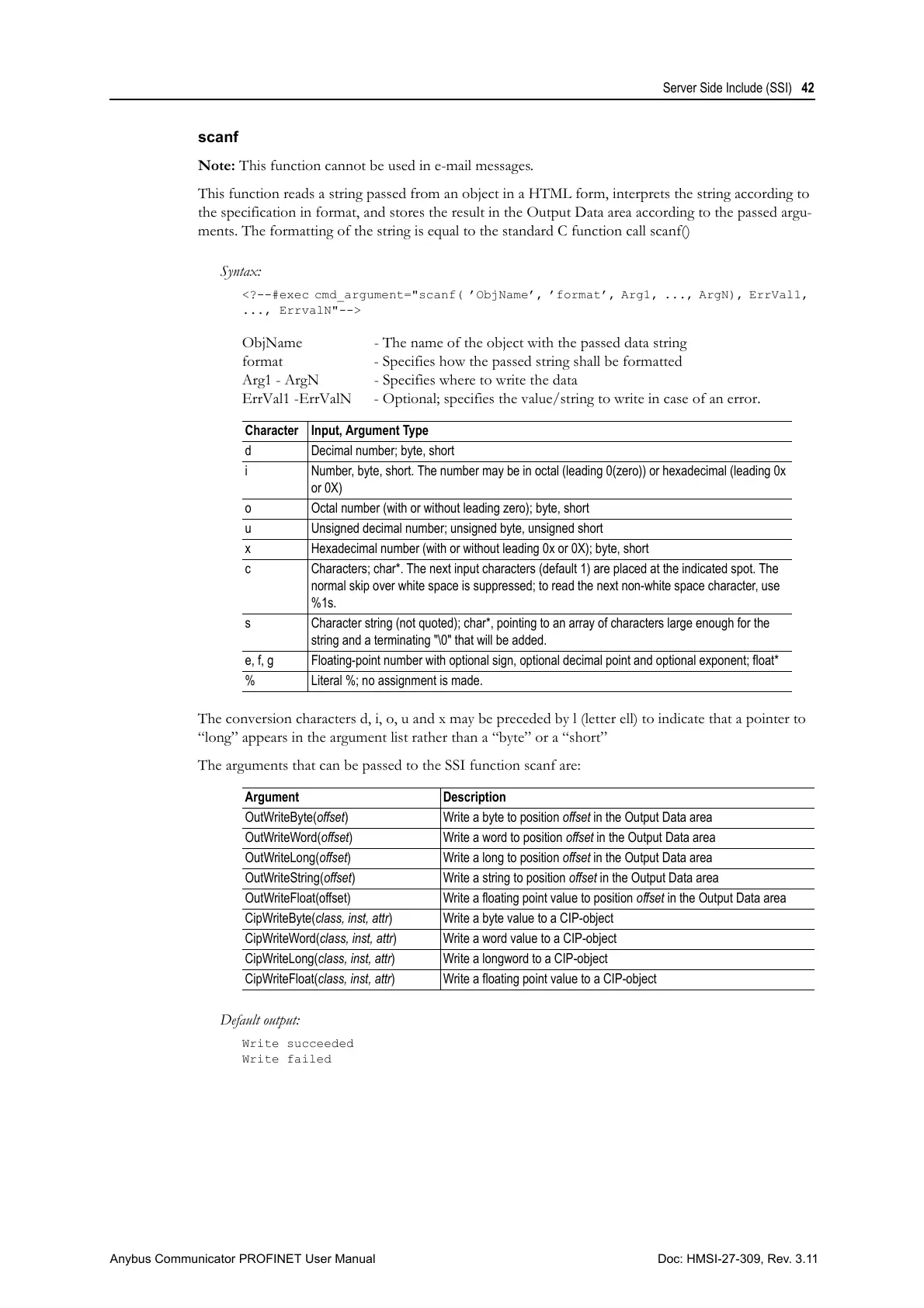
The conversion characters d, i, o, u and x may be preceded by l (letter ell) to indicate that a pointer to
“long” appears in the argument list rather than a “byte” or a “short”
The arguments that can be passed to the SSI function scanf are:
Default output:
Write succeeded
Write failed
Character Input, Argument Type
d Decimal number; byte, short
i Number, byte, short. The number may be in octal (leading 0(zero)) or hexadecimal (leading 0x
or 0X)
o Octal number (with or without leading zero); byte, short
u Unsigned decimal number; unsigned byte, unsigned short
x Hexadecimal number (with or without leading 0x or 0X); byte, short
c Characters; char*. The next input characters (default 1) are placed at the indicated spot. The
normal skip over white space is suppressed; to read the next non-white space character, use
%1s.
s Character string (not quoted); char*, pointing to an array of characters large enough for the
string and a terminating "\0" that will be added.
e, f, g Floating-point number with optional sign, optional decimal point and optional exponent; float*
% Literal %; no assignment is made.
Argument Description
OutWriteByte(offset) Write a byte to position offset in the Output Data area
OutWriteWord(offset) Write a word to position offset in the Output Data area
OutWriteLong(offset) Write a long to position offset in the Output Data area
OutWriteString(offset) Write a string to position offset in the Output Data area
OutWriteFloat(offset) Write a floating point value to position offset in the Output Data area
CipWriteByte(class, inst, attr) Write a byte value to a CIP-object
CipWriteWord(class, inst, attr) Write a word value to a CIP-object
CipWriteLong(class, inst, attr) Write a longword to a CIP-object
CipWriteFloat(class, inst, attr) Write a floating point value to a CIP-object



 To Next Page