Navigating ACM 21
Doc: HMSI-27-309, Rev. 3.11Anybus Communicator PROFINET User Manual
Tools
•Port
Select the COM-port used for the configuration of the gateway.
• Upload configuration from
Communicator RS232/422/485
Upload the configuration from the gateway to ACM.
• Download configuration to
Communicator RS232/422/485
Download the current configuration to the gateway.
• Start Logging
Start the Data Logger (see “Data Logger” on page 58).
Note that when the Data Logger is active, this menu entry is changed to “Stop Logging”.
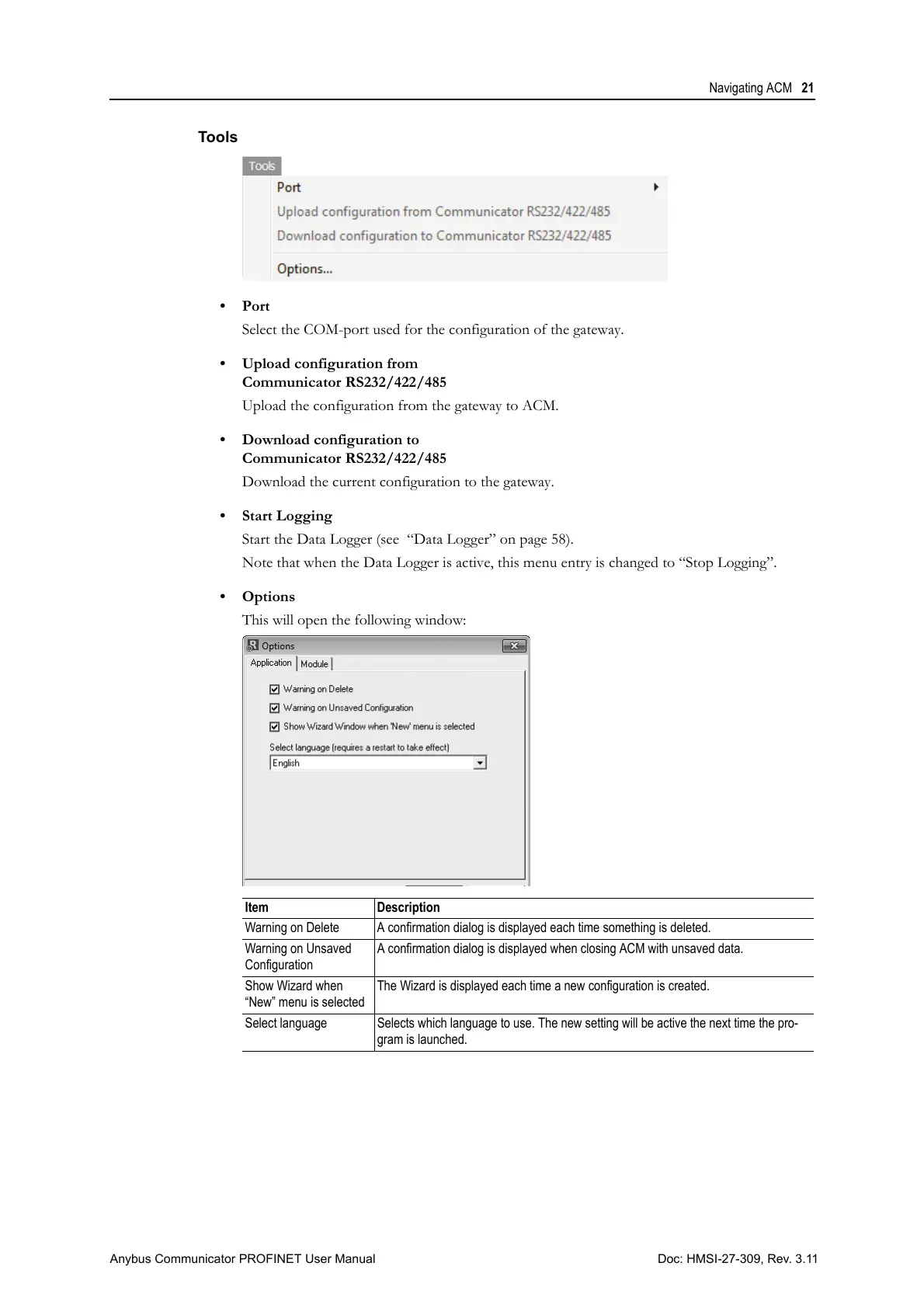
• Options
This will open the following window:
Item Description
Warning on Delete A confirmation dialog is displayed each time something is deleted.
Warning on Unsaved
Configuration
A confirmation dialog is displayed when closing ACM with unsaved data.
Show Wizard when
“New” menu is selected
The Wizard is displayed each time a new configuration is created.
Select language Selects which language to use. The new setting will be active the next time the pro-
gram is launched.



 To Next Page