30 User Manual Compact Crane C10
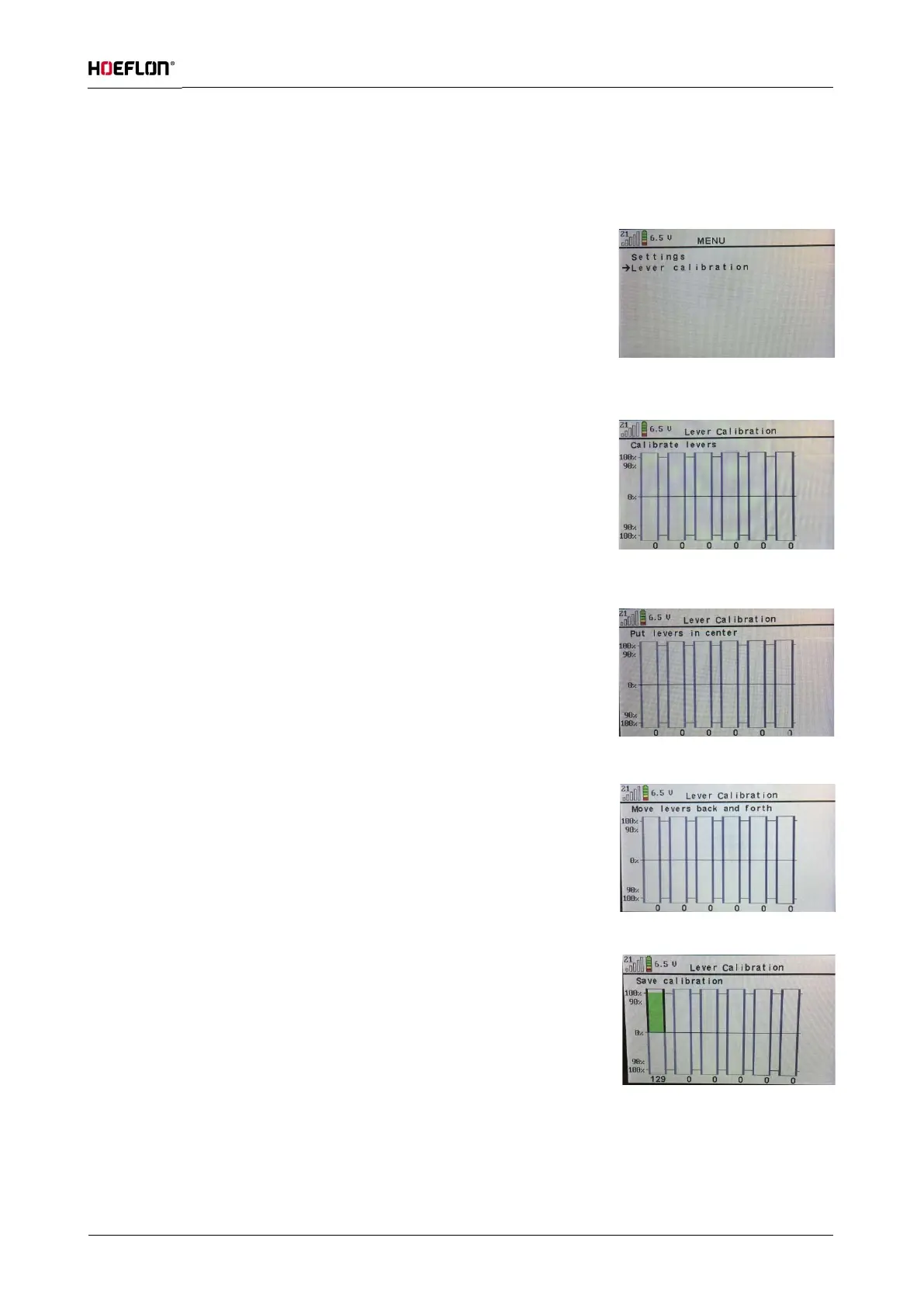
6.2.3 Calibrate levers
If the levers do not respond over the entire range of movement, they must be calibrated. This is done as follows:
Switch on the remote control and activate the remote control menu by
pressing the ( ✓ ) button (see figure 18).
Press the ( ) button to move the arrow in the display until it points to
Lever calibration (see figure 22).
Press the ( ✓) button and you will be taken to the Calibrate levers
screen. You see a bar for each lever.
When you operate a lever the bar turns green. In the maximum position
the bar must be 100% green. If not, the levers must be calibrated (see
figure 19).
Press the ( ✓) button and you will be taken to the next screen. It says Put
levers in center. Leave all the levers in their middle position; do not
operate them (see figure 20).
Press the (✓) button and you will be taken to the next screen. It says
Move levers back and forth. Slowly operate the levers one at a time, from
the maximum backwards position to the maximum forwards position (see
figure 21).
Press the (✓) button and you will be taken to the next screen. It says Save
calibration. If you now operate a lever, the bar will turn green again in the
direction you have chosen. At the maximum forwards or backwards
position, the green bar will fill to 100%. If everything is working properly,
press the (✓) button and the settings will be saved (see figure 22).
Now press ( ) twice and you will return to the home screen.
Figure: 18
Figure: 19
Figure: 20
Figure: 21
Figure: 22



 To Next Page