32 User Manual Compact Crane C10
6.2.5 Electrical cabinet
DANGER!
Remove the keys from the key switch when during work on
the electrical system to prevent unauthorised persons from
switching the machine on.
DANGER!
Remove the keys from the key switch when operating the
crane to prevent unauthorised persons from switching the
machine on or off. Attention! When bypass is active at no. 6
the sensors are bypassed. If the sensor on the winch cylinder
is bypassed, the winch motor will continue to run when the
winch cable reaches the stop; consequently the winch cable
may be pulled apart.
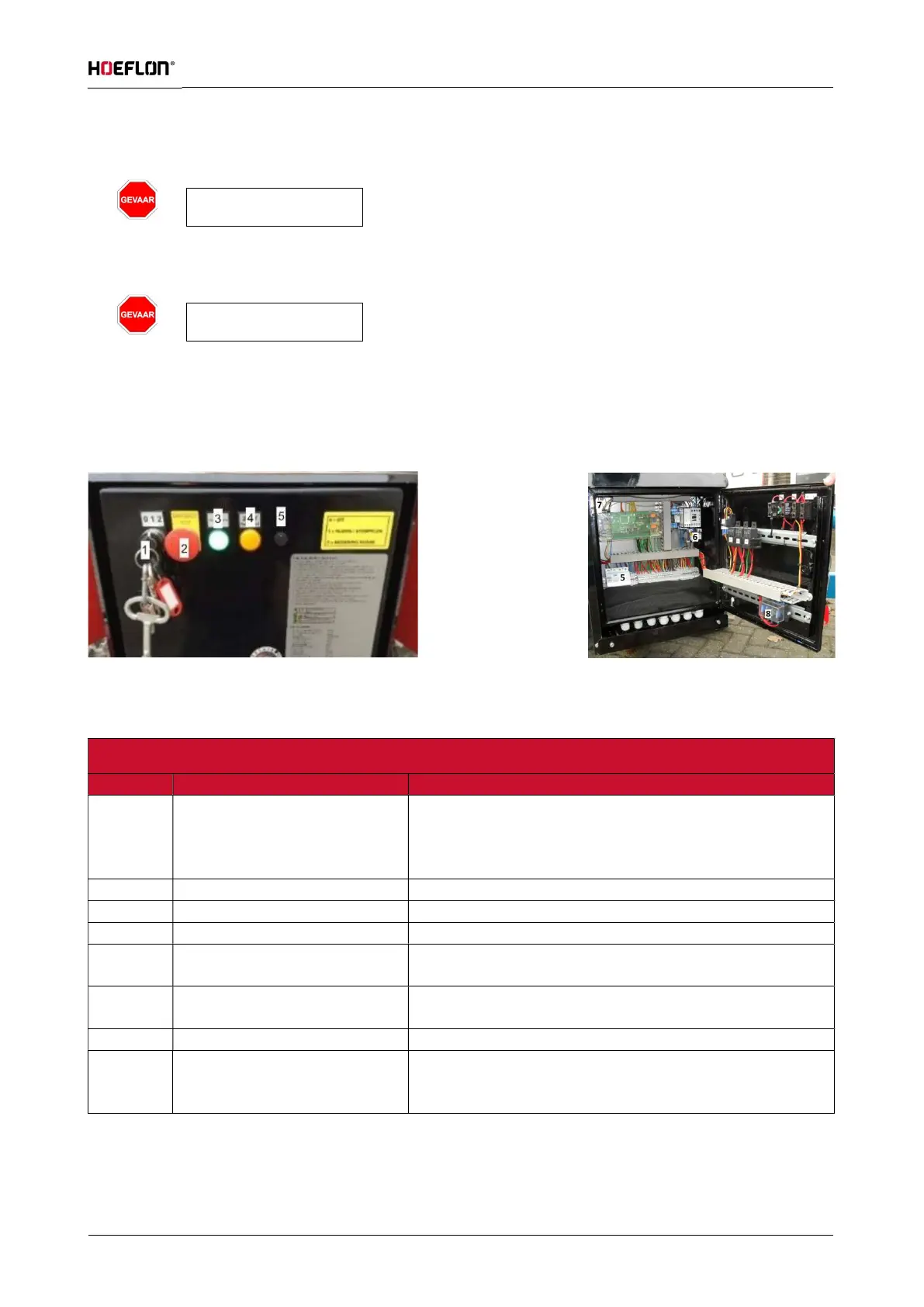
There are a number of functions present on the electrical cabinet. These functions are shown and explained
below.
Figure: 26
Main switch (implemented as
key switch).
Centre (1): In this position the drive system and outriggers
are active.
Right (2): In this position the crane can be operated.
Switches drive system off.
Lit when key switch is on.
Lit when mains power is correctly connected.
control cable
Right: complete bypass of control functions
15A battery charger and sensors
25A engine



 To Next Page