OPERATION
4.8
ThinPrep
®
Integrated Imager Operator’s Manual
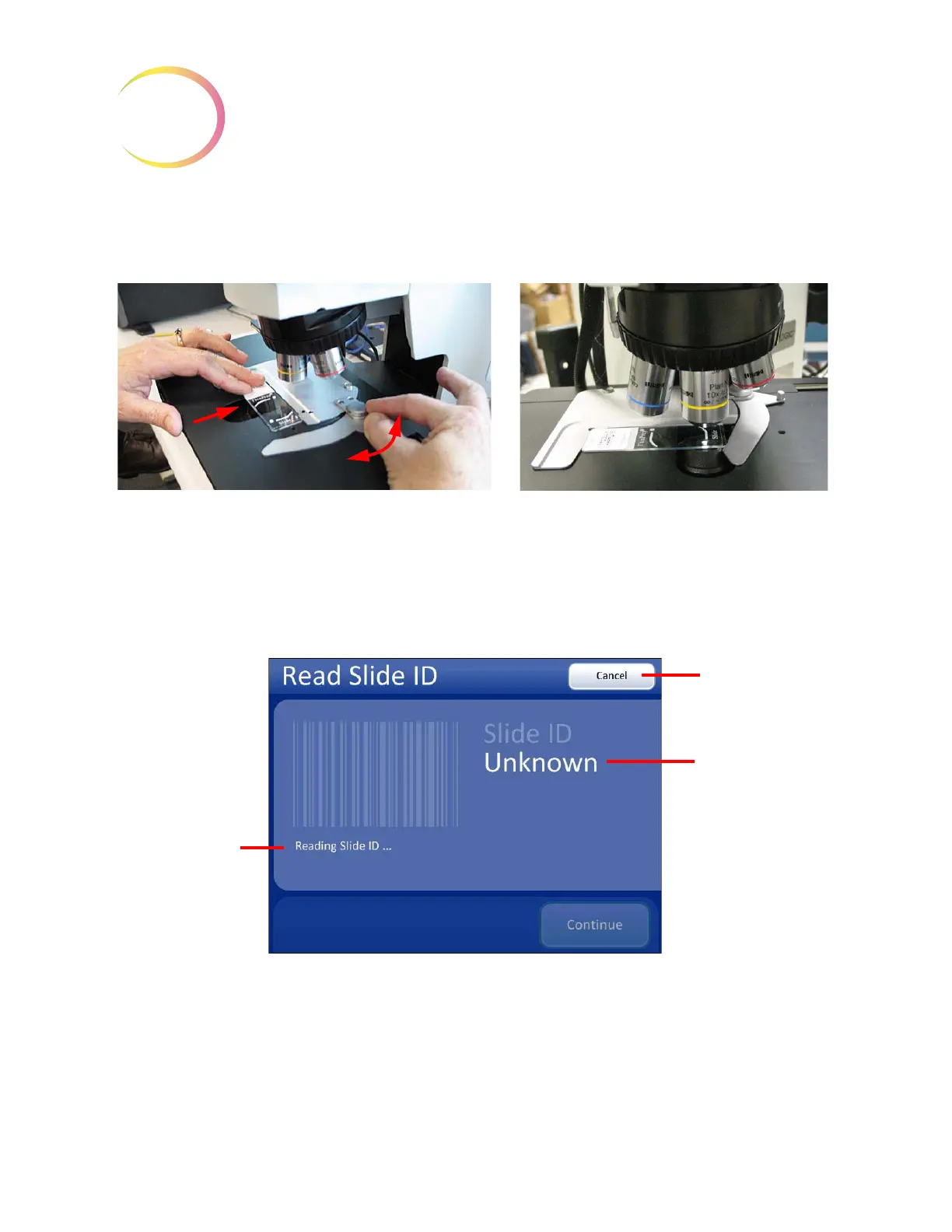
on the left. Release the button, allowing the slide clip to secure the slide against the holder for the
best registration. No further adjustment of the slide or clip is necessary.
Figure 4-6 Load Slide
Press the
Continue
button when ready. The system scans the slide ID and compares it with the data-
base. If the slide ID is in the acceptable format and is not in the database, the system immediately
begins to image the slide. (
Figure 4-7.)
Figure 4-7 Reading Slide ID
If the slide ID is already in the database, a message will state so. Review is available as an option or
the slide review may be cancelled. See
Figure 4-8.
Use the button to open the slide clip. Load slide.
Release the slide clip.
A loaded slide
Operational
message
Cancel
button, to
stop and return to
Load Slide screen
Slide ID status
message



 To Next Page