ThinPrep
®
Integrated Imager Operator’s Manual
4.9
OPERATION
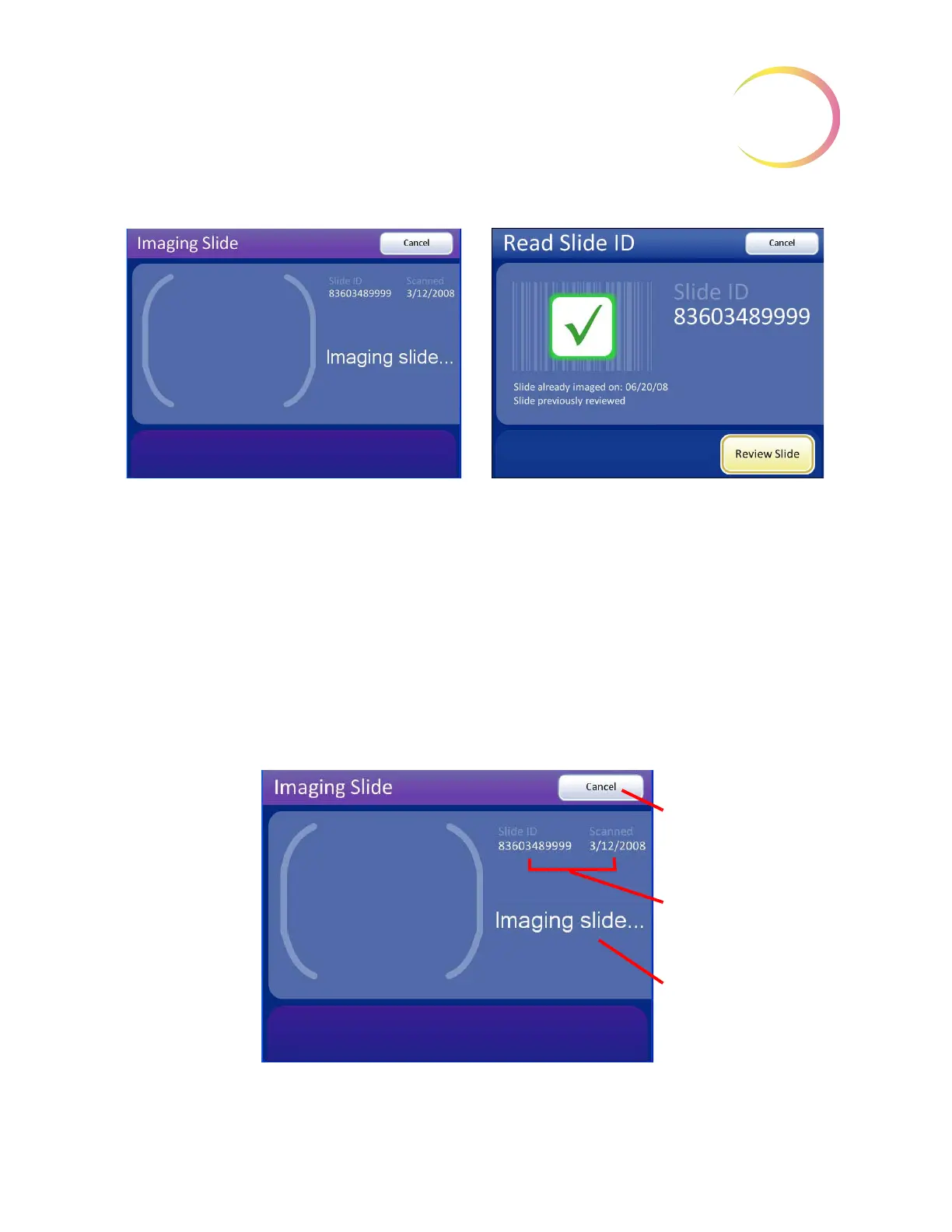
Figure 4-8 Read Slide ID Results
Note:
A slide may have been imaged and already reviewed, or a slide may have been imaged and
not been reviewed. In either case, the options are to review the slide or cancel.
Do not look through the binoculars while the system is imaging a slide. The light blinks rapidly
while imaging takes place. Do not bump the instrument while imaging a slide.
Figure 4-9 Imaging Slide Screen
If the slide ID is successfully read and not in the
database, the Integrated Imager immediately
begins imaging the slide.
Press the
Cancel
button to cancel the process
and return to the Load Slide screen.
If the slide ID is successfully read, but is already
in the database, the options are to review the
slide or cancel.
See “SLIDE REVIEW” on page 4.11.
Refer to Chapter 6, Troubleshooting if any other
message is displayed.
Cancel
button, to stop
imaging and return to
the main screen
Slide ID and date
scanned
Status message



 To Next Page