ThinPrep
®
Integrated Imager Operator’s Manual
4.15
OPERATION
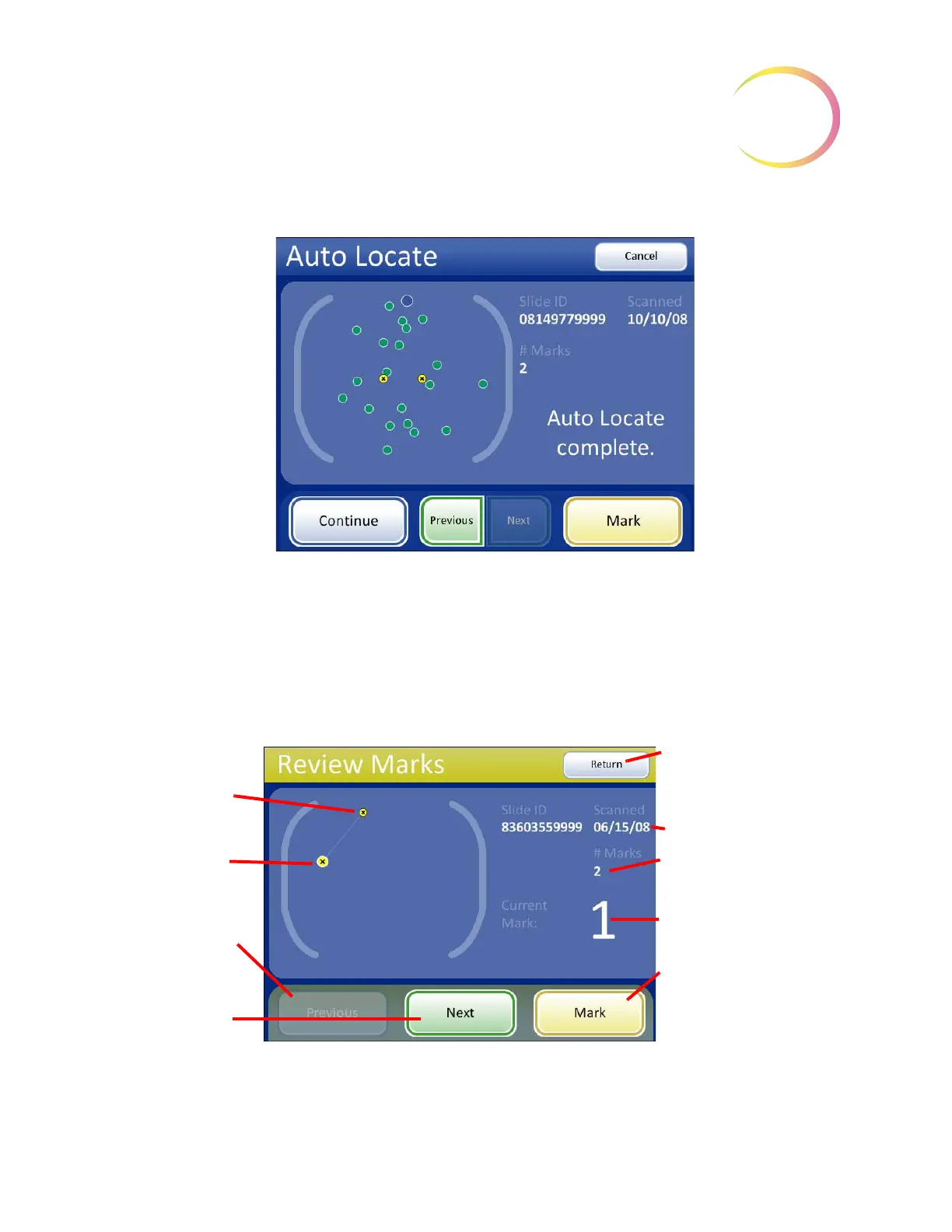
Figure 4-15 Auto Locate Complete - Continue
Review Marks
If electronic marks were made during review of the 22 fields of interest, they can be reviewed prior to
proceeding with Auto Scan. This is an optional step. Press the
Review Marks
button on the touch
screen. The stage will present the marks in the order they were made. Use
Next
and
Previous
on the
review control or the touch screen to move among the locations. Marks may be added or deleted at
this time.
Figure 4-16 Review Marks Screen
Areas marked electroni-
cally are displayed as
yellow dots with an x.
The large dot indicates
the current field of view
location.
Previous
button, to go
back one field of view
Next
button, to
advance to next field of
view
Return
button, to return to
Auto Locate screen
Slide data
Number of electronic marks
made
Current mark being viewed
Mark
button, to make addi-
tional marks or remove exist-
ing marks



 To Next Page