26 | HRG Performance Series DVR User Guide
www.honeywellvideo.com
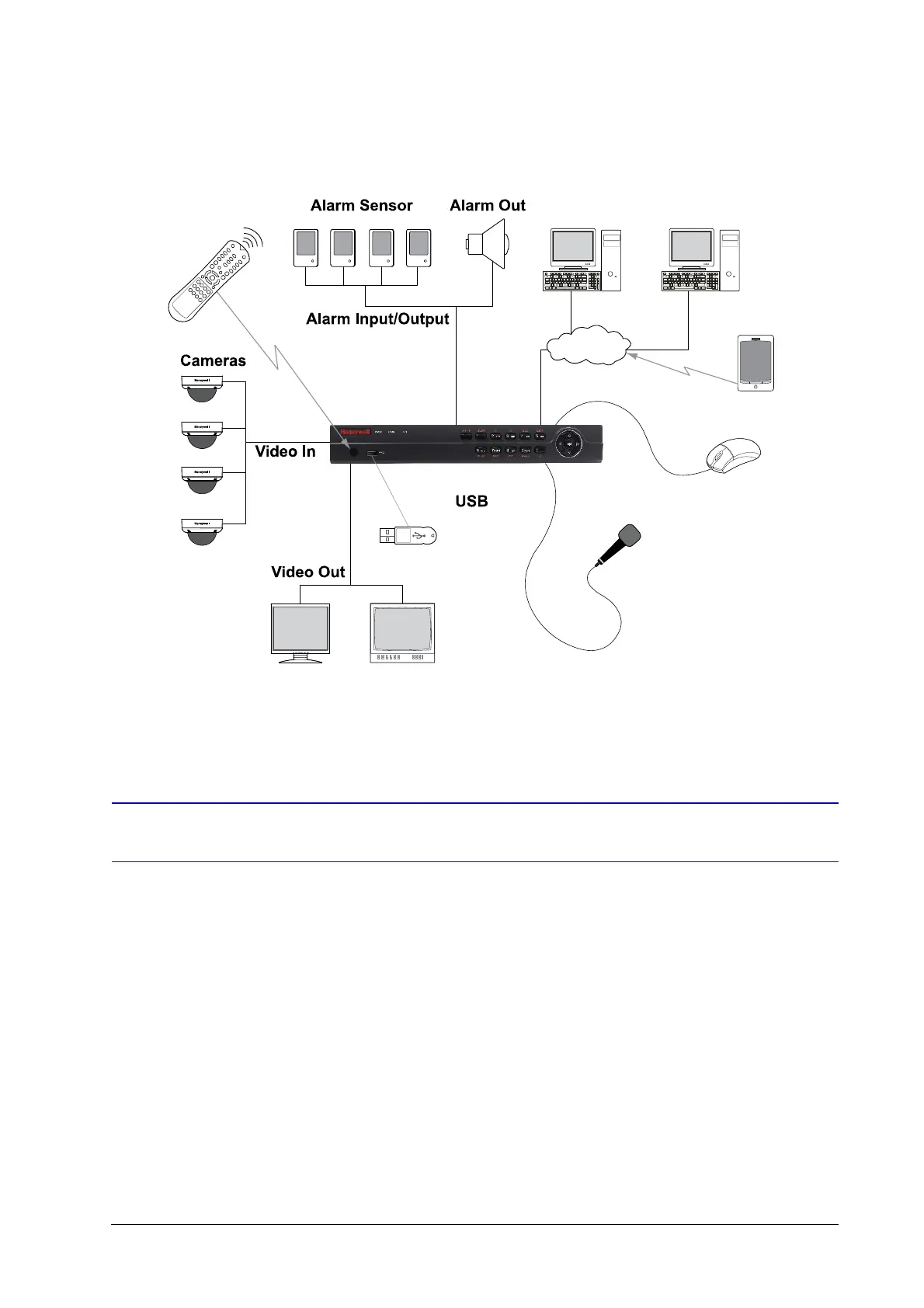
Figure 1-1 System Diagram (4-Channel HRG shown)
Operating the HRG DVR
You can use the following tools to navigate and operate your HRG DVR.
• the front panel controls (see Front Panel on page 26)
• the IR (Infrared) remote (see Using the IR Remote Control on page 29)
• a mouse (see Using a USB Mouse on page 30)
• the virtual keyboard (see Using the Virtual Keyboard on page 31)
Front Panel
Familiarize yourself with the front panel controls for your HRG DVR.
HRG4 D VR
Main Monitor
VGA
Spot Monitor
(BNC)
IR Remote
Control
USB Mouse
Support
Microphone
Mobile
Device
Internet
For backing up
video clips
Multi-Site Software
Web Browser



 To Next Page
 Loading...


