80 | HRG Performance Series DVR User Guide
www.honeywellvideo.com
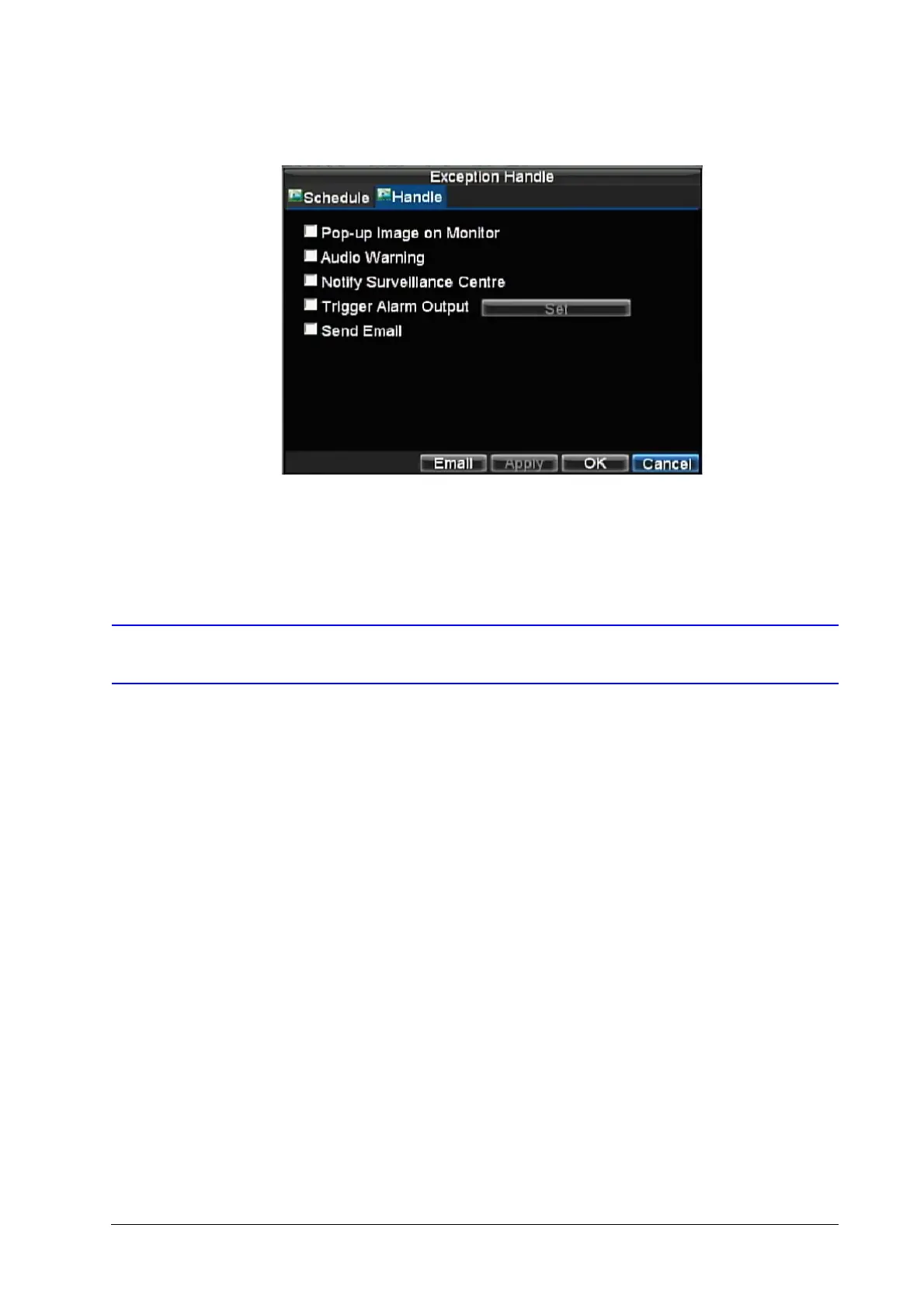
Figure 7-21 Handle Settings
8. Click OK to save the settings.
9. Repeat step 3 to step 8 to configure settings for other channels.
Exception Settings
The exception setting allows the DVR to alert you when irregular events occur. These events
include:
• HDD Full: All installed hard drives are full.
• HDD Error: Errors occurred during writing of the hard drive(s), no hard drive is installed, or
the hard drive(s) failed to initialize.
• Network Disconnected: Disconnected network cable.
• IP Conflict: Conflict in IP address setting.
• Illegal Login: Incorrect user ID or password used.
• Video Output Standard Mismatch: Video output standards do not match each other.
To set exceptions:
1. Click Menu Settings Exception to enter the Exception menu.
2. Under Exception Type, select the exception that you want to configure.
3. Select triggering options (see Figure 7-22).



 To Next Page
 Loading...


