6S2
0RQLWRULQJ
Patient Monitor Using SpO2
9-8
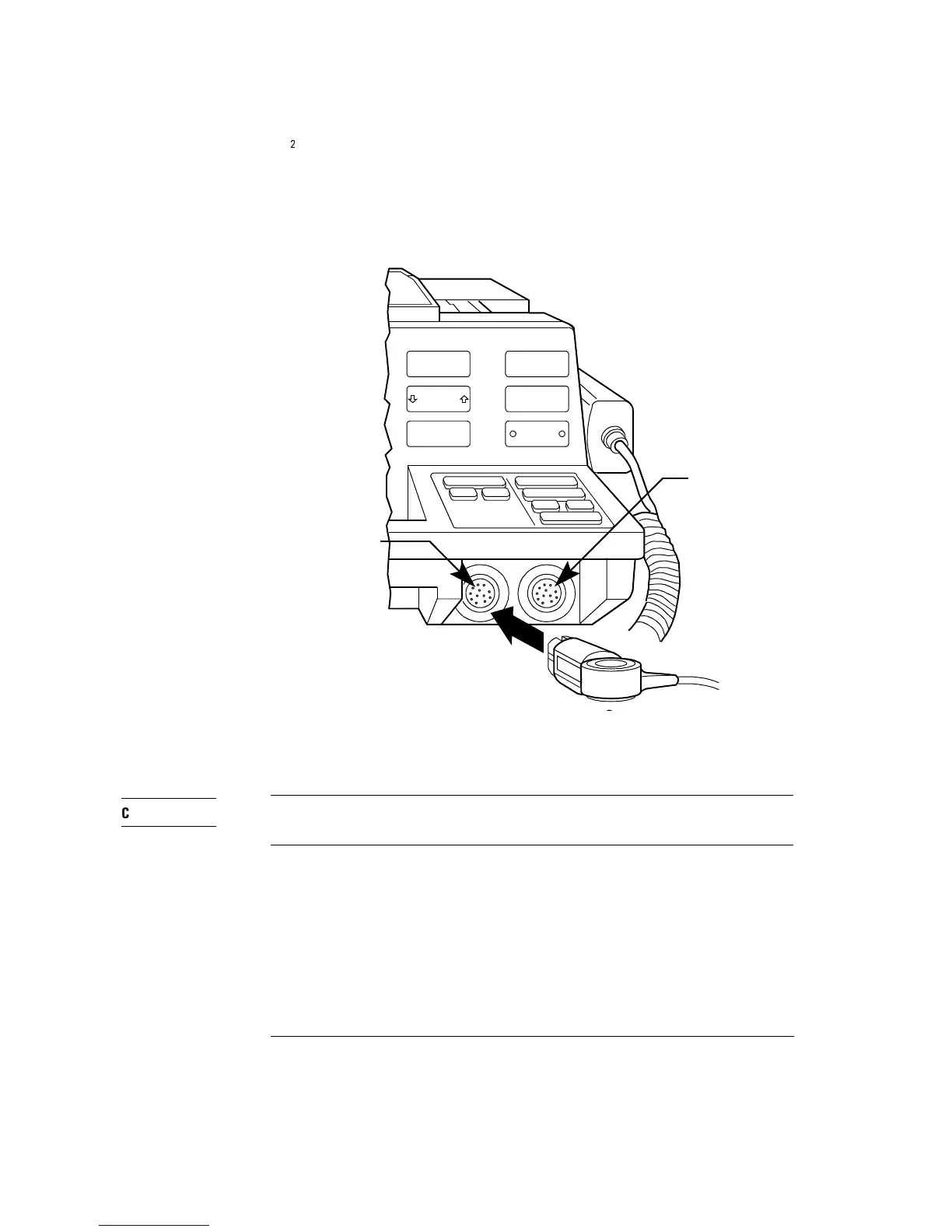
Figure 9-3
Connecting the SpO
2
Sensor 9-3
9-3
To avoid damaging the pins on the cable connector, do not force the SpO
2
connector into the ECG input socket.
Start Monitoring
Turn the defibrillator on, if necessary, by turning the Energy Select control
to Monitor On. Press SpO
2
On/Off to display the SpO
2
reading in the upper
right corner of the display.
MONITOR RECORDER
Lead Select
ECG Size
HR Alarm
Record
Mark
Review
M2475-B0013
ECG Input
Sp0
2
Input



 To Next Page