6HWXSDQG&RQILJXUDWLRQ
Setting Up the CodeMaster 100
2-4
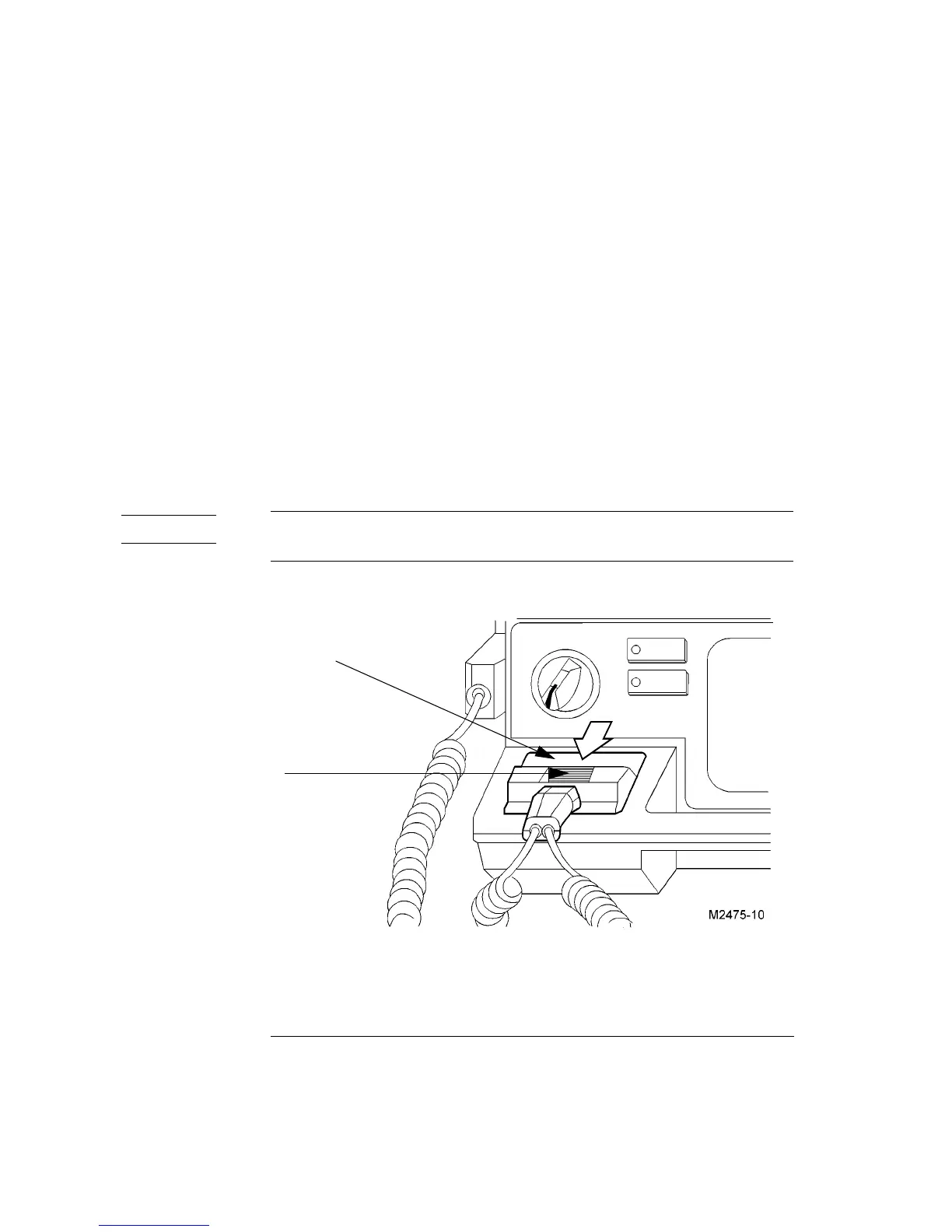
Connecting Paddles or Multifunction Defib Electrodes
To connect the paddles/electrode adapter cable to the defibrillator, perform the
following steps:
1 Slide the paddle connector lock on the paddles plug to the unlock position. To
do this, push the lock towards the top of the connector.
2 Insert the paddles/electrode adapter cable plug into the cable connector on the
defibrillator (Figure 2-2).
3 Slide the cable connector latch to the lock position, to secure the plug in place.
To remove the paddles/electrode adapter cable, slide the paddle connector lock to
the unlock position and pull the connector housing up and out.
Figure 2-2
Connecting External Paddles, Internal Paddles, or Multifunction Defib Electrodes
2-2
SDGGOHVHOHFWURGH
DGDSWHUFDEOHFRQQHFWRU
&RQQHFWRU ORFN



 To Next Page