6HWXSDQG&RQILJXUDWLRQ
Setting Up the CodeMaster 100
2-2
Inserting the Battery
Before using the battery supplied with your HP CodeMaster 100, make sure it is
fully charged and functional. Remove the battery from the defibrillator by pinching
the latch and pulling the battery out and up.
Perform the “Battery Capacity Test” on page 13-15 to charge and test the battery.
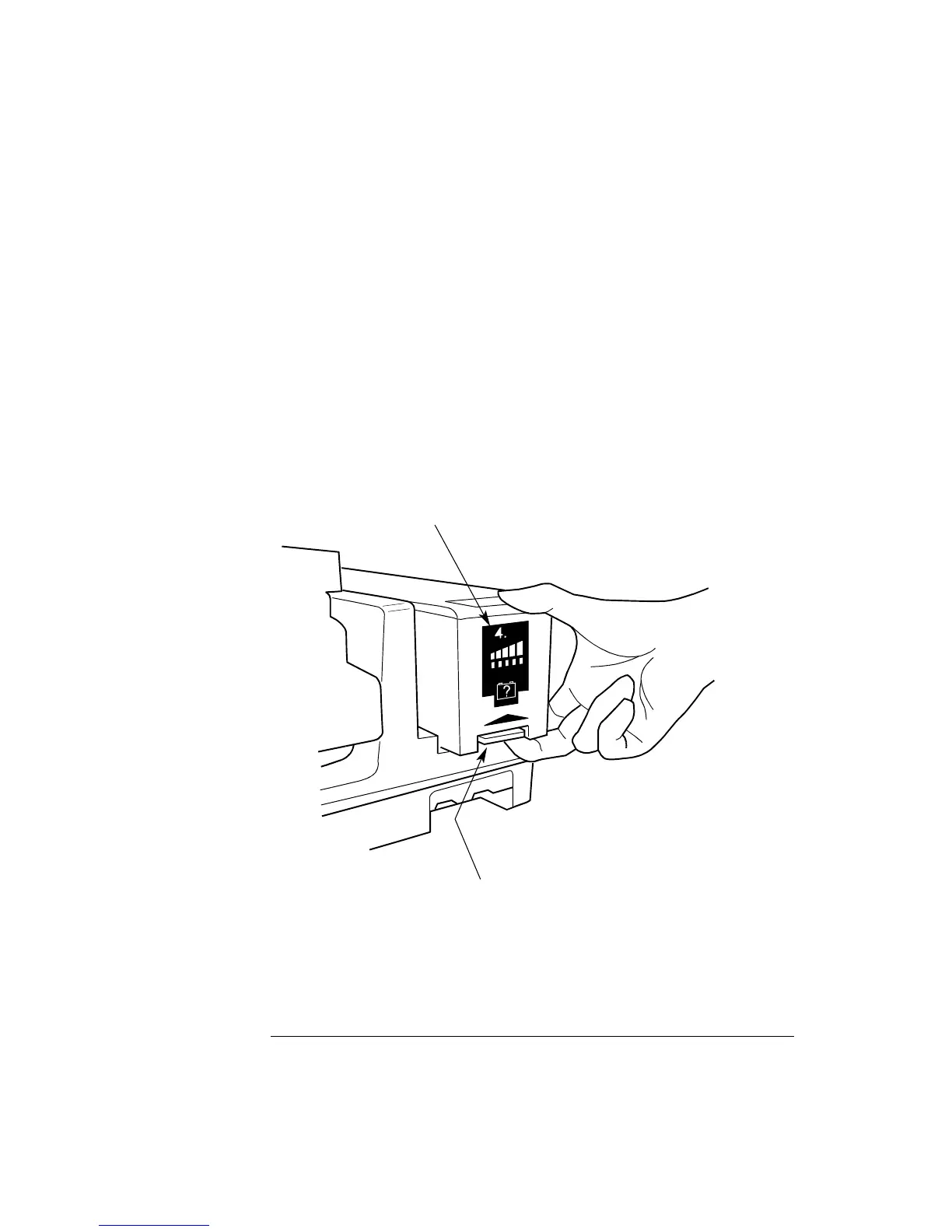
Insert a fully charged and tested battery into the CodeMaster 100 (Figure 2-1). Insert
the battery into the compartment with the connector to the inside. Slide the battery
into the compartment until it latches.
Figure 2-1
Loading the Battery into the CodeMaster 100
2-1
Quick-change battery latch
Battery capacity gauge
M2475-B0007



 To Next Page